

Contrastly
Cold Plunge, Sauna

Health · Medical
INR & Warfarin Log
Log your INR and doses against the range your clinic set, not a generic chart.
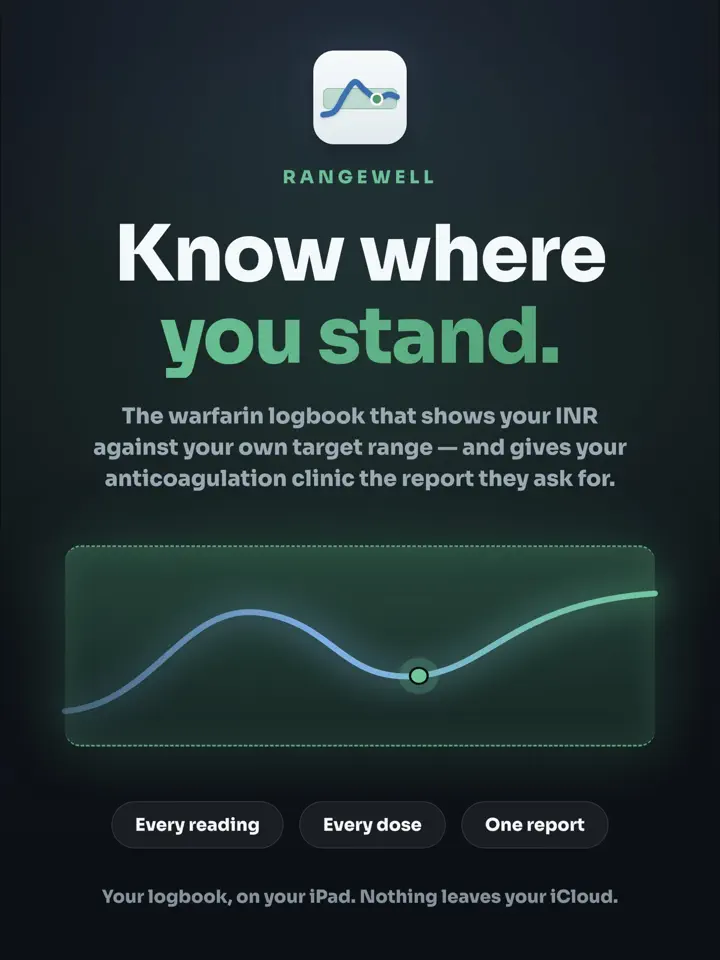
Rangewell is an iPhone app made by Develak, a logbook for people taking warfarin or another vitamin K antagonist to track INR readings and weekly doses against the range their own clinic gave them.
Screenshots
Overview
Rangewell is a logbook, not a medical device. It records what you and your anticoagulation clinic decide together: it never suggests a dose and never interprets a result on its own. Every reading is plotted against the target range your clinic gave you, so you see the shape of your control instead of a column of numbers.
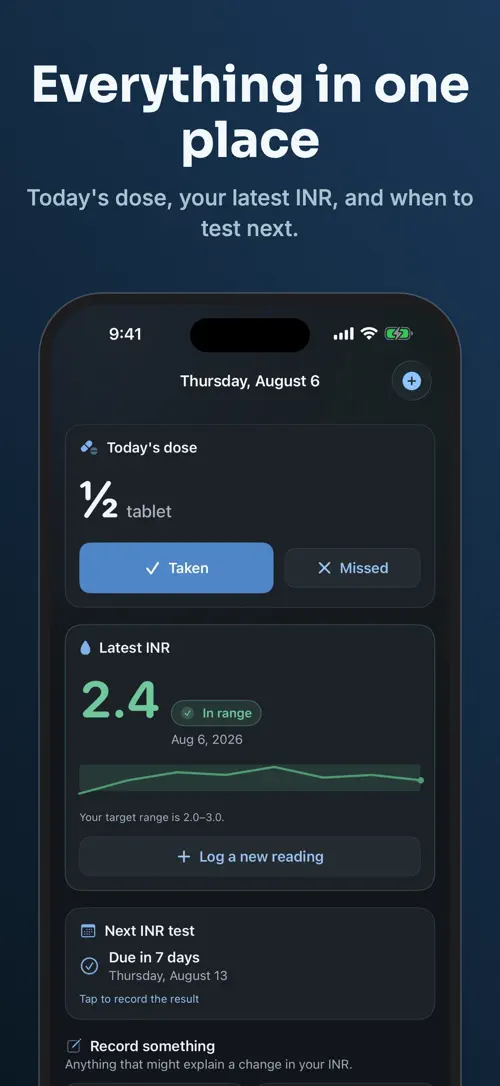
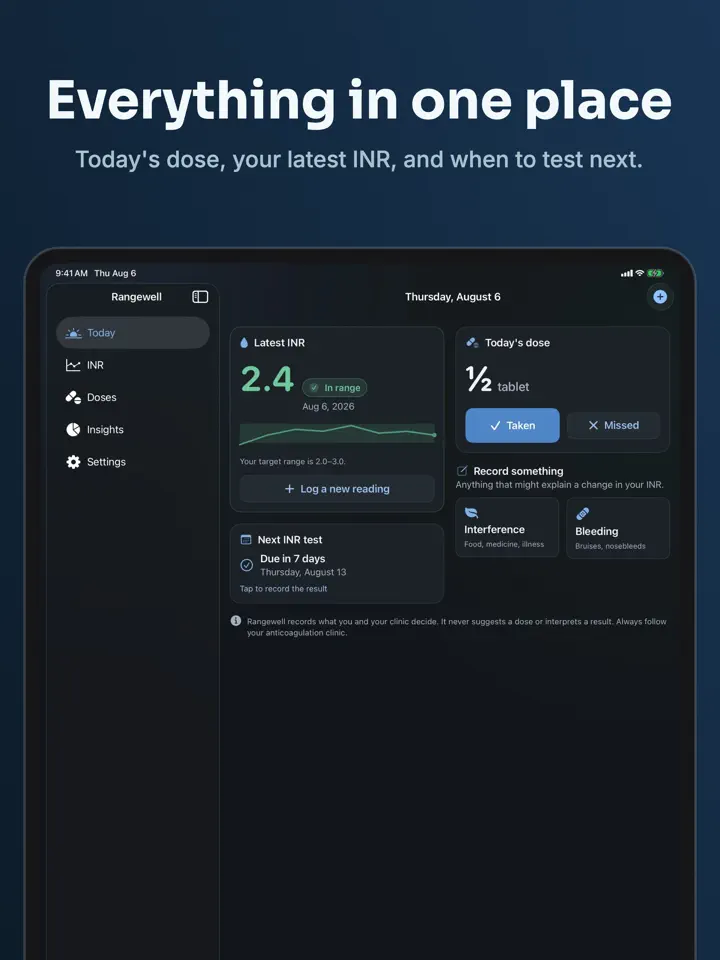
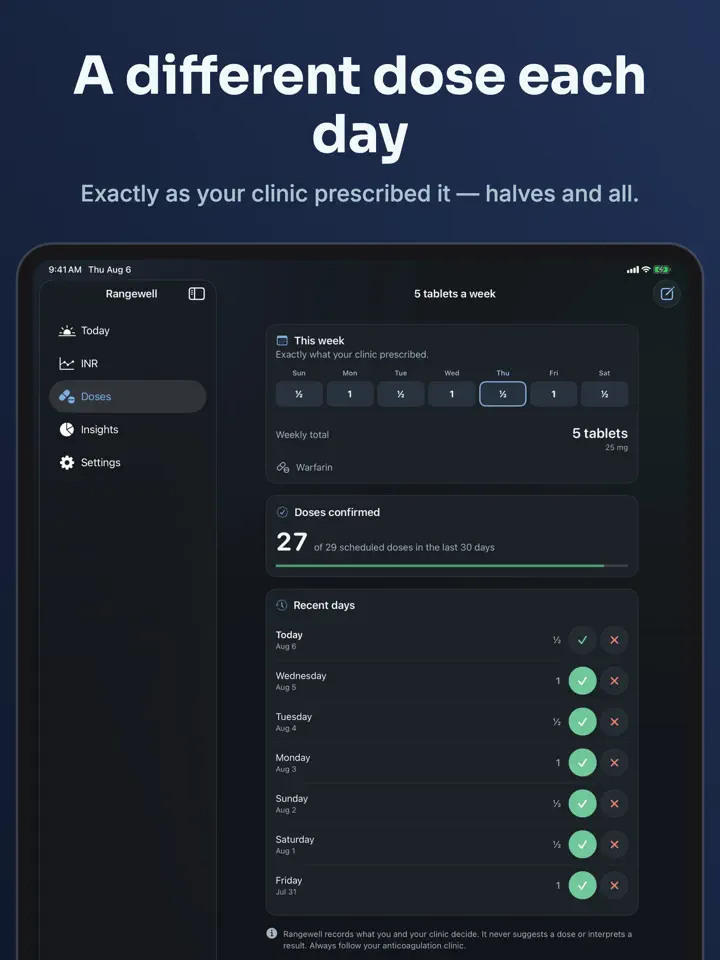
Warfarin is usually prescribed as a week rather than a single daily dose, and Rangewell is built around that. You set each day separately, in quarters of a tablet or in milligrams, and the app reminds you both to take the dose and to book your next INR test.
Rangewell is a logbook for people taking warfarin or another vitamin K antagonist.
It records what you and your anticoagulation clinic decide. It never suggests a dose and never interprets a result.
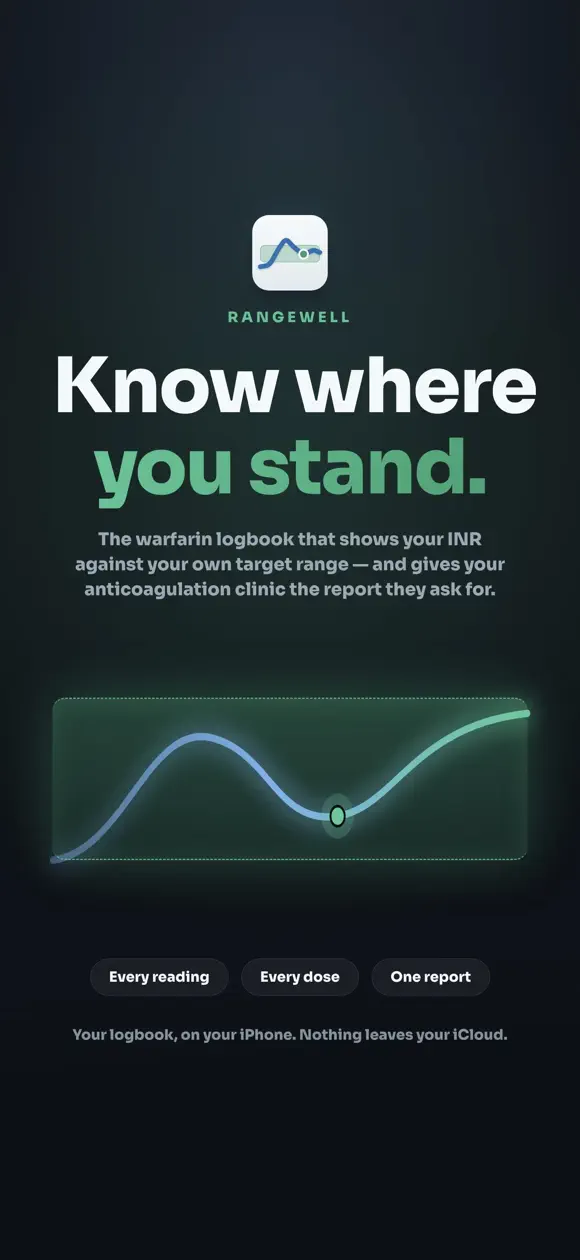
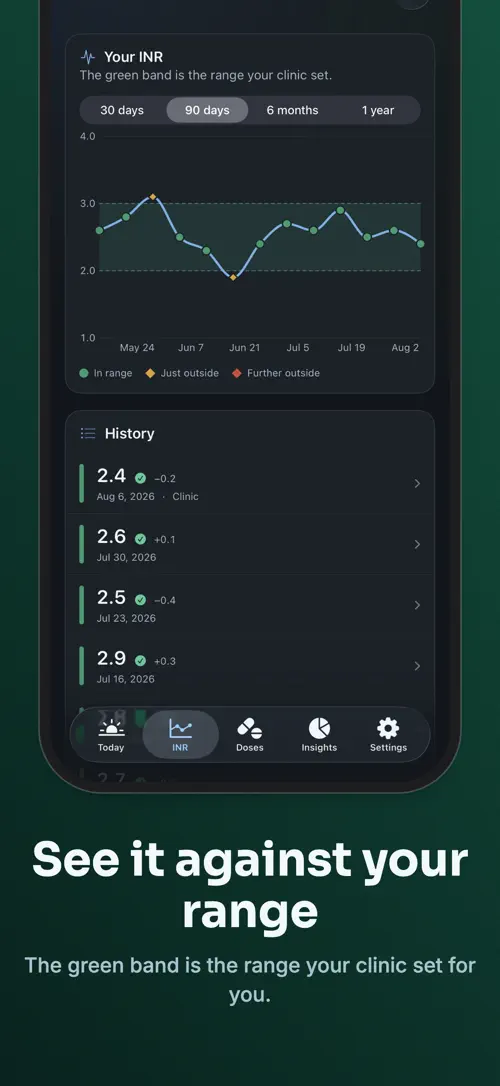
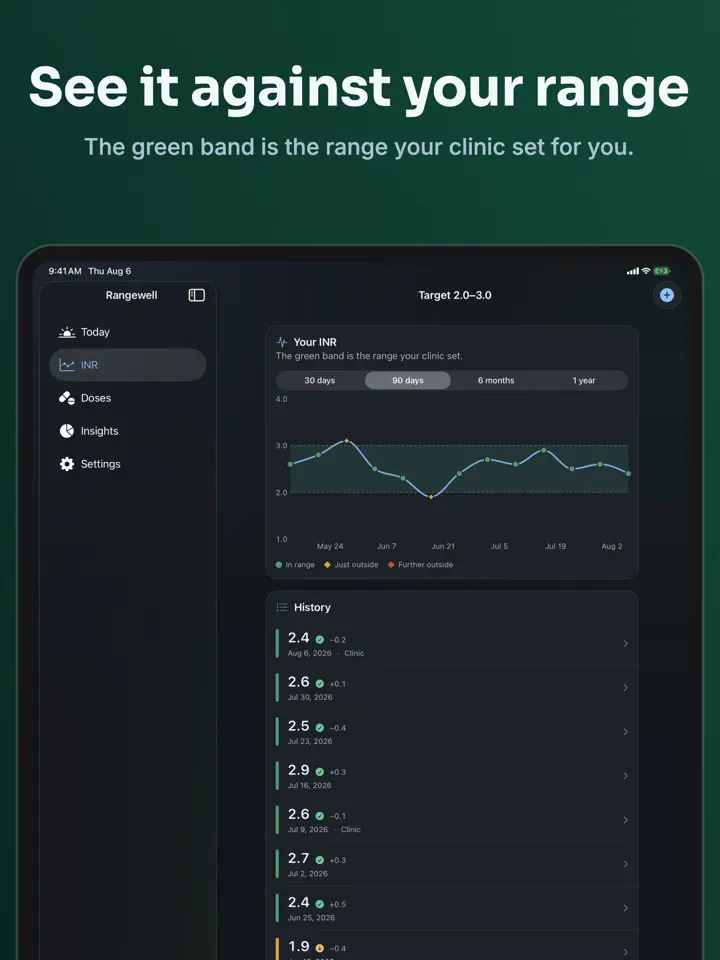
Record a reading in seconds. Rangewell draws it against the target range your clinic gave you — the green band you can read at a glance — so you can see the shape of your control instead of a column of numbers.
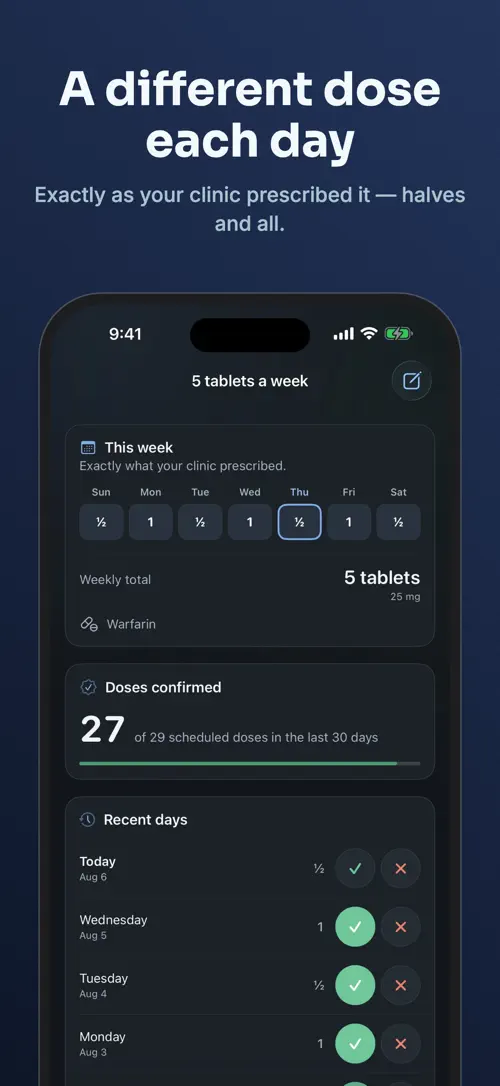
Warfarin is prescribed as a week: one tablet Monday, Wednesday and Friday, half the other days. Generic pill reminders cannot hold that. Rangewell can. Set each day separately, in quarters of a tablet or in milligrams, and see the weekly total your clinic speaks in.
One for the dose, on the days your schedule actually has one. One for the next INR test — the appointment people say they forget most, because a missed tablet is obvious and a missed test is not.
Large type, high contrast, full VoiceOver support, and nothing that depends on telling green from amber. Text scales to the largest accessibility sizes without losing a word.
Readings, doses and everything logged alongside them go into one CSV file — not four, so it opens in any spreadsheet and travels by email or AirDrop. A logbook you cannot get your data out of is not a logbook.
Everything stays on your device unless you turn on iCloud sync, and then it goes only to your own iCloud account. No advertising, no tracking, no accounts.
Rangewell is not a medical device. It does not provide medical advice. Always follow your anticoagulation clinic.
Rangewell Pro is available as a monthly or annual subscription, or as a one-time lifetime purchase. The annual plan starts with a 7-day free trial. Payment is charged to your Apple Account when you confirm the purchase. A subscription renews automatically unless you turn off auto-renew at least 24 hours before the current period ends; your account is charged for renewal within 24 hours before the end of the current period. You can manage or cancel a subscription in your Apple Account settings.
Privacy Policy: https://develak.com/privacy-policy/
Terms of Use (EULA): https://www.apple.com/legal/internet-services/itunes/dev/stdeula/
Highlights
Rangewell is an iPhone app that logs INR readings against your clinic’s target range and tracks a warfarin dosing week, with dose and test reminders.
Rangewell draws each reading against the target range your clinic gave you, so you can see the shape of your control at a glance.
Set each day of the week separately, in quarters of a tablet or in milligrams, matching how warfarin is actually prescribed.
One reminder for the dose, on the days your schedule actually has one, and one for your next INR test.
Large type, high contrast and full VoiceOver support work without relying on telling one color from another.
Readings, doses and everything logged alongside them export into a single CSV file that opens in any spreadsheet.
Everything stays on your device unless you turn on iCloud sync, and there is no advertising, tracking or account to create.
Who it’s for
Rangewell gives a clear place to record readings and doses from the first week of anticoagulation therapy.
A single logbook holds every reading, dose and the weekly schedule a clinic actually prescribes.
Large type and high contrast make readings and doses easy to check for a family member or someone in your care.
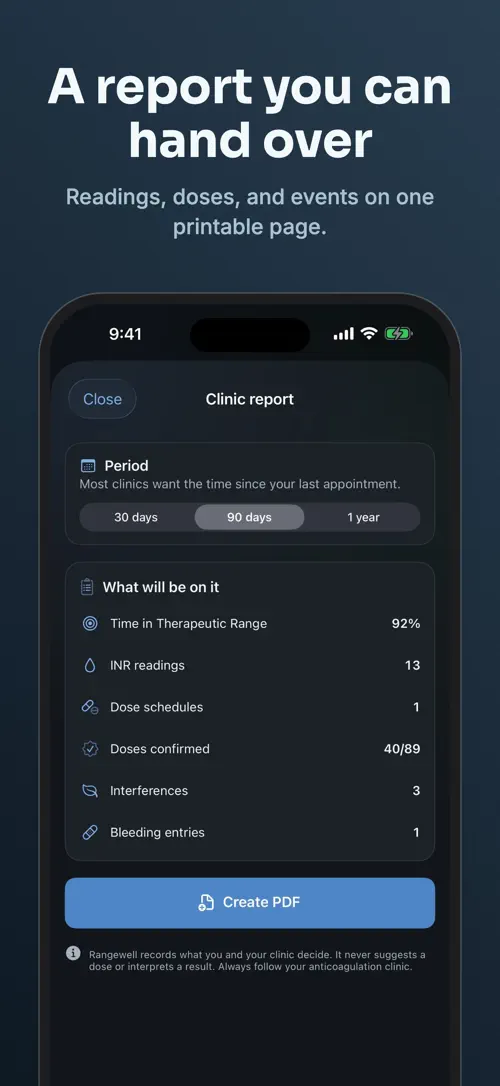
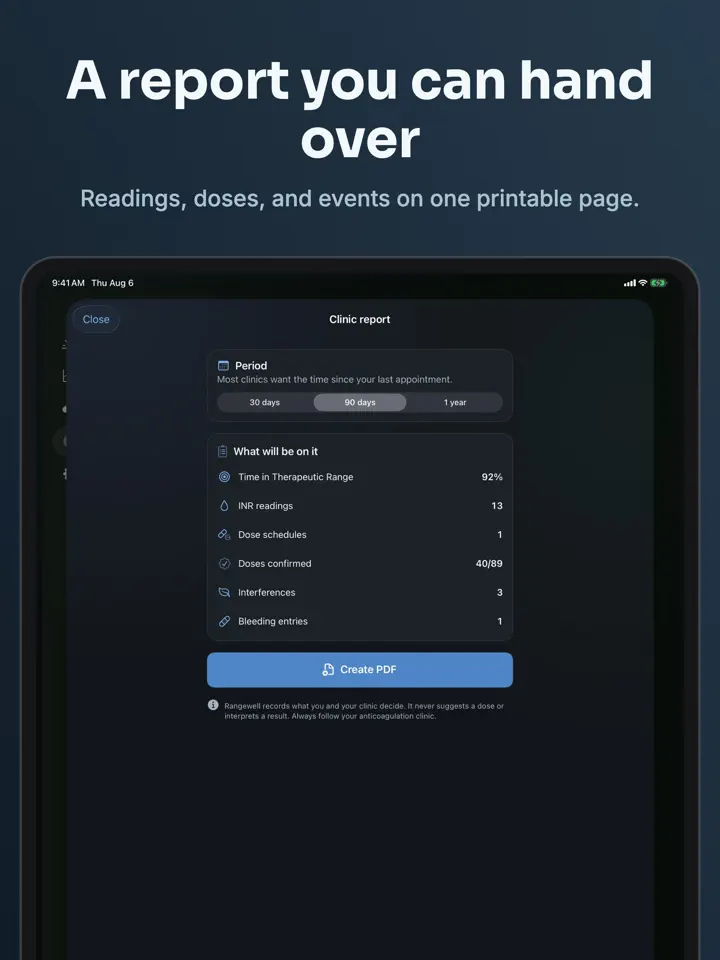
Readings, doses and events can be reviewed and exported before an appointment, with Rangewell Pro adding a one-page clinic report.
How it works
From “Enter your target range” to “Export or share”, in 5 steps.
Set the INR target range your anticoagulation clinic gave you.
Record an INR result in seconds and see it plotted against your range.
Enter each day separately, in quarters of a tablet or in milligrams, to match how your dose actually varies through the week.
Rangewell reminds you on the days your schedule has a dose, and ahead of your next INR test.
Send readings and doses as a single CSV file by email or AirDrop, or generate a clinic report with Rangewell Pro.
In depth
You enter the target range your anticoagulation clinic gave you, and every reading you log afterward is plotted against that range as a band you can read at a glance. Rangewell shows you the pattern of your readings over time instead of a plain list of numbers.
The app does not interpret whether a reading is good or bad, and it never suggests a dose. It only records what you and your clinic have already decided.
Warfarin is often prescribed by the week rather than as one fixed daily amount, for example one tablet on some days and half a tablet on others. Rangewell lets you set each day of the week separately, in quarters of a tablet or in milligrams.
The app then shows the weekly total in the same terms your clinic uses, and reminds you on the days your schedule actually includes a dose.
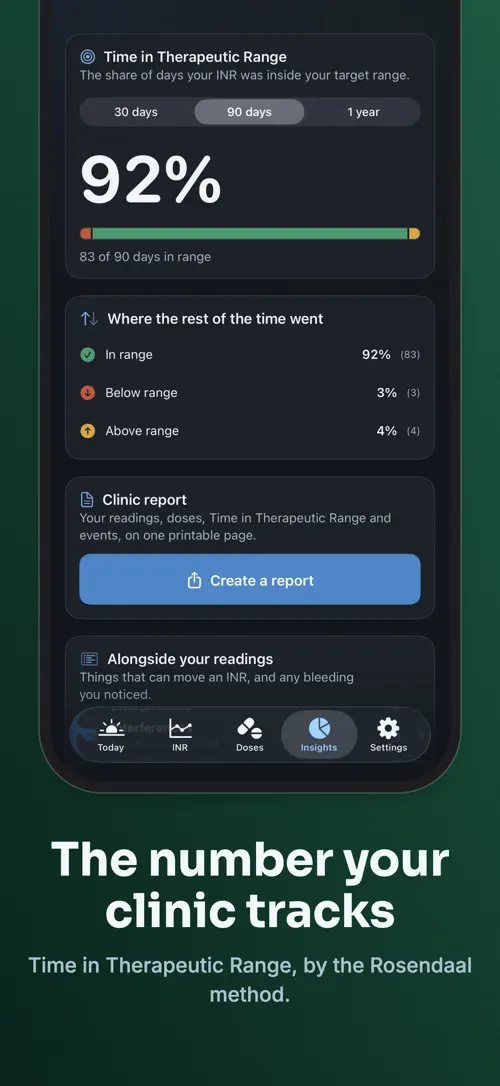
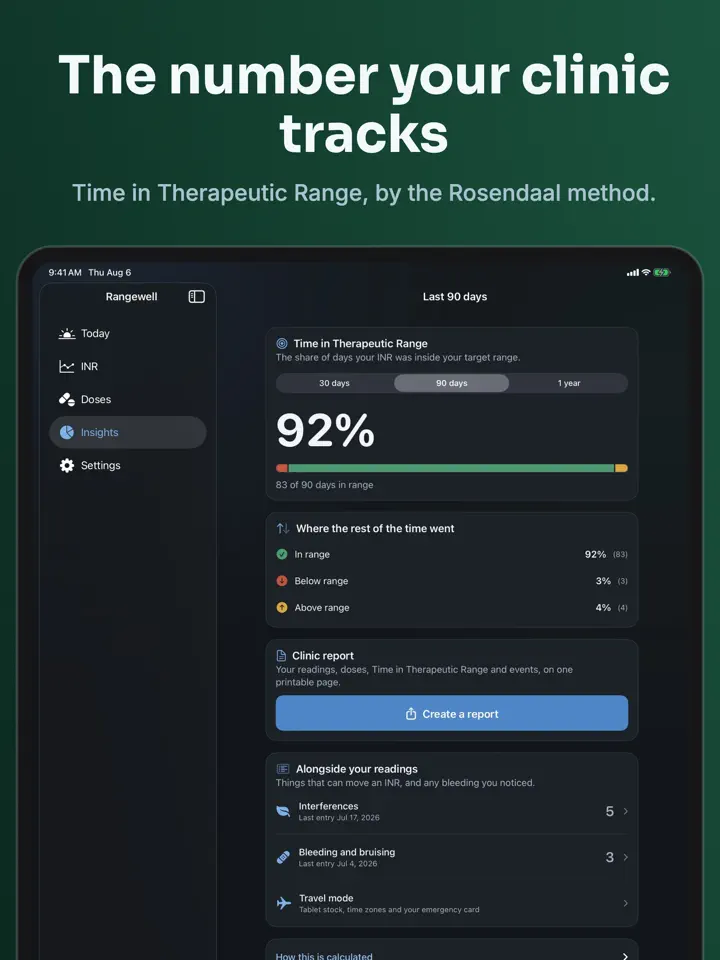
Rangewell Pro adds Time in Therapeutic Range, the Rosendaal figure your clinic tracks, calculated over 30, 90 or 365 days. It also generates a printable clinic report bringing together readings, doses, TTR and events on one page.
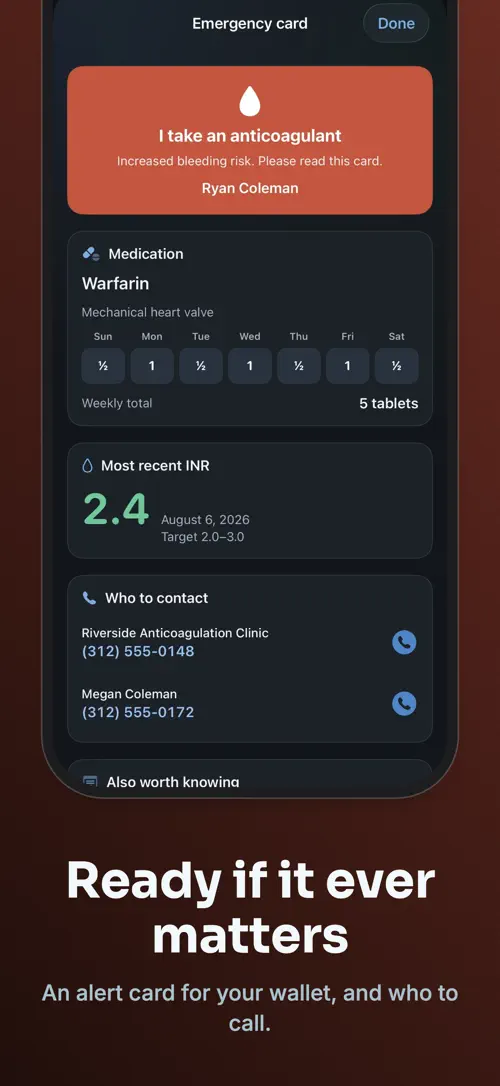
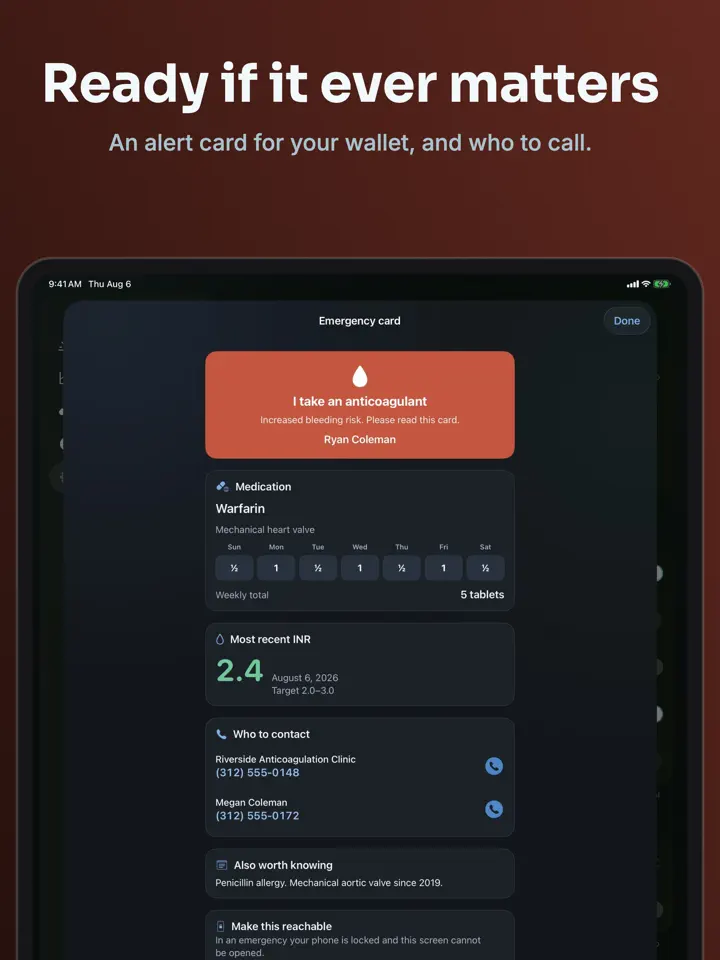
Pro also includes an interference journal for vitamin K, antibiotics, alcohol and illness, records for bleeding and bruising, encrypted iCloud sync across your devices, a travel mode and an emergency card.
Release notes
Version
1.1
Some laboratories report INR to two or three decimal places rather than one. Settings › Display now lets you match yours, so your logbook reads exactly like the result on your paper.
Readings you have already recorded are untouched, and CSV export now carries the full value.
Thank you to the reader who asked for this.
FAQ
Something else? The Rangewell support page covers purchases, sync and settings, and lets you write to us directly.
Yes. Rangewell is free to download from the App Store. Optional in-app purchases unlock extra features; they are billed by Apple to your Apple Account, and you can manage them at any time in your account settings.
Rangewell works on iPhone and iPad with iOS 17.0 or later.
Rangewell is a logbook for people taking warfarin or another vitamin K antagonist. It records INR readings and doses against the target range your clinic gave you, without suggesting a dose or interpreting a result.
Open Rangewell and log a reading in seconds. It is plotted against the target range you entered from your clinic, so you can see it against the band at a glance.
You set each day of the week separately, in quarters of a tablet or in milligrams, so a schedule like one tablet on some days and half a tablet on others is recorded exactly as prescribed.
Yes. Rangewell sends one reminder for the dose, on the days your schedule actually has one, and a separate reminder for your next INR test.
No. Rangewell only plots your reading against the range your clinic gave you and records what you and your clinic decide. It never interprets a result or suggests a dose.
It is the Rosendaal figure your clinic tracks, calculated in Rangewell Pro over 30, 90 or 365 days of your logged readings.
Rangewell is available in 44 languages: Arabic, Bangla, Catalan, Chinese (Simplified), Chinese (Traditional), Croatian, Czech, Danish, Dutch, English, Finnish, French, German, Greek, Gujarati, Hebrew, Hindi, Hungarian, Indonesian, Italian, Japanese, Kannada, Korean, Malay, Malayalam, Marathi, Norwegian Bokmål, Odia, Polish, Portuguese, Punjabi, Romanian, Russian, Slovak, Slovenian, Spanish, Swedish, Tamil, Telugu, Thai, Turkish, Ukrainian, Urdu and Vietnamese.
Visit the Rangewell support page: it answers common questions about purchases, sync and settings, and has a contact form. You can also write to contact@develak.com. We read every message and reply personally.
Cold Plunge, Sauna

DBT Diary Card
TRT Injection Log

PCOS Symptom Tracker
Made by Develak
We design and build native iPhone, iPad and Mac apps for founders and companies, with the same care we put into our own. Tell us about your idea.