

Turfwise
Lawn Care Schedule
Lifestyle & Hobbies · Food & Drink
Wine Cellar Manager
Scan labels, map your racks, and see what’s ready to drink tonight
Corkwell is an iPhone app that turns a pile of bottles into an organized wine cellar, with label scanning, drinking window estimates, and tasting notes, made for home wine collectors by Develak.
Screenshots
Overview
A cellar starts as a case that arrived during harvest, a few bottles from a tasting you liked, a magnum nobody has opened yet. At some point it stops being a pile and needs to become a list, one that says what you actually have and what is ready tonight.
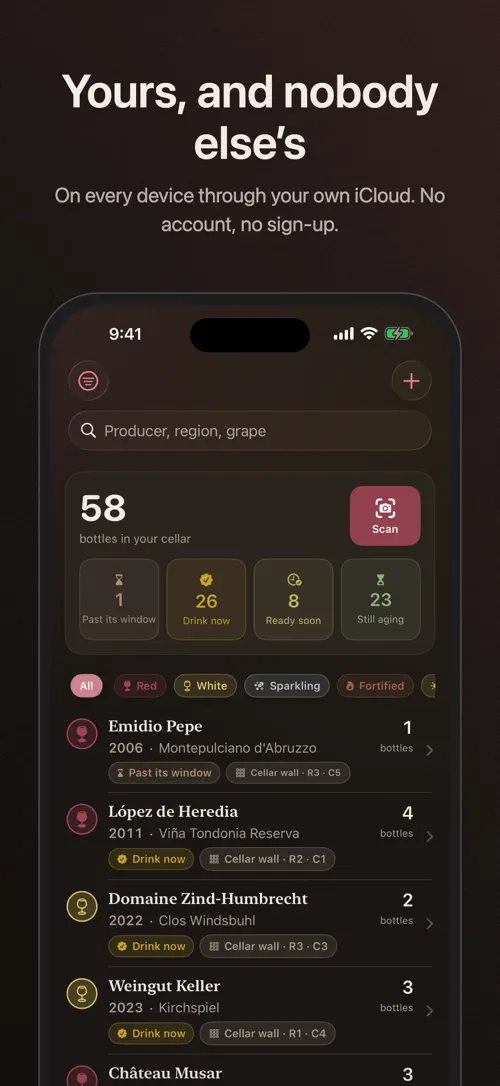
Corkwell reads a label from a photo, lets you lay out a cellar that matches your own racks and fridge, and estimates when each bottle is ready to drink. Everything happens on your phone and syncs only through your own iCloud.
You know the feeling: a case that came in during harvest, a few bottles from a tasting you liked, a magnum nobody has opened. At some point a cellar stops being a pile and needs to become a list — one that says what you actually have, and what’s ready tonight.
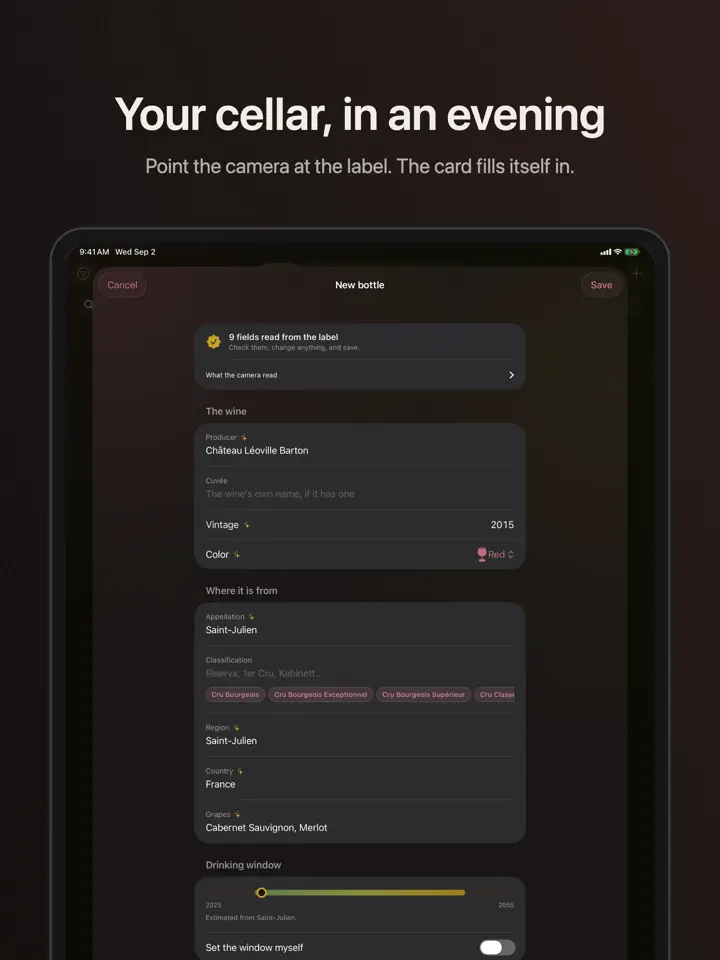
From a label to a full card
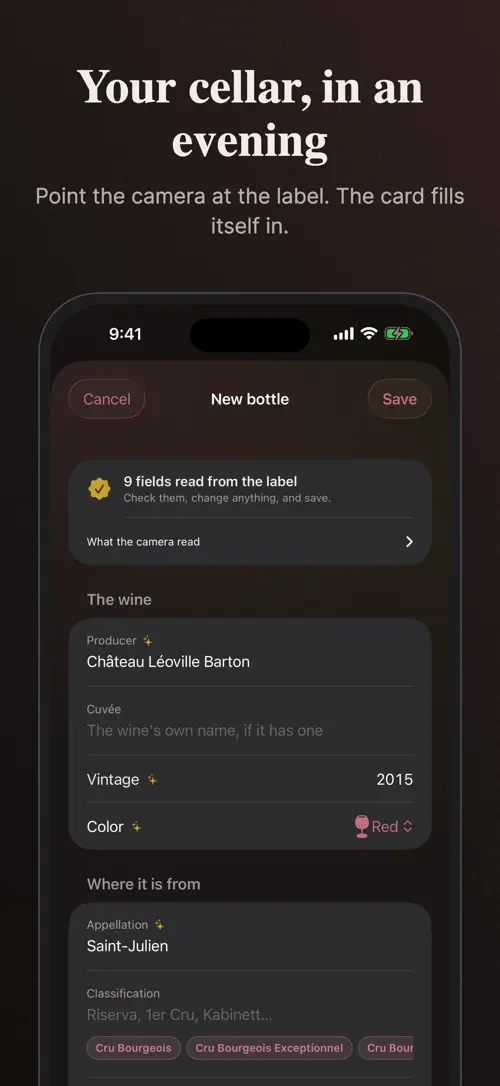
Photograph a bottle and Corkwell reads the label — producer, vintage, appellation, region, grapes and alcohol by volume — then hands you a card to check and correct. It happens on your phone. The photo never leaves it, so it works in a cellar with no signal.
A cellar that matches the room
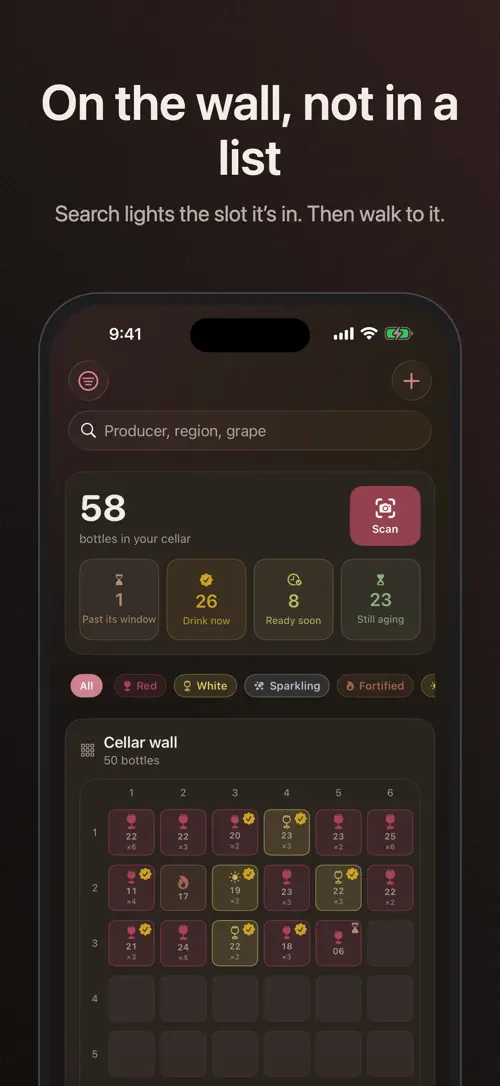
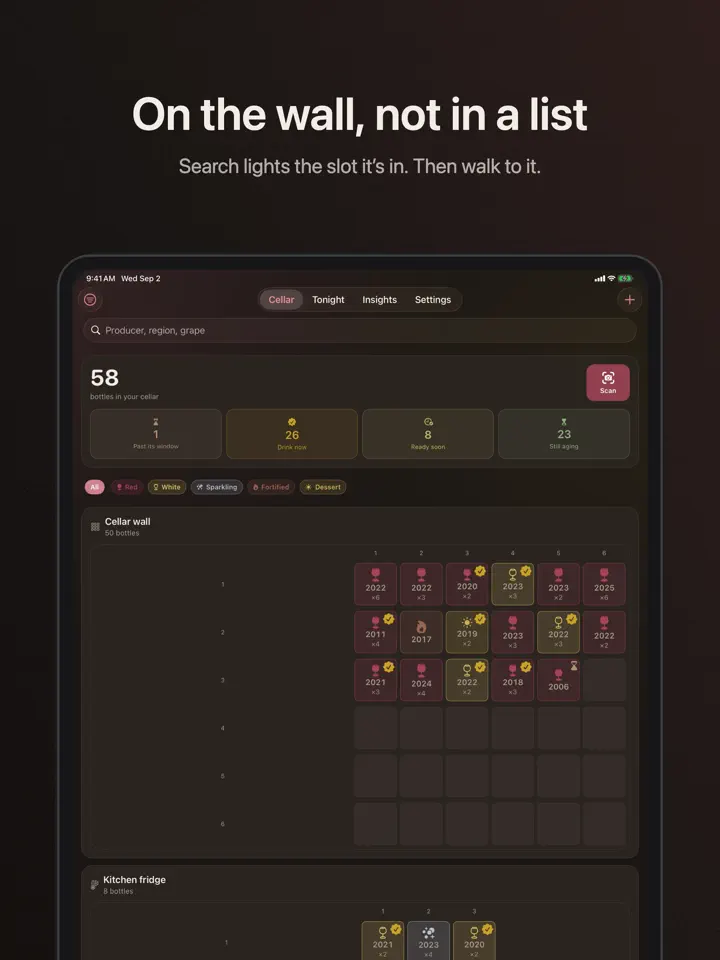
Describe your own racks, shelves, wine fridge, or the case still on the floor, then tap a slot or drag a bottle into it. Corkwell tells you which one to reach for. A bottle with no slot yet waits in a tray, so the layout never quietly stops matching what’s in front of you.
Know what’s ready
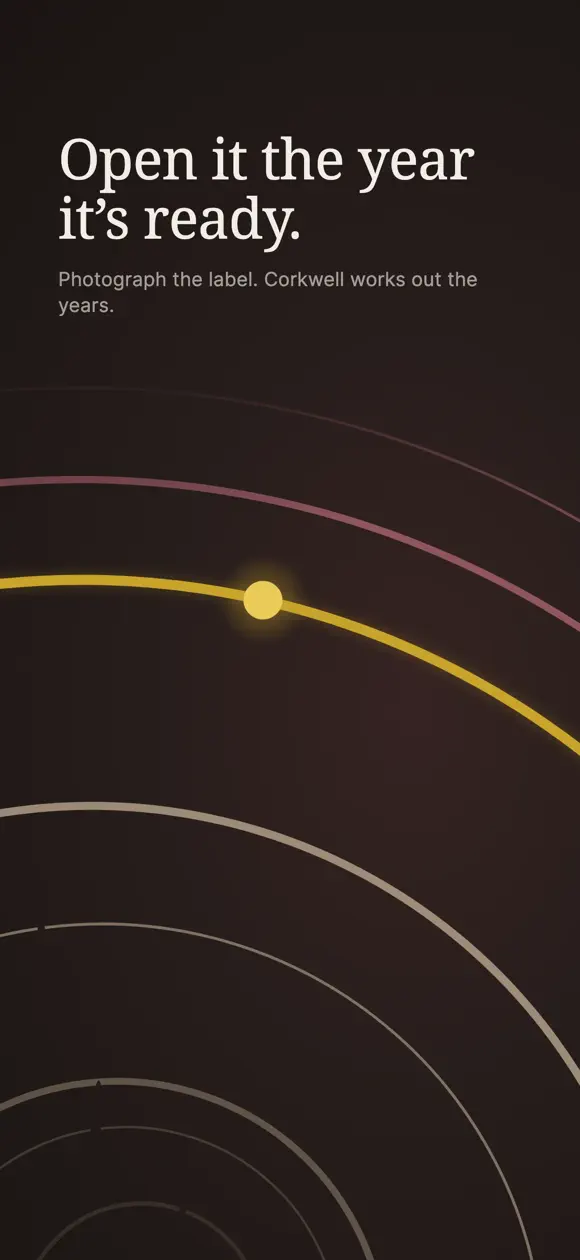
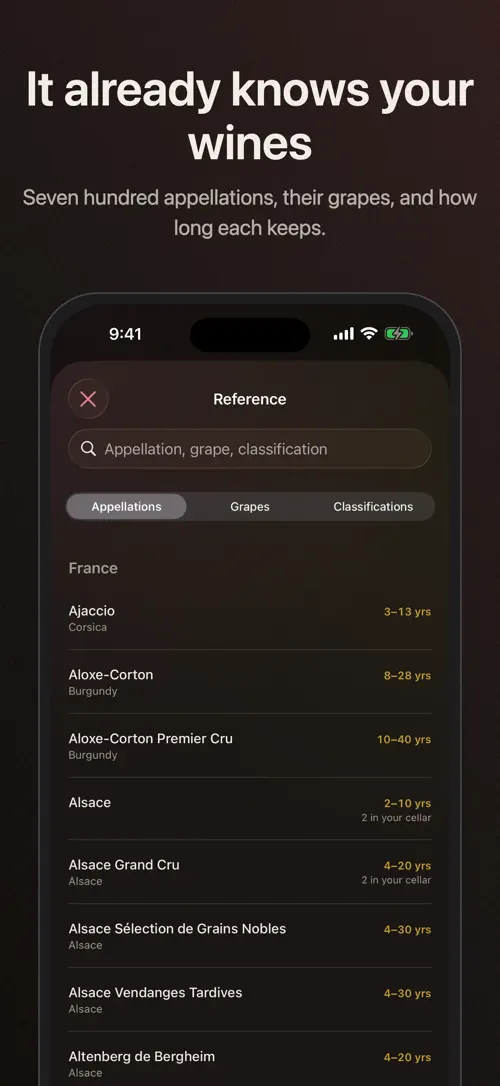
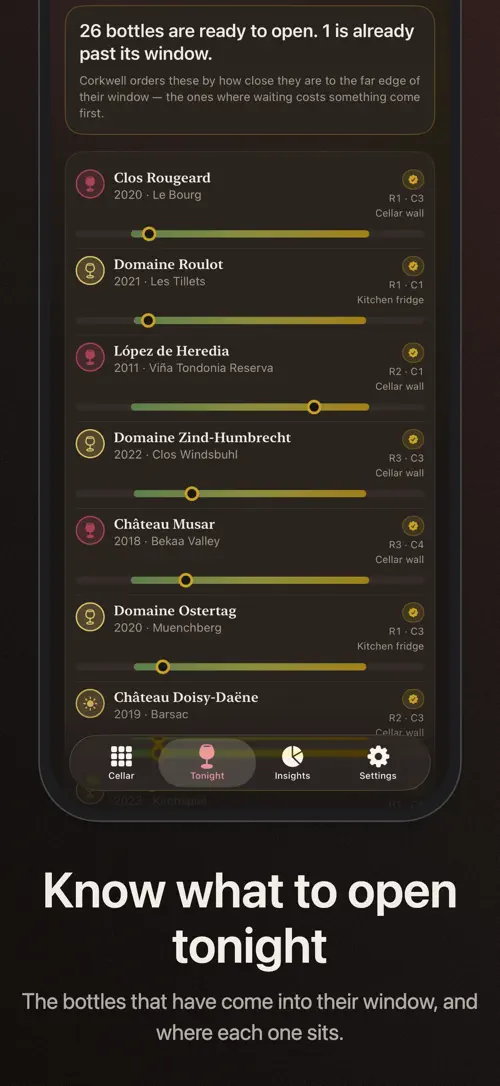
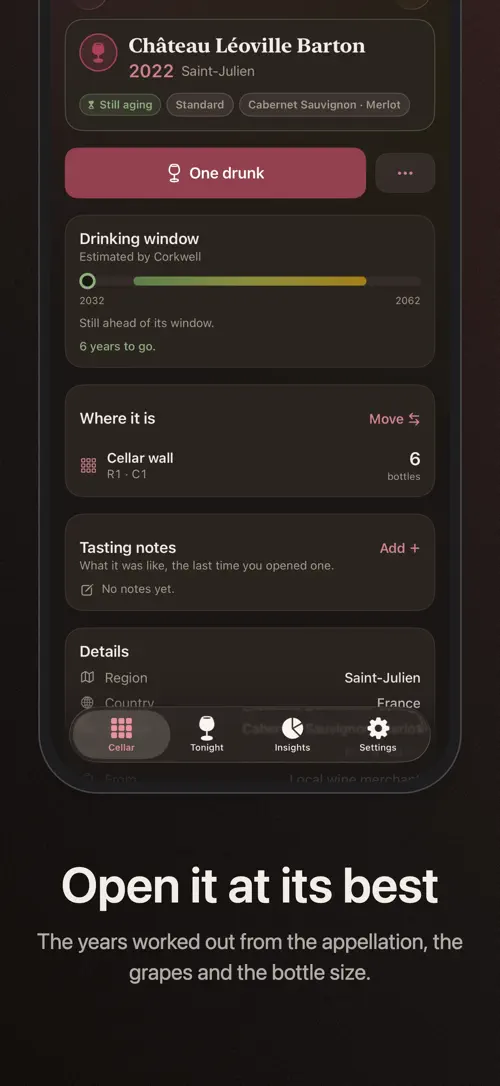
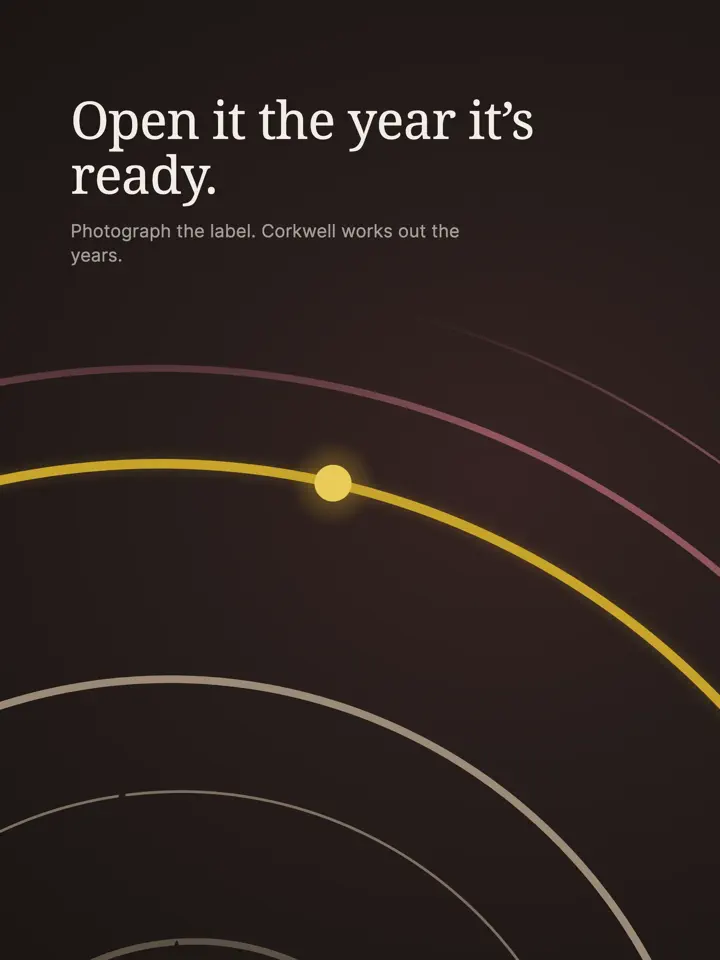
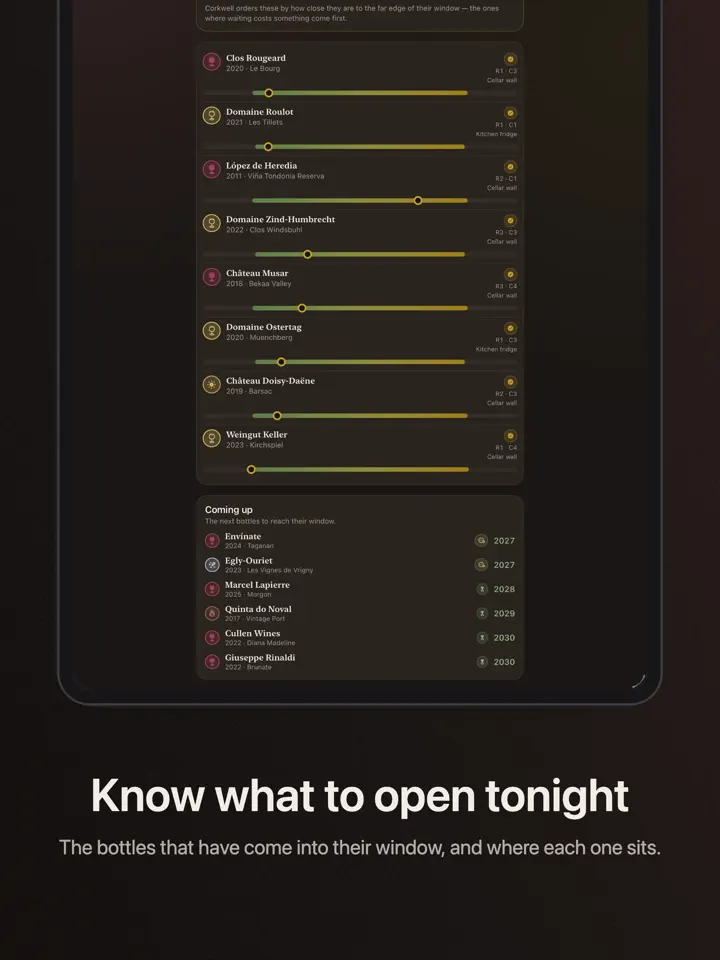
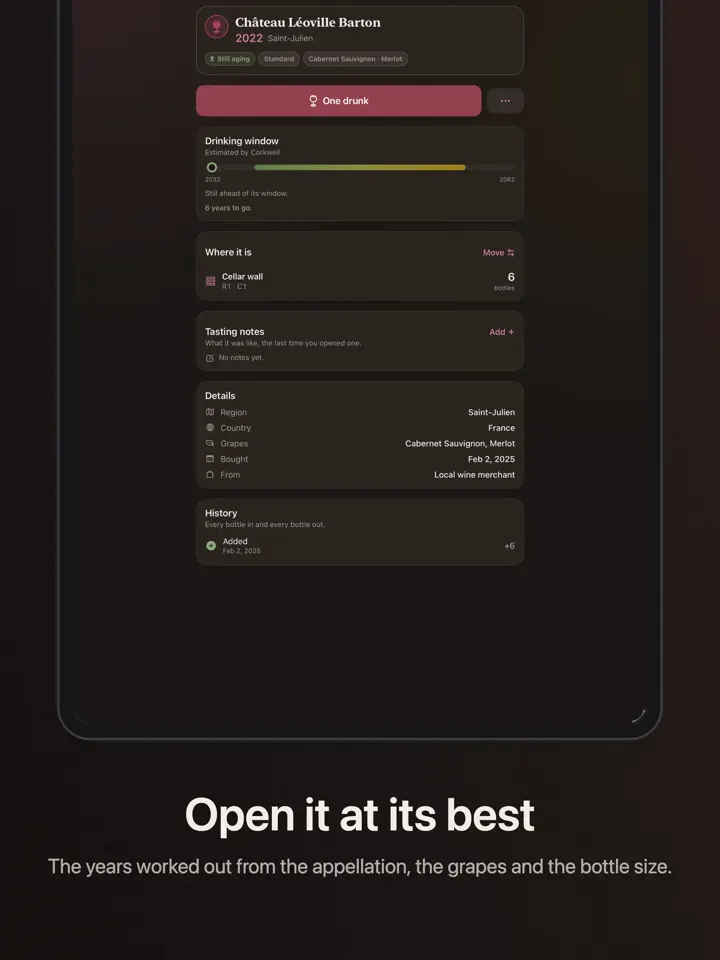
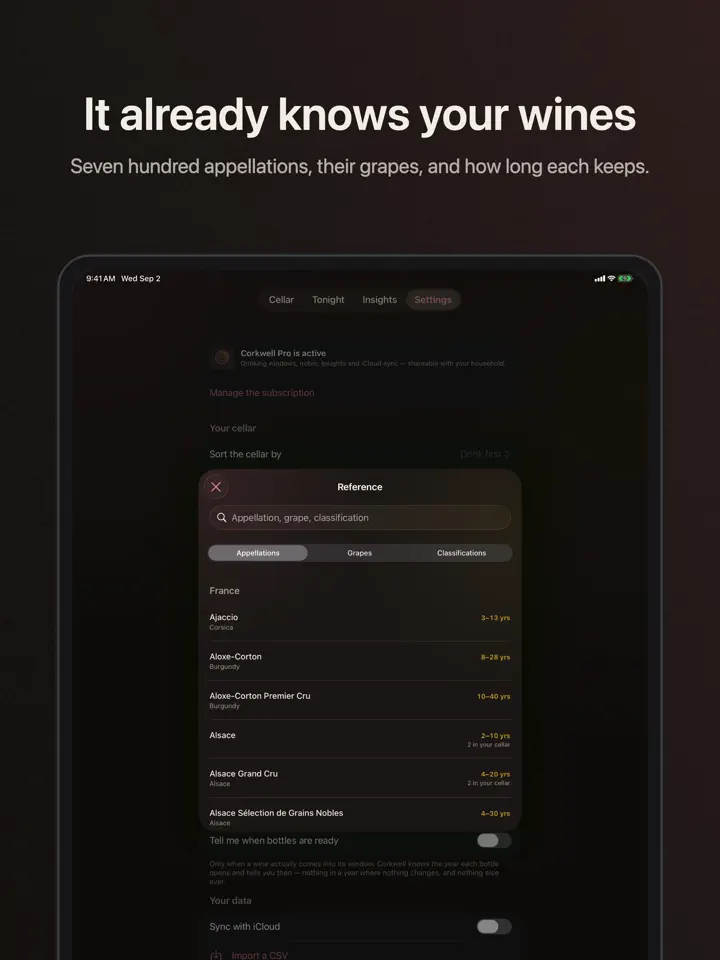
Corkwell estimates a drinking window for every bottle from its appellation, its grapes and its size — a magnum keeps longer than a standard bottle, and it counts that. A Tonight list ranks what has come into range, so you’re not guessing at the back of a rack. It’s an estimate, and it says so — change any window in two taps. Corkwell knows around seven hundred appellations, their grapes, and how long each tends to keep.
Bottles in, bottles out
Log what happens to each one — drunk, given, sold, broken — and see its whole history. Bring in an existing list as a CSV; Corkwell works out which column is which by itself, in several languages, and shows you what it understood before anything is saved. Export everything, any time, as CSV. Your cellar is never locked in here.
Tasting notes, kept with the bottle
Eye, nose, palate, five structural axes, a score and a photo — write a note once and it stays with that wine, so a vertical of one estate across five vintages reads as one story instead of five scraps of paper.
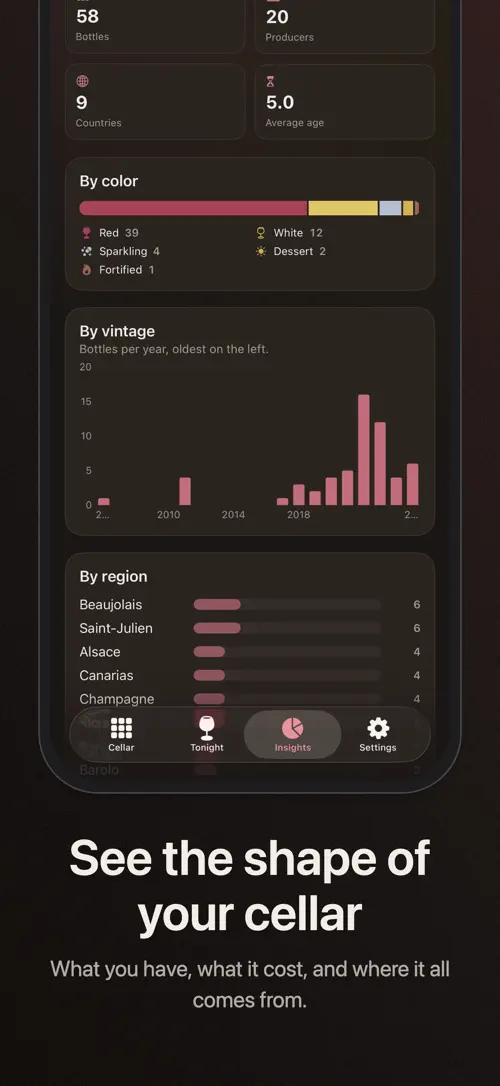
The shape of the cellar
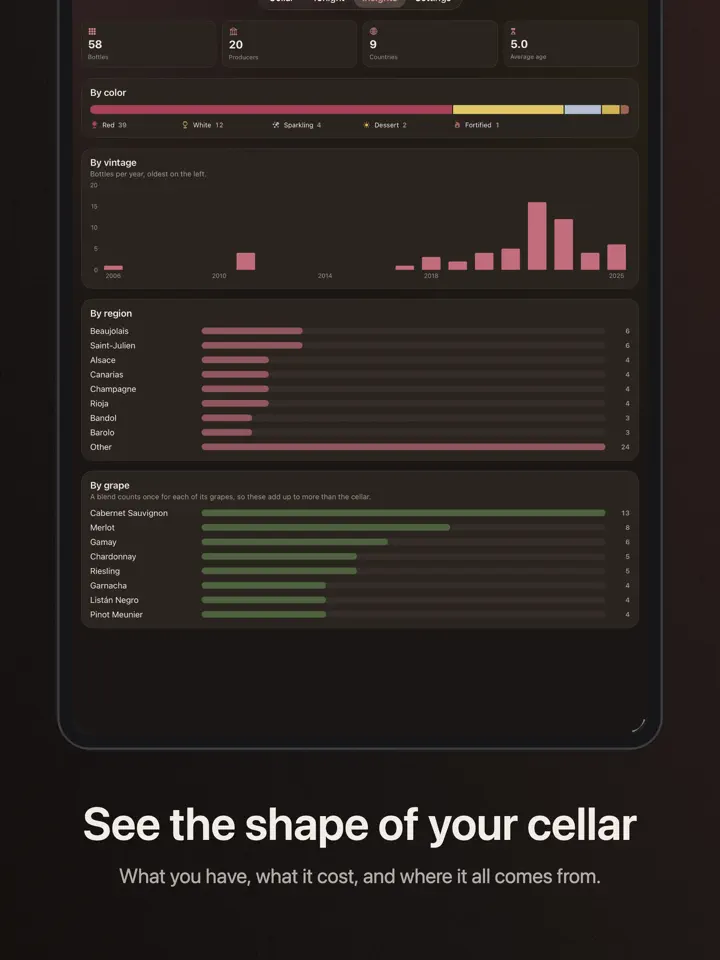
Charts for bottles by color, region, grape and vintage, and what the cellar cost against what you reckon it’s worth — built entirely from your own figures. Corkwell never looks up a market price; a number from some merchant would be wrong about your cellar in particular.
On the counter, not just in the app
Home Screen and Lock Screen widgets show what’s ready without opening anything.
Yours
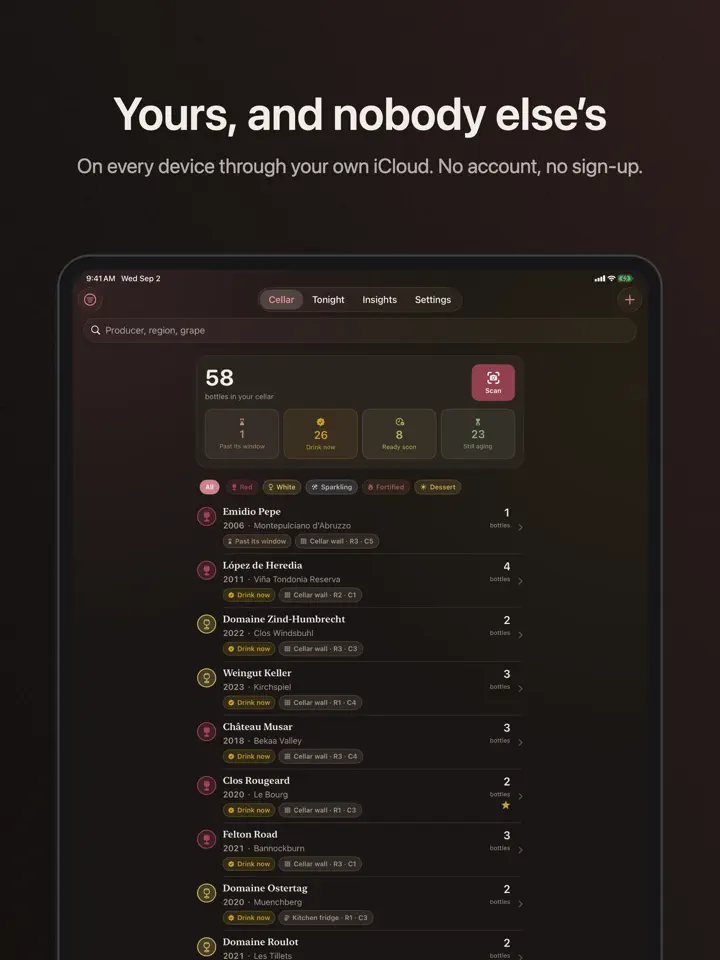
Everything syncs through your own iCloud. There’s no Corkwell account, nothing to sign up for, and no feed attached to your bottles. Corkwell works offline, exactly where a cellar usually is.
What’s free
The cellar is free, and so is adding to it — no cap on bottles. Corkwell Pro adds drinking windows across the whole cellar, tasting notes, the charts, and iCloud sync, as a yearly subscription with a 7-day free trial, a monthly subscription, or a one-time purchase.
Made by Develak.
Corkwell is free to download. Corkwell Pro is available as a yearly subscription with a 7-day free trial, as a monthly subscription, or as a one-time lifetime purchase. Subscriptions renew automatically unless canceled at least 24 hours before the end of the current period. You can manage or cancel yours in your Apple Account settings.
Terms of Use (EULA): https://www.apple.com/legal/internet-services/itunes/dev/stdeula/
Privacy Policy: https://develak.com/privacy-policy/
Highlights
Corkwell scans wine labels, organizes your cellar to match your racks, estimates drinking windows, and keeps tasting notes, all synced through iCloud.
Photograph a bottle and Corkwell reads the label to fill in producer, vintage, appellation, region, grapes, and ABV for you to check.
Describe your own racks, shelves, or wine fridge, then drag each bottle into its slot.
The “Tonight” list ranks bottles that have entered their estimated drinking window, so you are not guessing at the back of a rack.
Log when a bottle is drunk, given, sold, or broken, and see its whole history in one place.
Record eye, nose, palate, five structural axes, a score, and a photo, so a vertical reads as one story instead of scattered notes.
See what’s ready to drink without opening the app.
Who it’s for
For anyone whose bottles are spread across a rack, a fridge, and a few boxes, and who wants one list that matches reality.
For a first cellar that needs organizing from scratch, one slot at a time.
For anyone who wants a note on a wine to stay attached to that exact bottle, not scattered across notebooks.
For anyone with an existing list in a spreadsheet who wants to bring it into a proper cellar app.
How it works
From “Add a bottle” to “Export anytime”, in 5 steps.
Photograph the label or add a bottle by hand, and Corkwell fills in producer, vintage, appellation, region, grapes, and ABV.
Describe your racks, shelves, or wine fridge, then drag the bottle into its slot.
See which bottles have entered their estimated drinking window and are ready now.
Mark a bottle as drunk, given, sold, or broken, and keep a tasting note with it.
Bring in an existing list as a CSV file, or export your whole cellar whenever you want.
In depth
Corkwell estimates a drinking window for each bottle from its appellation, its grapes, and its size. A magnum keeps longer than a standard bottle, and Corkwell counts that when it works out the window.
The estimate draws on around seven hundred appellations and how long each tends to keep. It is an estimate and Corkwell treats it as one: you can change any window in two taps if you know better.
Export your current list as a CSV file, then import it into Corkwell. The app works out which column is which by itself, in several languages, and shows you what it understood before anything is saved.
You can review and correct the match before confirming, so nothing gets added to your cellar by mistake. You can export your whole cellar as a CSV file at any time as well.
The cellar itself is free, with no cap on the number of bottles you can add. Corkwell Pro adds drinking windows across the whole cellar, tasting notes, the charts, and iCloud sync.
Corkwell Pro is offered as a yearly subscription with a 7-day free trial, as a monthly subscription, or as a one-time purchase.
Release notes
Version
1.0
This is the first version of Corkwell, released on September 5, 2026.
FAQ
Something else? The Corkwell support page covers purchases, sync and settings, and lets you write to us directly.
Yes. Corkwell is free to download from the App Store. Optional in-app purchases unlock extra features; they are billed by Apple to your Apple Account, and you can manage them at any time in your account settings.
Corkwell works on iPhone and iPad with iOS 17.0 or later.
Corkwell reads the label from a photo you take on your phone, filling in producer, vintage, appellation, region, grapes, and ABV for you to check and correct. The photo never leaves your phone, and the scan works even without a signal.
Yes. Corkwell works offline, which matters since a cellar is usually somewhere without much signal.
It waits in a tray until you assign it a slot, so your layout never quietly stops matching what is actually in front of you.
Yes, you can change any drinking window in two taps if you think it is off.
Log it as drunk, given, sold, or broken, and Corkwell keeps its whole history.
Yes, you can export everything as a CSV file at any time.
Corkwell is available in 44 languages: Arabic, Bangla, Catalan, Chinese (Simplified), Chinese (Traditional), Croatian, Czech, Danish, Dutch, English, Finnish, French, German, Greek, Gujarati, Hebrew, Hindi, Hungarian, Indonesian, Italian, Japanese, Kannada, Korean, Malay, Malayalam, Marathi, Norwegian Bokmål, Odia, Polish, Portuguese, Punjabi, Romanian, Russian, Slovak, Slovenian, Spanish, Swedish, Tamil, Telugu, Thai, Turkish, Ukrainian, Urdu and Vietnamese.
Visit the Corkwell support page: it answers common questions about purchases, sync and settings, and has a contact form. You can also write to contact@develak.com. We read every message and reply personally.
Made by Develak
We design and build native iPhone, iPad and Mac apps for founders and companies, with the same care we put into our own. Tell us about your idea.