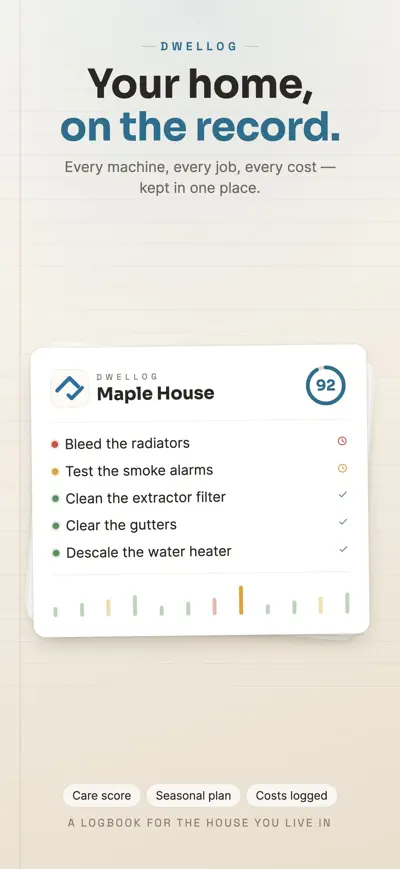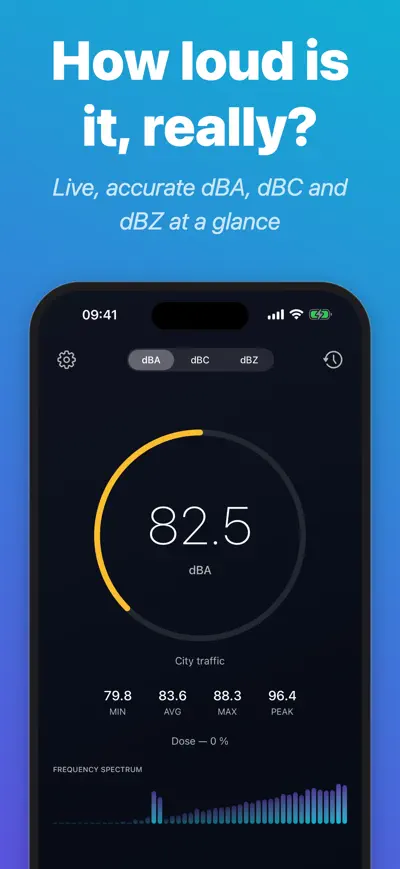



Dwellog
Home Maintenance Log
Screenshots


Overview
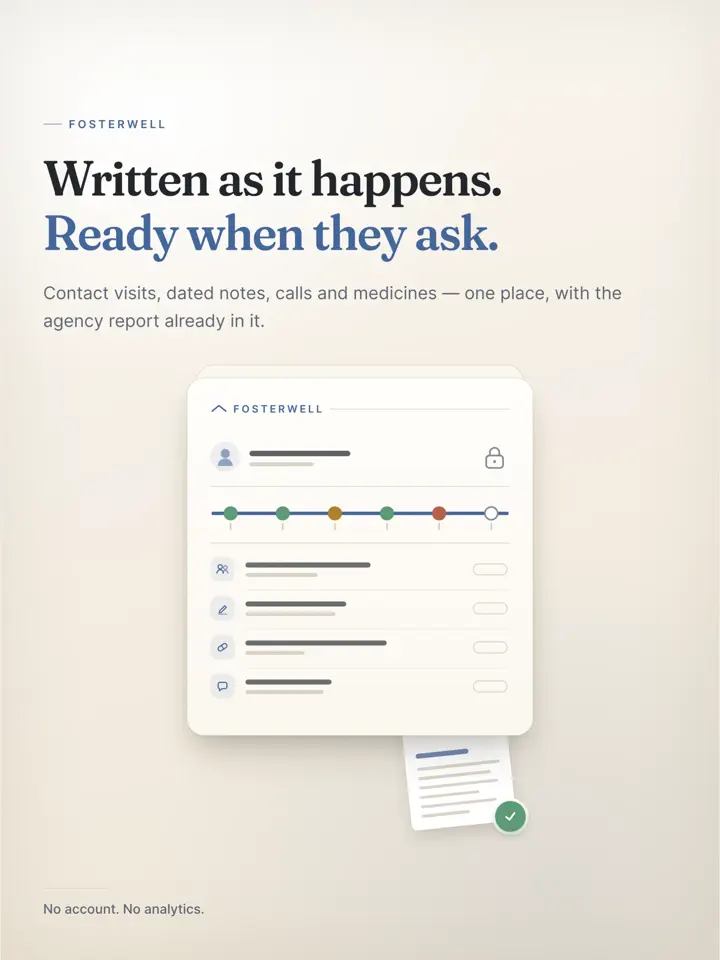
Foster parents are asked to document everything: visits with the child’s family, dated notes, calls, appointments, medication, receipts. Fosterwell keeps it all in one place, as it happens, so the report your agency asks for is already written.
Log a visit in one tap, keep a journal that holds up, track every call and text, and record where a child has lived. Appointments, medication, and expenses stay organized too, so nothing is left to memory when a hearing or review comes.
Your agency asks you to document everything. Fosterwell is where you do it.
Visits with the child’s family, dated notes, the calls you made, appointments, medication, receipts — kept in one place, as they happen, so the report you are asked for is already written.
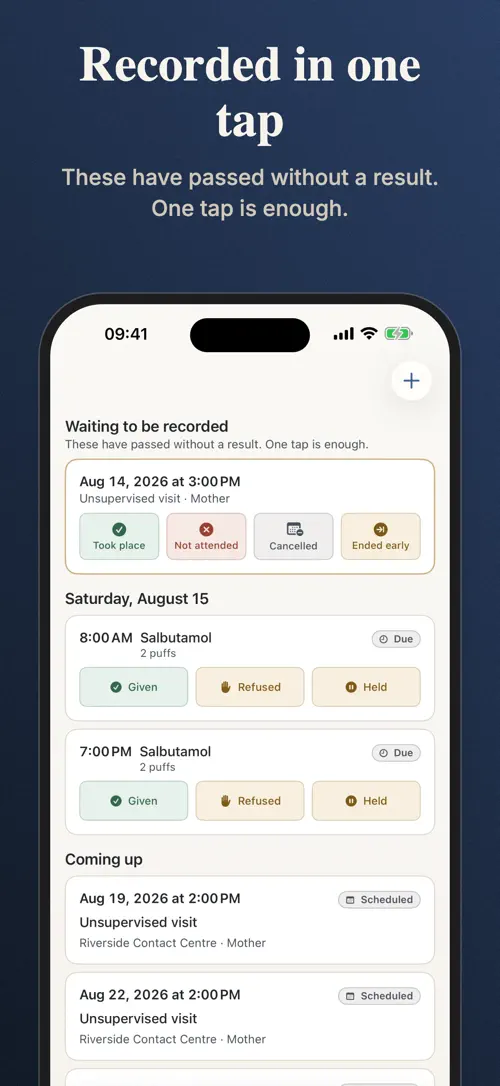
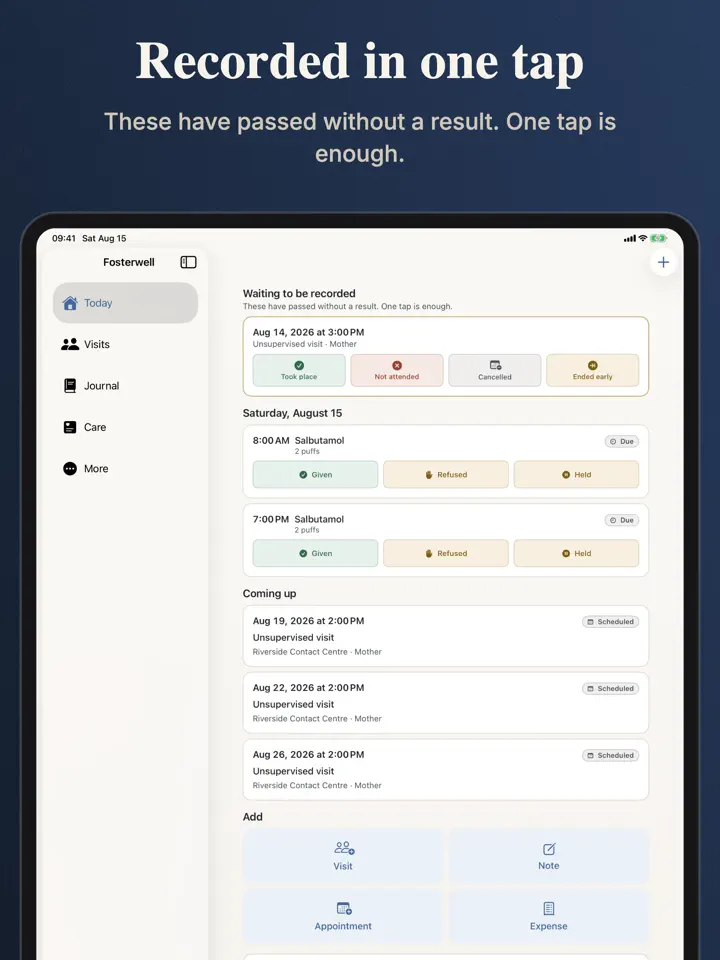
Contact passed and you never wrote down what happened? Fosterwell puts it at the top of the screen with four buttons: took place, not attended, cancelled, ended early. That is the whole entry. Times, location, who was there and your own notes are there if you want them — none required.
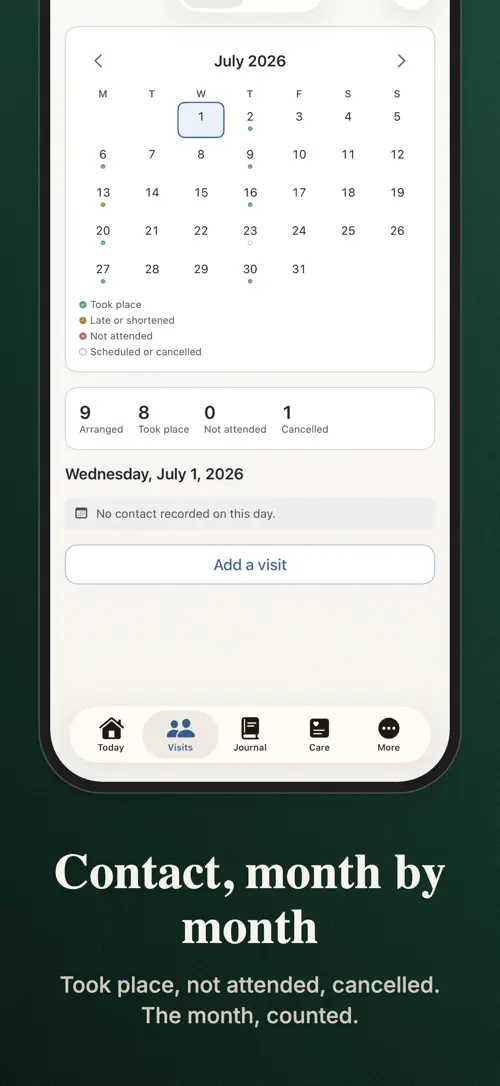
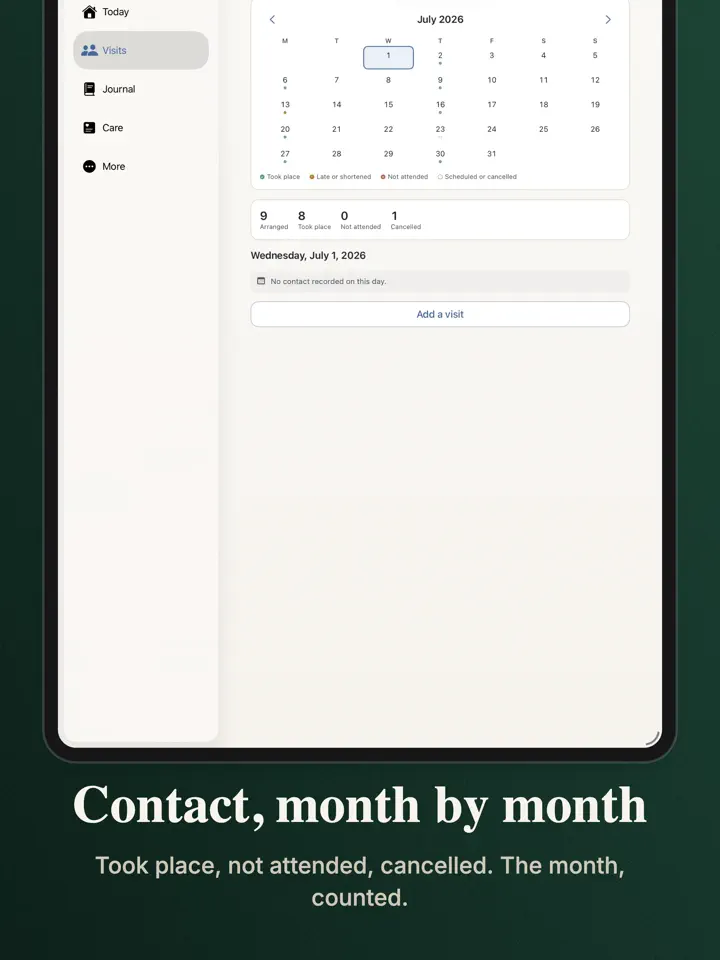
Every contact on a month grid, marked by what actually happened — the answer to "how has contact been going?" without anybody having to characterize it.
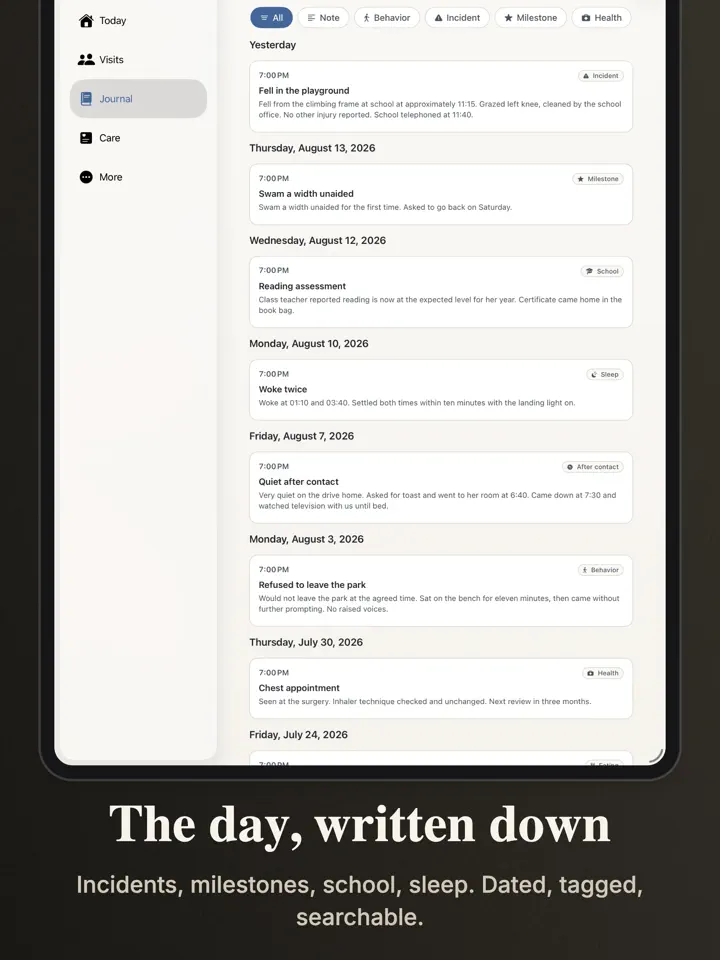
Dated, factual entries with a photo, a file or a short video if you need one. Behavior, incidents, milestones, sleep, school, how they were after contact. Tag an entry to one child or to the whole sibling group, then read the journal back by child or by date. Write a line a day; at a review it is worth more than memory.
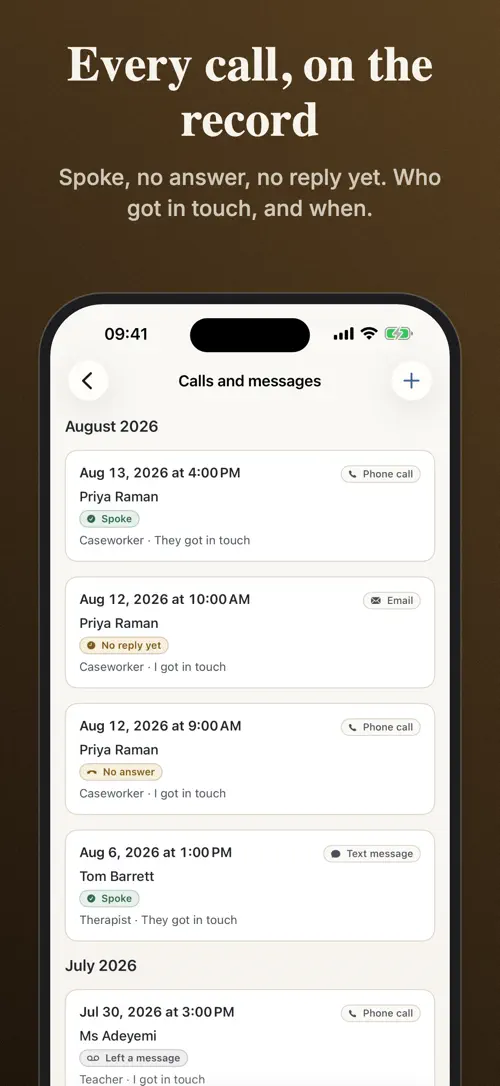
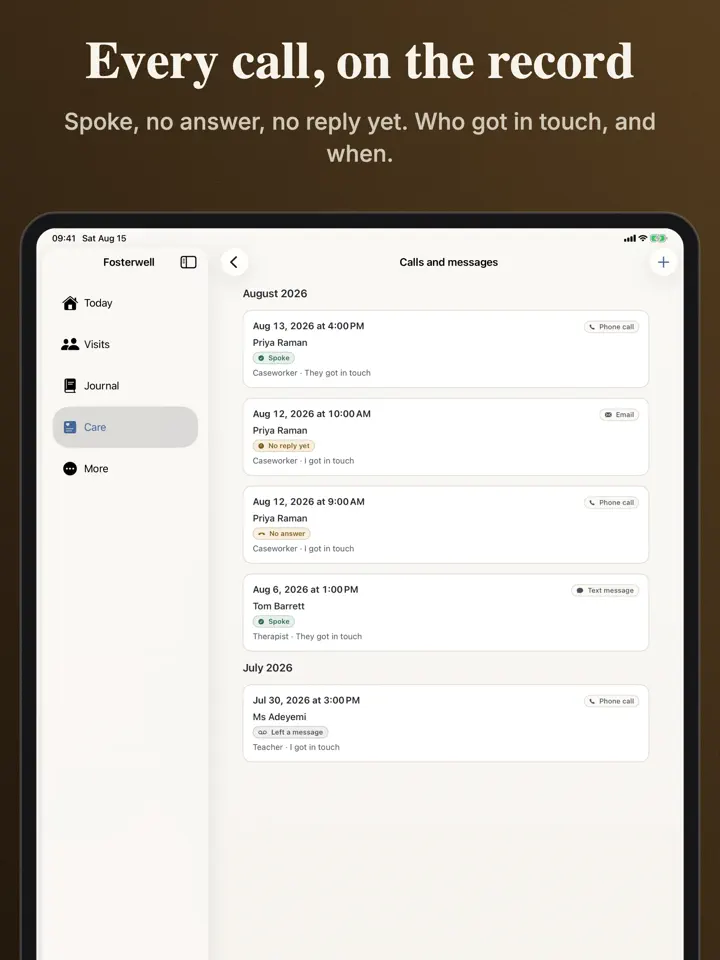
Every call, text, email and letter with the caseworker, the guardian ad litem, the school, the clinic, the family. Including the ones nobody answered — an unanswered call is what shows you tried. Six months later somebody asks "did you tell them?" and the answer is on your phone, with a date on it.
Arrivals, respite weekends, moves to another home, returns to family. "How many placements has she had this year?" is asked at every permanency hearing. It is a question about dates, and answered from memory it goes into a document read as fact.
Appointments for the caseworker, the hearing, therapy, the pediatrician, school — with reminders. Medication with a schedule and a dose log that records a refusal honestly. Expenses with a photo of the receipt and where the claim has got to. And the dozen people around the child, with the number you need at eight on a Sunday.
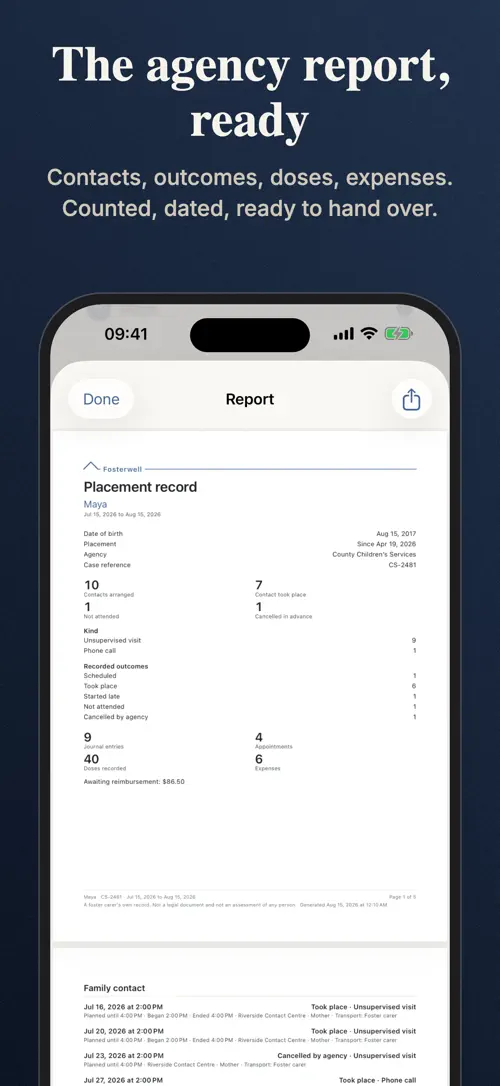
A PDF that opens with the contact summary on page one — arranged, took place, not attended, cancelled — then the detail behind it: the journal, the calls, the placement history, appointments, medication, expenses. Filter by child, by period, by section. Every page says what it is: a foster parent’s own record, not a legal document.
Recording. All of it. Visits, journal, communications, placement history, appointments, medication, expenses, the team, the Face ID lock, and a complete CSV export of everything you have written. Two children, so a sibling group placed together is covered. Your agency requires this documentation and we will not stand between you and it.
No account. No analytics. Nothing you write is sent anywhere except your own iCloud, and only if you turn sync on. Lock the whole app behind Face ID — never a paid feature, never will be. This is a file about a child in care, and it is treated as one.
Fosterwell records; your agency decides. No feature in this app rates the child’s family. A visit that did not happen is recorded as a fact, in neutral words — that is what a court asks for, and the only honest thing to write.
Pro renews until you cancel it in Apple Account settings. The annual plan starts with a 7-day free trial.
Privacy Policy: https://develak.com/privacy-policy/
Terms of Use (EULA): https://www.apple.com/legal/internet-services/itunes/dev/stdeula/
Highlights
Fosterwell helps foster parents log visits, calls, placements, appointments, medication, and expenses in one place, ready for agency and court reports.
Mark a visit as took place, not attended, cancelled, or ended early with one tap, adding details only if you want to.
A month grid marks every contact by what actually happened, so the pattern is visible at a glance.
Write dated, factual entries with a photo, file, or short video, tagged to one child or the whole sibling group.
Log calls, texts, emails, and letters with caseworkers, the guardian ad litem, school, clinic, and family, including the ones nobody answered.
Track arrivals, respite weekends, moves, and returns to family so placement history is answered from dates, not memory.
Keep appointments with reminders, a medication schedule with a dose log, and expenses with receipt photos in one place.
Who it’s for
You need a record of every visit, call, and placement your agency can ask for at any time.
You want dates and details ready when a caseworker or judge asks how contact and placement have gone.
You can track two children’s visits, journals, and placements for free, in one app.
You want a way to give a co-parent or caseworker a read-only copy of what you have logged.
You want a record kept on your device or your own iCloud, with no account and no analytics.
How it works
From “Add a child or sibling group” to “Generate the report when you need it”, in 4 steps.
Set up the children in your care so every entry can be tagged to the right child.
Record a visit with four buttons, add a call or message, or write a dated journal entry in a few taps.
Add placement dates, appointments with reminders, a medication schedule, and expenses with receipt photos.
Filter by child and period to create a PDF that opens with the contact summary and the detail behind it.
In depth
Contact is recorded with four buttons at the top of the screen: took place, not attended, cancelled, or ended early. That is the whole entry.
Times, location, who was there, and your own notes are there if you want them, but none are required. Every contact also appears on a month grid, marked by what actually happened.
Journal entries are dated and factual, and can include a photo, a file, or a short video. They can cover behavior, incidents, milestones, sleep, school, or how a child was after contact.
Each entry is tagged to one child or to the whole sibling group, and the journal can be read back by child or by date. A line written each day is worth more than memory at a review.
Fosterwell Pro generates a PDF that opens with the contact summary on page one, showing what was arranged and what took place, was not attended, or was cancelled.
The rest of the report holds the detail behind it: the journal, the calls, the placement history, appointments, medication, and expenses. It can be filtered by child, by period, or by section, and every page states that it is a foster parent’s own record, not a legal document.
Release notes
Version
1.0
This is the first version of Fosterwell, released on August 19, 2026.
FAQ
Something else? The Fosterwell support page covers purchases, sync and settings, and lets you write to us directly.
Yes. Fosterwell is free to download from the App Store. Optional in-app purchases unlock extra features; they are billed by Apple to your Apple Account, and you can manage them at any time in your account settings.
Fosterwell works on iPhone and iPad with iOS 17.0 or later.
Fosterwell is a foster care log for recording visits, calls, placements, appointments, medication, and expenses in one place, so the record your agency asks for is already written.
Four buttons, took place, not attended, cancelled, ended early, sit at the top of the screen. Times, location, who was there, and your own notes are optional.
Yes. The free version covers two children, so a sibling group placed together is included. Fosterwell Pro tracks every placement at once, however many your home takes.
Fosterwell Pro generates a PDF that opens with the contact summary on page one, followed by the journal, calls, placement history, appointments, medication, and expenses. It can be filtered by child, period, or section, and every page states that it is a foster parent’s own record, not a legal document.
Entries become read-only two days after you write them, and the report states this, so what you recorded at the time cannot be edited later.
Yes. A complete CSV export of everything you have written is included free, without needing Fosterwell Pro.
Fosterwell is available in 44 languages: Arabic, Bangla, Catalan, Chinese (Simplified), Chinese (Traditional), Croatian, Czech, Danish, Dutch, English, Finnish, French, German, Greek, Gujarati, Hebrew, Hindi, Hungarian, Indonesian, Italian, Japanese, Kannada, Korean, Malay, Malayalam, Marathi, Norwegian Bokmål, Odia, Polish, Portuguese, Punjabi, Romanian, Russian, Slovak, Slovenian, Spanish, Swedish, Tamil, Telugu, Thai, Turkish, Ukrainian, Urdu and Vietnamese.
Visit the Fosterwell support page: it answers common questions about purchases, sync and settings, and has a contact form. You can also write to contact@develak.com. We read every message and reply personally.
Home Maintenance Log

Poker Tracker

Watch Timegrapher

Sound Level
Made by Develak
We design and build native iPhone, iPad and Mac apps for founders and companies, with the same care we put into our own. Tell us about your idea.