
Fosterwell
Foster Care Log
Productivity & Utilities
Watch Timegrapher
Turn your iPhone into a precision timegrapher for your watches
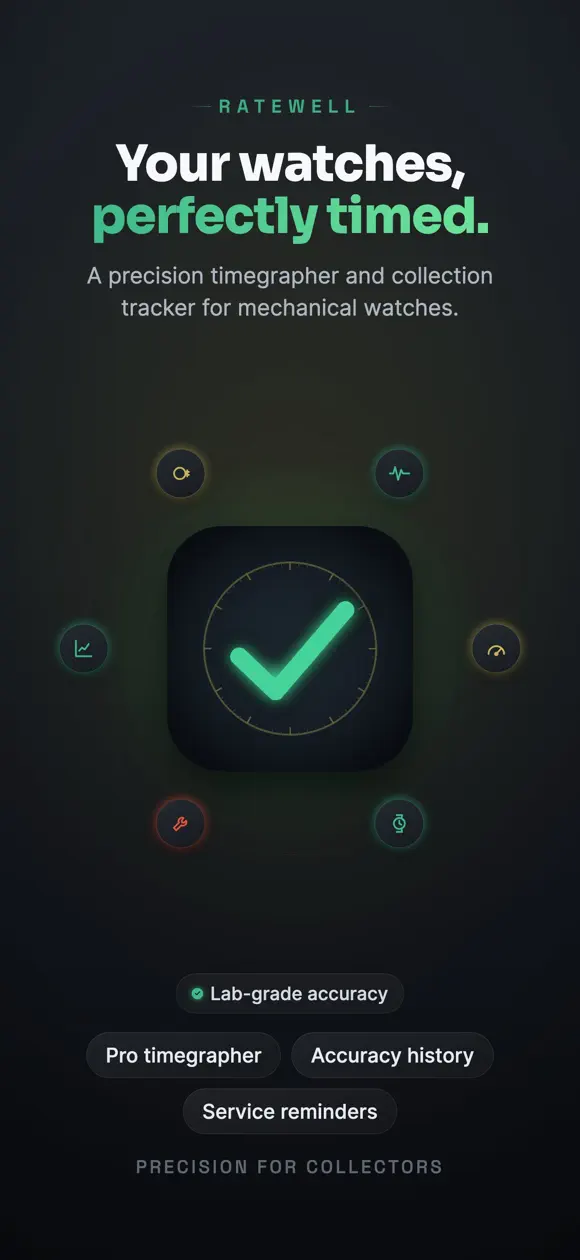
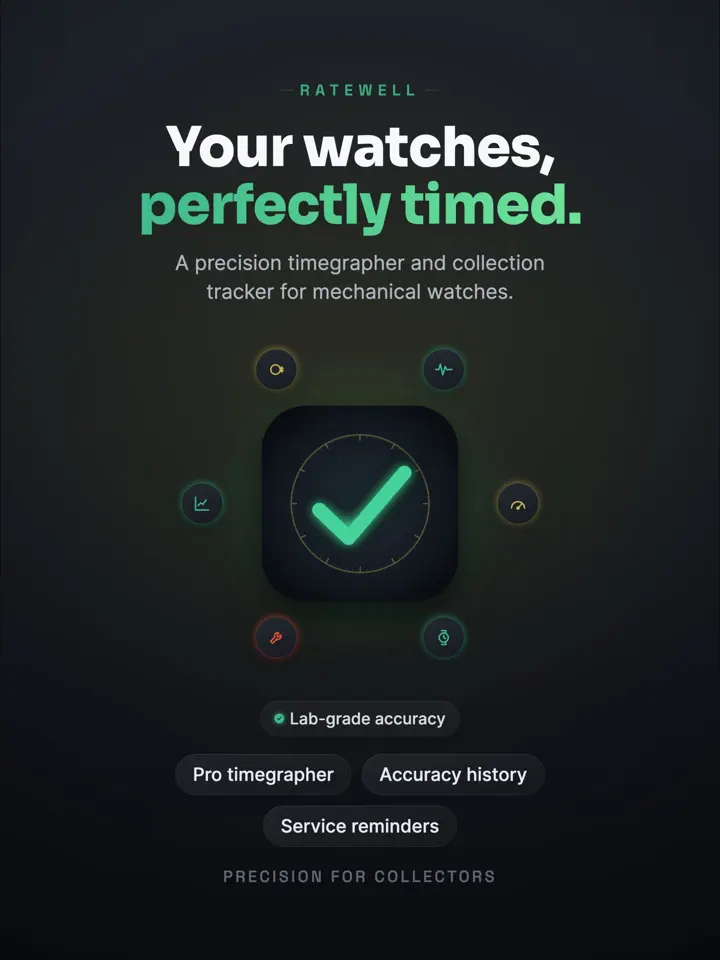
Ratewell is an iPhone app by Develak that turns your iPhone into a timegrapher for mechanical watches, letting collectors measure rate, amplitude, and beat error, then track each watch’s accuracy over time.
Screenshots


Overview
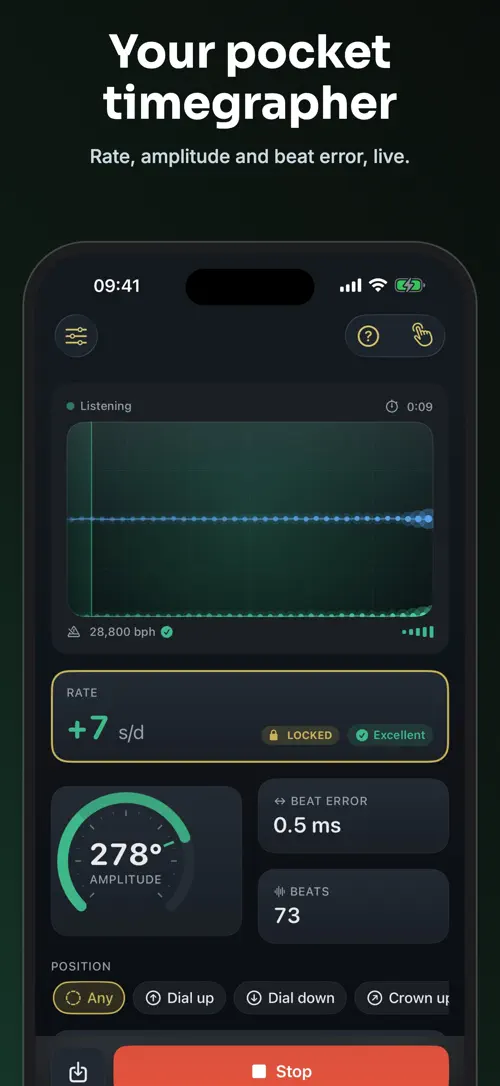
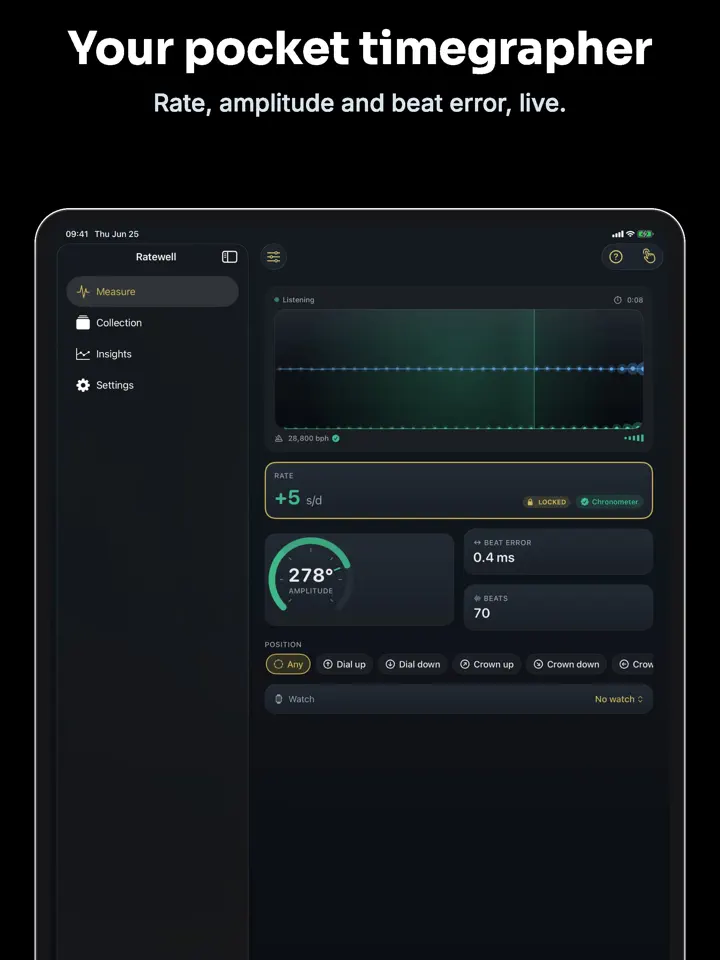
Ratewell measures mechanical watches the way a watchmaker’s machine does, but using nothing more than your iPhone’s microphone. Hold your watch close, and within seconds you get a live reading of rate, amplitude, and beat error, calibrated to stay accurate even in a noisy room.
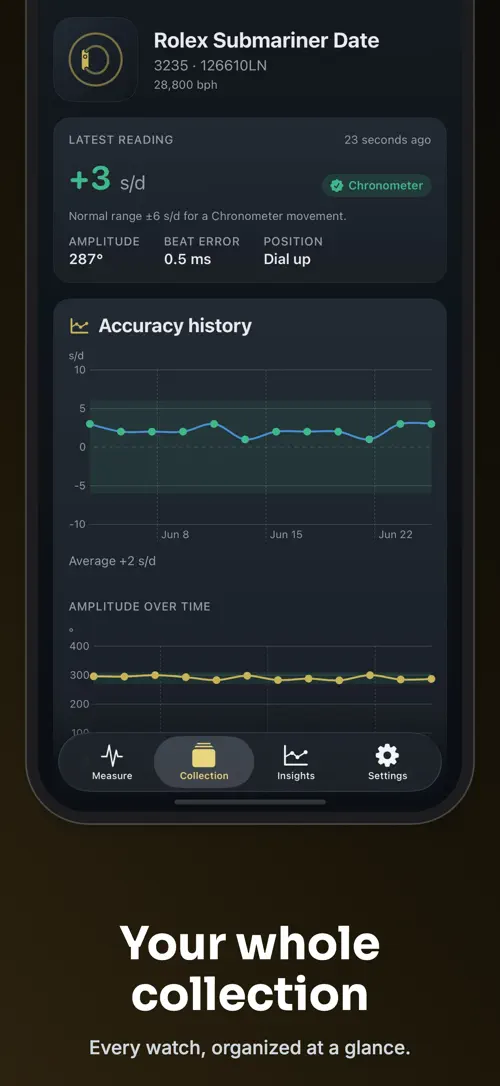
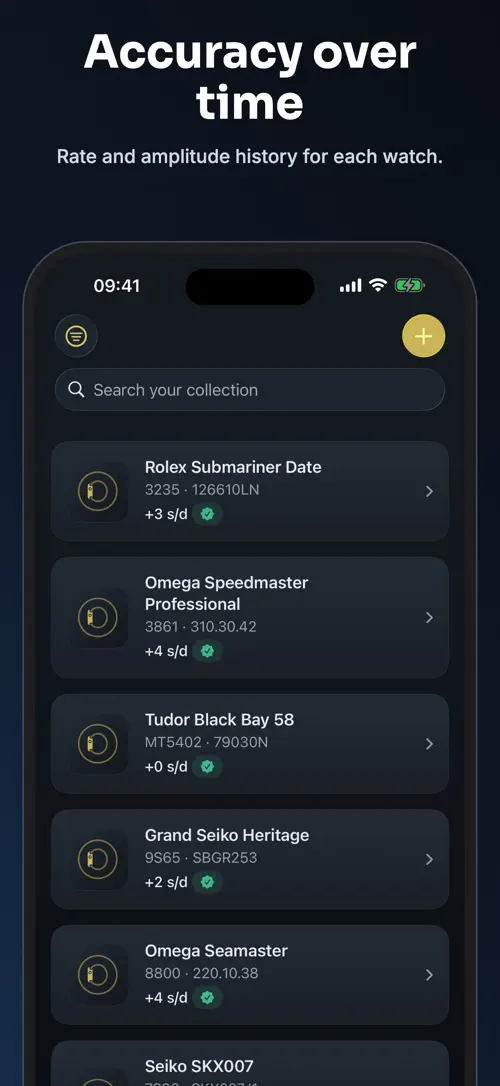
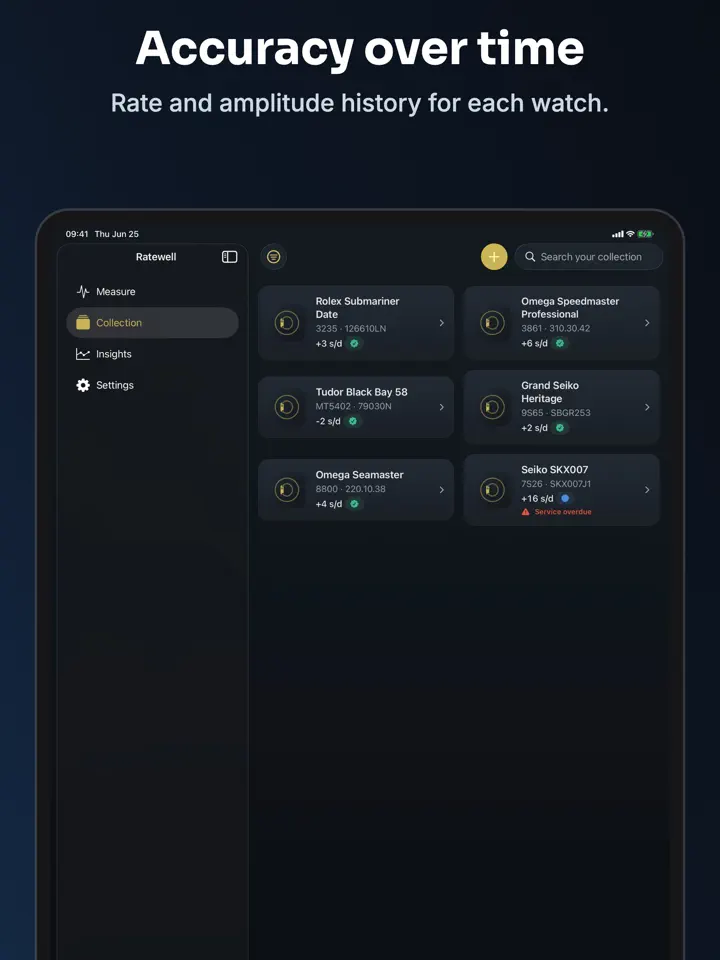
Beyond a single reading, Ratewell keeps every measurement, building a long-term accuracy history for each watch. Add your watches to a collection with details like brand, caliber, and service dates, then track drift, compare positions, and export a report when it’s time to see your watchmaker.
Ratewell turns your iPhone into a precision timegrapher for mechanical watches. Hold your watch to the microphone and read rate, amplitude and beat error in seconds — the same measurements a watchmaker’s machine gives you, without the costly hardware.
But a single reading is only the start. Ratewell logs every measurement to build the one thing other apps don’t: a long-term accuracy history for each watch in your collection.
The timegrapher and the data you save are never locked behind a paywall. Measure, log and read your full history for free, forever.
Unlock the complete instrument: unlimited watches, six-position analysis, isochronism and long-term trends, service reminders, wear tracking, iCloud sync, widgets and export.
Built for collectors who care about precision, from a vintage automatic to a modern chronometer.
—
Ratewell Pro is an auto-renewable subscription. Payment is charged to your Apple ID at confirmation of purchase. The subscription renews automatically unless it is cancelled at least 24 hours before the end of the current period; your account is charged for renewal within 24 hours before the period ends. Manage or cancel your subscription anytime in your App Store account settings. A Lifetime one-time purchase is also available. Any unused portion of a free trial is forfeited when you buy a subscription.
Privacy Policy: https://develak.com/privacy-policy/
Terms of Use (EULA): https://www.apple.com/legal/internet-services/itunes/dev/stdeula/
Highlights
Ratewell turns your iPhone into a precision timegrapher, measuring rate, amplitude, and beat error to track your mechanical watches’ accuracy over time.
Hold your watch to the microphone to get an instant rate, amplitude, and beat error reading.
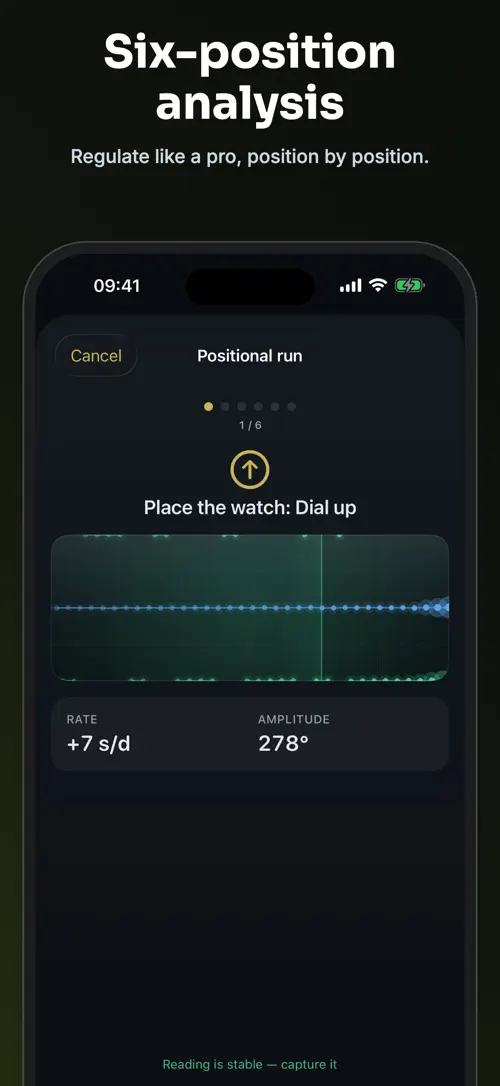
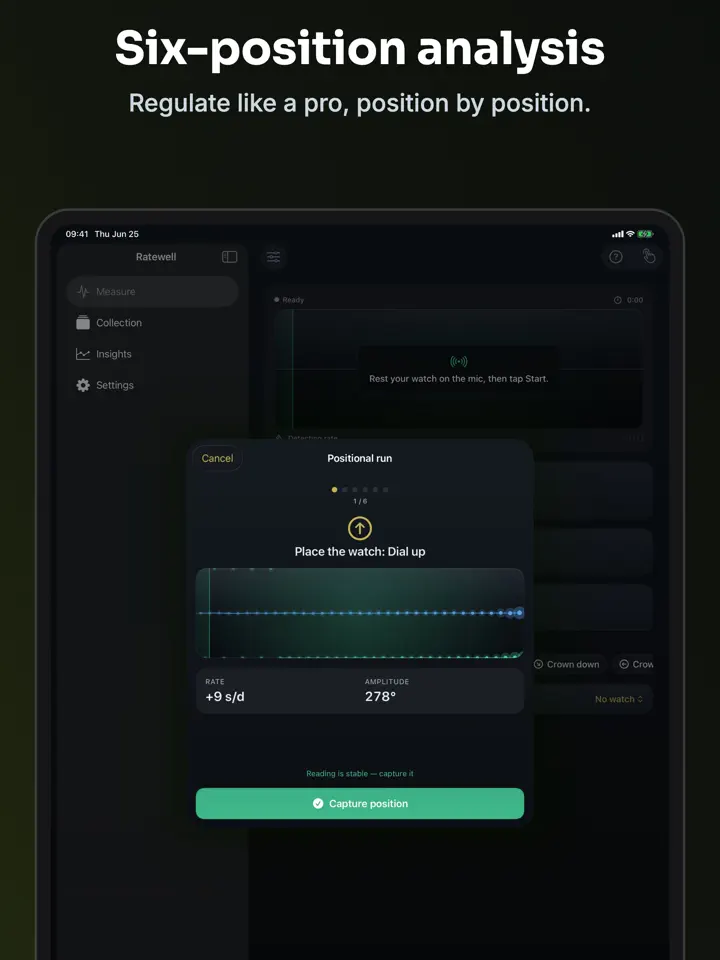
Measure your watch across six positions to see positional variance and isochronism.
Compare your readings against COSC tolerance to see instantly if a watch is in spec.
Every measurement is plotted on a chart so you can spot drift before it becomes a problem.
Record last service, interval, warranty, and power reserve for each watch you own.
Generate a clean accuracy certificate or CSV file to share with your watchmaker.
Who it’s for
For anyone tracking the accuracy of more than one mechanical watch over time.
For checking how an older automatic movement is running before deciding on a service.
For anyone curious about reading rate, amplitude, and beat error like a professional.
For building a clear accuracy record to bring to a watchmaker.
How it works
From “Hold your watch to the microphone” to “Export when you need a record”, in 5 steps.
Place the watch close to your iPhone’s microphone and let Ratewell listen to its ticking.
See rate, amplitude, and beat error appear within seconds.
Record its brand, model, caliber, reference, and photos.
Measure dial up, dial down, crown left, crown right, and more, then watch the rate-history chart build.
Generate a PDF or CSV to share with your watchmaker.
In depth
Ratewell listens to your watch’s ticking through your iPhone’s microphone and turns the sound into a rate reading in seconds per day, an amplitude reading, and a beat error reading, the same three measurements a watchmaker’s timing machine produces.
The app’s signal detection is calibrated to stay steady even with some ambient noise in the room, so you don’t need a silent space to get a usable reading.
A mechanical watch can run at a different rate depending on how it’s oriented, for example dial up, dial down, or crown left. Ratewell’s six-position analysis has you measure the watch in each orientation so you can see the positional variance and isochronism side by side.
This is part of "Ratewell Pro", which also unlocks the long-term trend view across positions and sessions.
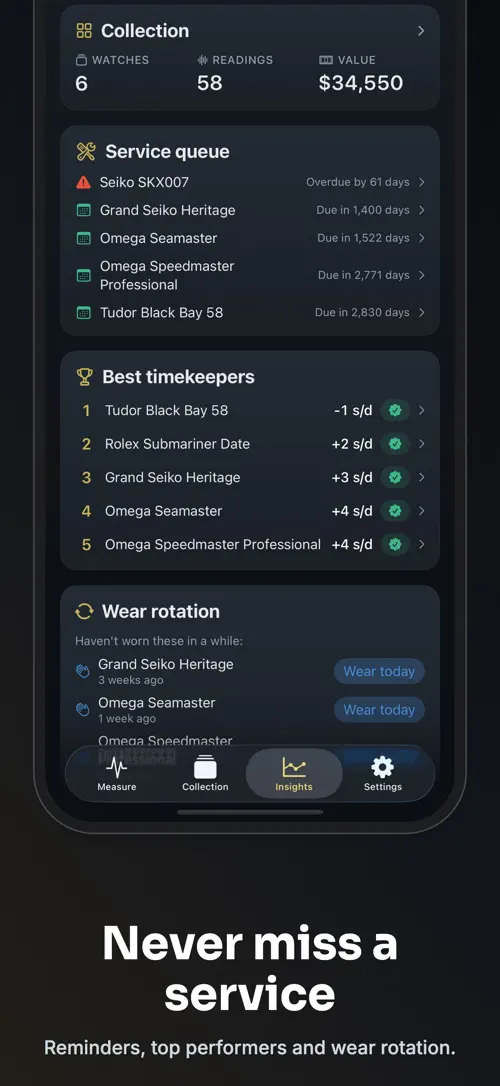
Each watch in your collection has its own service log, where you can record the last service date, the service interval, warranty information, and power reserve. Ratewell can also remind you when the next service is due.
Alongside the service log, the app keeps wear tracking so you can see what you actually wear and what has been sitting idle, and it generates a PDF accuracy certificate or CSV export to bring to your watchmaker. Service reminders, wear tracking, and export are part of "Ratewell Pro".
Release notes
Version
1.0
This is the first version of Ratewell, released on June 26, 2026.
FAQ
Something else? The Ratewell support page covers purchases, sync and settings, and lets you write to us directly.
Yes. Ratewell is free to download from the App Store. Optional in-app purchases unlock extra features; they are billed by Apple to your Apple Account, and you can manage them at any time in your account settings.
Ratewell works on iPhone and iPad with iOS 17.0 or later.
You can use the live timegrapher to measure rate, amplitude, and beat error, log every reading, and read your full measurement history at no cost.
"Ratewell Pro" unlocks unlimited watches, six-position analysis with isochronism, long-term trend views, service log reminders, wear tracking, iCloud sync, home-screen widgets, and PDF or CSV export.
Hold your watch close to your iPhone’s microphone and Ratewell reads rate, amplitude, and beat error within seconds.
Rate is how many seconds a day the watch gains or loses, amplitude reflects the swing of the balance wheel, and beat error measures the timing difference between the two halves of that swing; Ratewell reports all three from a single reading.
Ratewell compares your live rate reading against the COSC chronometer tolerance reference so you can see immediately whether it falls in spec.
Yes, you can add each watch to your collection with details like brand, model, caliber, reference, purchase date, and photos; tracking an unlimited number of watches is part of "Ratewell Pro".
Ratewell is available in 44 languages: Arabic, Bangla, Catalan, Chinese (Simplified), Chinese (Traditional), Croatian, Czech, Danish, Dutch, English, Finnish, French, German, Greek, Gujarati, Hebrew, Hindi, Hungarian, Indonesian, Italian, Japanese, Kannada, Korean, Malay, Malayalam, Marathi, Norwegian Bokmål, Odia, Polish, Portuguese, Punjabi, Romanian, Russian, Slovak, Slovenian, Spanish, Swedish, Tamil, Telugu, Thai, Turkish, Ukrainian, Urdu and Vietnamese.
Visit the Ratewell support page: it answers common questions about purchases, sync and settings, and has a contact form. You can also write to contact@develak.com. We read every message and reply personally.
Foster Care Log

Home Maintenance Log

Poker Tracker

Sound Level
Made by Develak
We design and build native iPhone, iPad and Mac apps for founders and companies, with the same care we put into our own. Tell us about your idea.