

Fosterwell
Foster Care Log
Screenshots
Overview
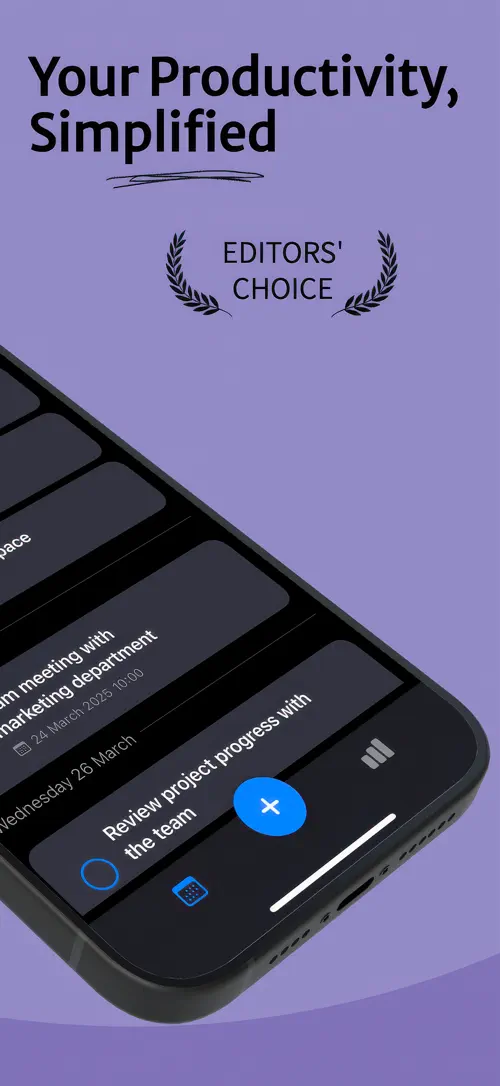
SimplyTask is a to-do list and focus timer app built to help you plan your day without extra clutter. You can capture tasks in seconds, set due dates and reminders, add subtasks, and create recurring tasks that repeat daily, weekly, monthly, or yearly.
Beyond planning, SimplyTask includes a built-in “Focus Mode” inspired by the Pomodoro technique, along with daily, weekly, monthly, and yearly statistics so you can see your progress and stay motivated over time.
Stay organized. Stay focused. Simply Task is your all-in-one to-do list and focus timer app, designed for simplicity, clarity, and real productivity.
Whether you’re juggling work deadlines, personal goals, school tasks, or daily routines, Simply Task helps you break it all down into clear, actionable steps — and actually get things done.
Quickly capture your tasks, set due dates, and organize your day in just a few taps. Simply Task makes productivity feel effortless, with a clean interface and features that truly help.
From a quick grocery list to long-term project planning, Simply Task adapts to your style and your schedule — so you can stay focused on what matters most.
Forget sticky notes or scattered reminders. With Simply Task, you get a reliable notification system that helps you act at the right moment — without feeling overwhelmed.
Stay ahead of your responsibilities and enjoy the calm that comes from knowing everything’s under control.
Tired of distractions? Get into the zone with Focus Mode — a built-in timer inspired by the Pomodoro technique. Simply set your preferred work and break durations and stay focused during productive intervals.
With Simply Task, productivity isn’t just about planning — it’s about doing.
Turn your productivity into momentum with smart statistics and daily tracking. Visualize your completed tasks and track your consistency over time.
Your accomplishments deserve to be seen — and celebrated.
Simply Task is designed to be lightweight, elegant, and lightning fast. No complex setups. No unnecessary features. Just everything you need to stay productive, right when you need it.
Everything in Simply Task is designed to help you do more with less effort.
Simply Task is built exclusively for iOS, ensuring seamless performance and a truly native user experience. Every screen, interaction, and animation is crafted to feel intuitive and fluid.
Why Simply Task?
Because real productivity doesn’t have to be complicated. Whether you’re a student, entrepreneur, freelancer, or someone who just wants to stay organized and focused, Simply Task is the clean, efficient tool you’ve been looking for.
Download Simply Task now and take control of your time — one task, one focus session, one small win at a time.
Less clutter. More clarity. Pure productivity.
Terms of Use: https://www.apple.com/legal/internet-services/itunes/dev/stdeula/
Highlights
SimplyTask is a free iPhone app that combines a to-do list, reminders, and a Pomodoro focus timer to help you plan, focus, and track daily progress.
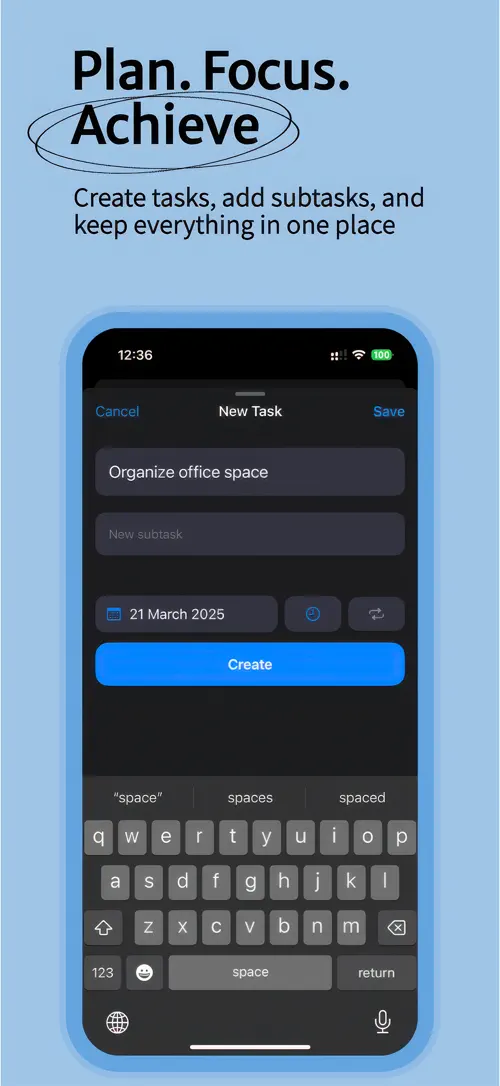
Add a task, set a due date, and organize your day in just a few taps.
Set one-time or repeating reminders so you never miss what matters.
Break large tasks into smaller subtasks so progress feels manageable.
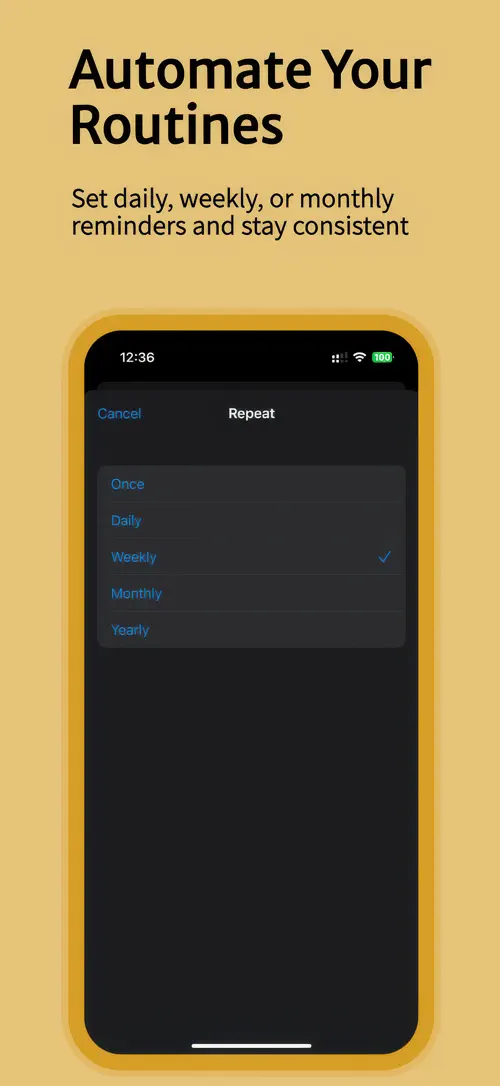
Create tasks that repeat daily, weekly, monthly, or yearly.
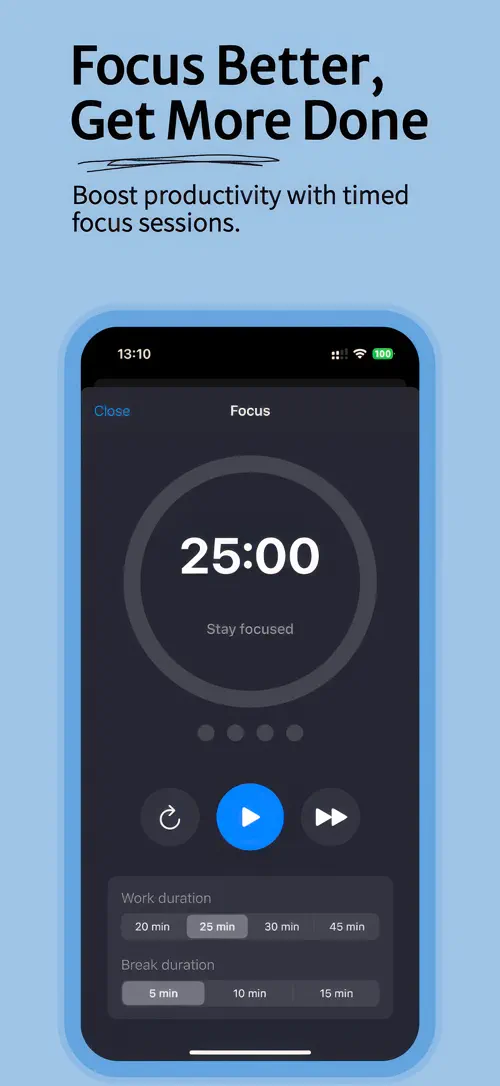
Set your own work and break durations, then start a distraction-free focus session with one tap.
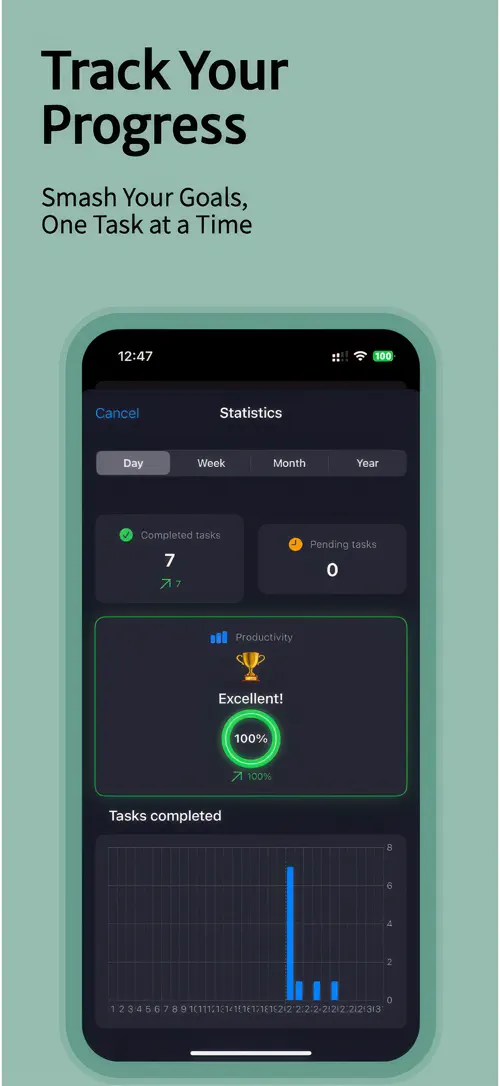
See daily, weekly, monthly, and yearly statistics, plus a progress ring and productivity score.
Who it’s for
Organize school tasks, assignments, and study sessions with clear due dates and a “Focus Mode” built for concentration.
Track project tasks, deadlines, and recurring work in one simple list.
Keep work deadlines and daily responsibilities visible in a clear timeline, without feeling overwhelmed.
Use recurring tasks and daily statistics to stay consistent with routines over time.
How it works
From “Add a task” to “Check your statistics”, in 4 steps.
Quickly capture what you need to do, then set a due date if it applies.
Choose a one-time or repeating reminder so SimplyTask notifies you at the right moment.
Pick your work and break durations, then tap once to begin a focused work interval.
Open the statistics view to see completed and pending tasks, your progress ring, and your productivity score.
In depth
SimplyTask lets you create tasks in seconds, set due dates, and add subtasks to break larger goals into smaller, achievable steps. You can also set up recurring tasks that repeat daily, weekly, monthly, or yearly, so routines and regular responsibilities stay organized without extra effort.
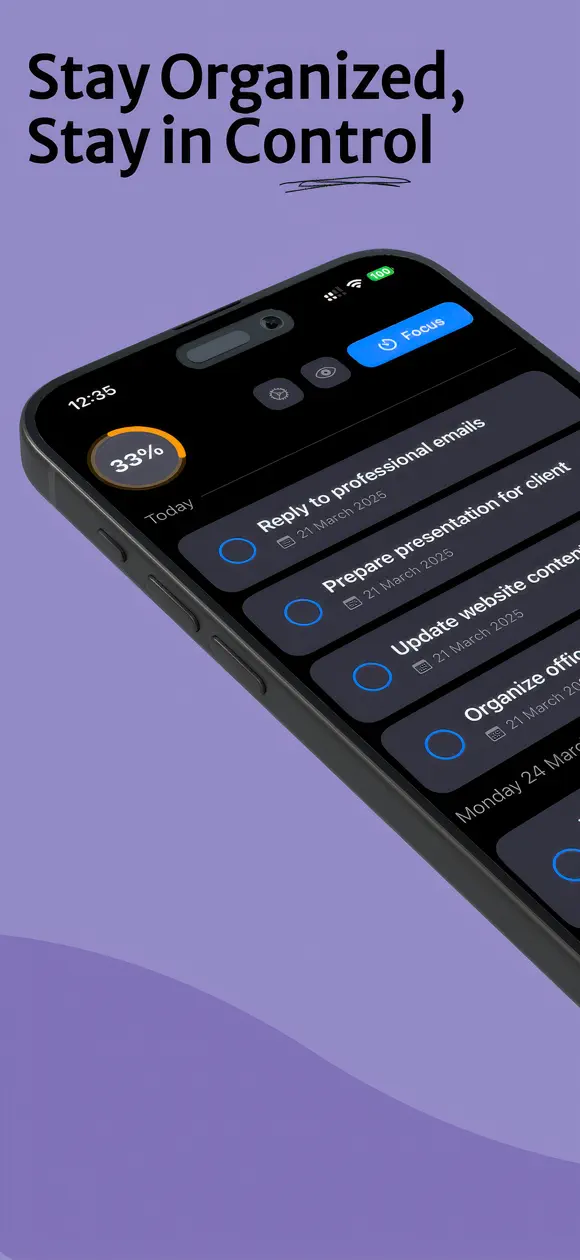
A clear visual timeline gives you instant access to today’s and upcoming tasks, so you always know what needs your attention next.
“Focus Mode” is a built-in timer inspired by the Pomodoro technique. You set your preferred work and break durations, then start a session with one tap to work in focused intervals.
“Focus Mode” is designed for studying, working, or building habits, helping you stay in the zone without distractions.
SimplyTask turns your completed tasks into daily, weekly, monthly, and yearly statistics, so you can see exactly how consistent you have been over time.
A progress ring and productivity score give you a quick overview of your day, while visual charts let you look back at your task history.
Release notes
Version
1.9
This update includes bug fixes and performance improvements to make your experience better.
FAQ
Something else? The SimplyTask support page covers purchases, sync and settings, and lets you write to us directly.
Yes. SimplyTask is free to download from the App Store. Optional in-app purchases unlock extra features; they are billed by Apple to your Apple Account, and you can manage them at any time in your account settings.
SimplyTask works on iPhone and iPad with iOS 17.0 or later.
Yes. You can create tasks that repeat daily, weekly, monthly, or yearly, so routine responsibilities stay on your list automatically.
Yes. SimplyTask lets you add subtasks to any task, so you can break big goals into small, actionable wins.
“Focus Mode” is a built-in timer inspired by the Pomodoro technique. You choose your own work and break durations, then start a session with one tap to stay focused during productive intervals.
Yes. “Focus Mode” lets you set your preferred work and break durations before starting a session.
Yes. You can set one-time or repeating reminders so SimplyTask notifies you at the right moment.
SimplyTask shows daily, weekly, monthly, and yearly statistics, including completed and pending tasks, a progress ring, a productivity score, and visual charts of your task history.
SimplyTask is available in 33 languages: Arabic, Catalan, Chinese (Simplified), Chinese (Traditional), Croatian, Czech, Danish, Dutch, English, Finnish, French, German, Greek, Hebrew, Hindi, Hungarian, Indonesian, Italian, Japanese, Korean, Malay, Norwegian Bokmål, Polish, Portuguese, Romanian, Russian, Slovak, Spanish, Swedish, Thai, Turkish, Ukrainian and Vietnamese.
Visit the SimplyTask support page: it answers common questions about purchases, sync and settings, and has a contact form. You can also write to contact@develak.com. We read every message and reply personally.
Foster Care Log

Home Maintenance Log

Poker Tracker

Watch Timegrapher
Made by Develak
We design and build native iPhone, iPad and Mac apps for founders and companies, with the same care we put into our own. Tell us about your idea.