

Contrastly
Cold Plunge, Sauna
Health
PCOS Symptom Tracker
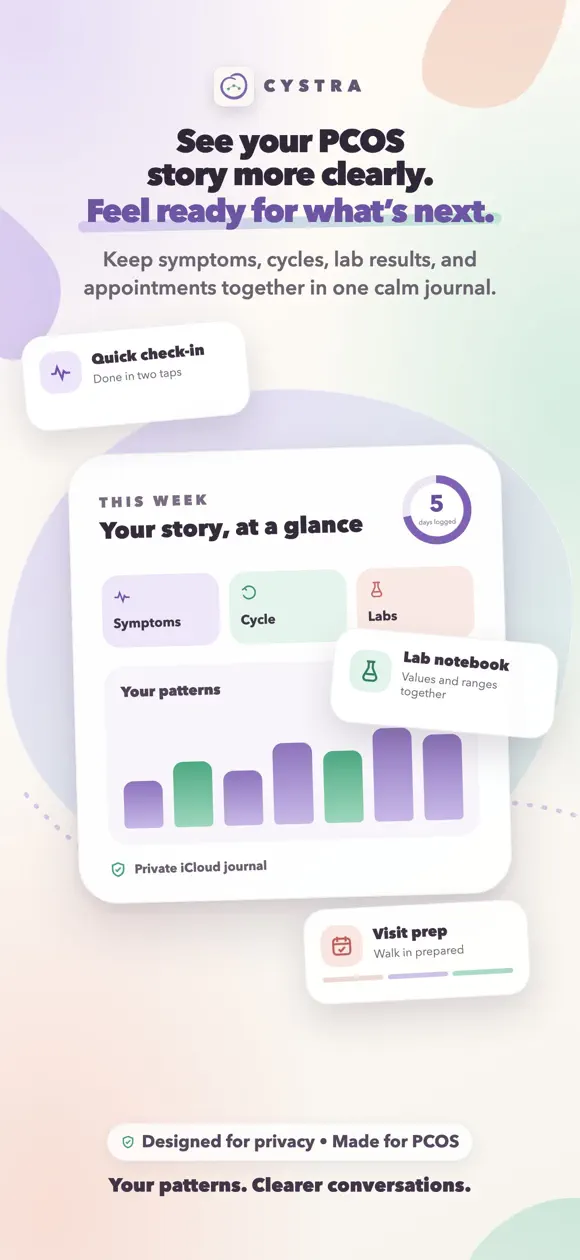
Track PCOS symptoms, cycles, and labs in seconds, without scores or goals
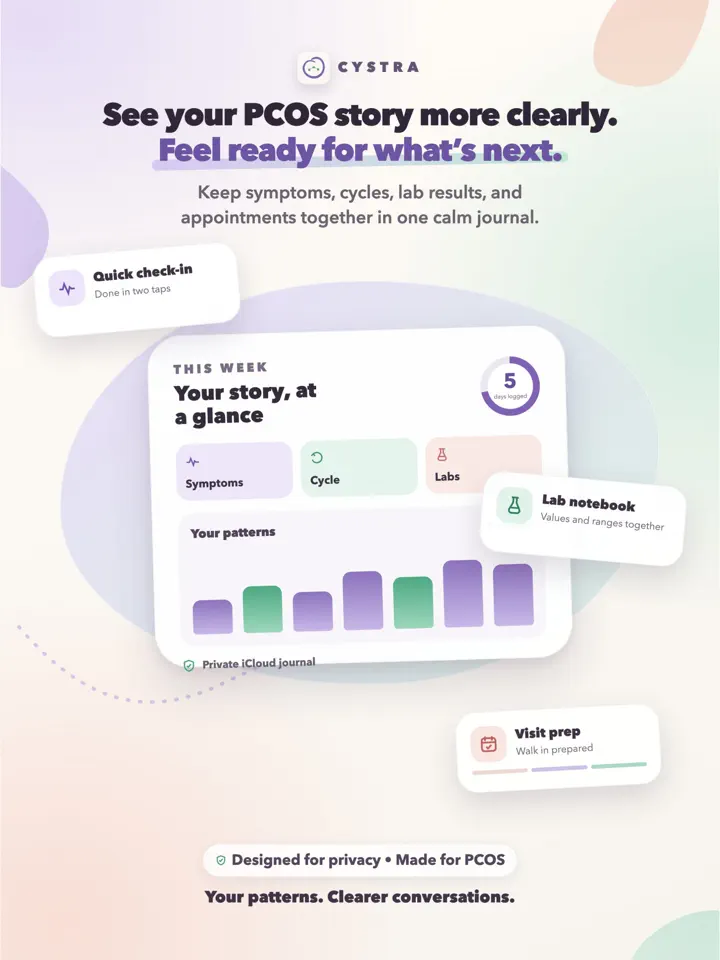
Cystra is an iPhone app made by Develak, a private symptom and cycle journal for people with PCOS, built to log fatigue, acne, hair changes, mood, and lab results without weight-loss or fertility framing.
Screenshots
Overview
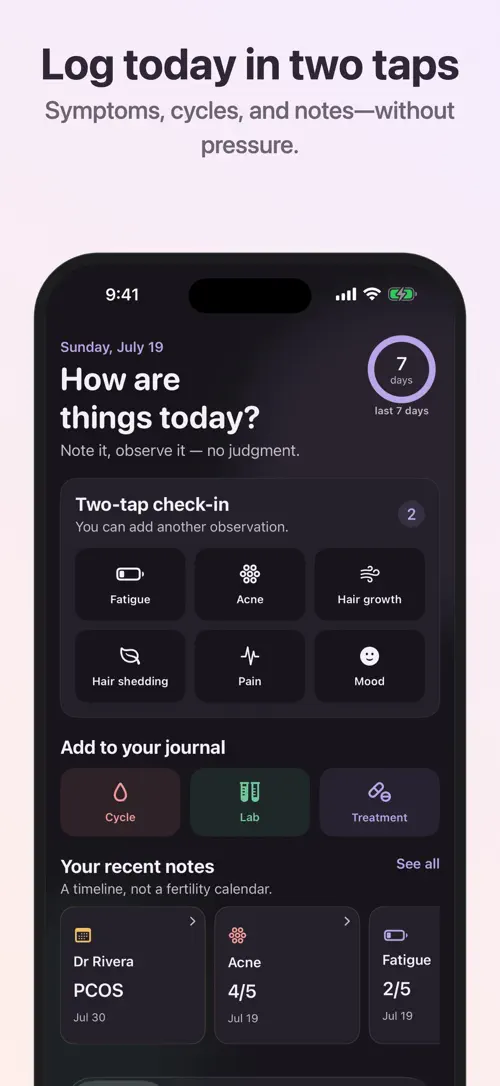
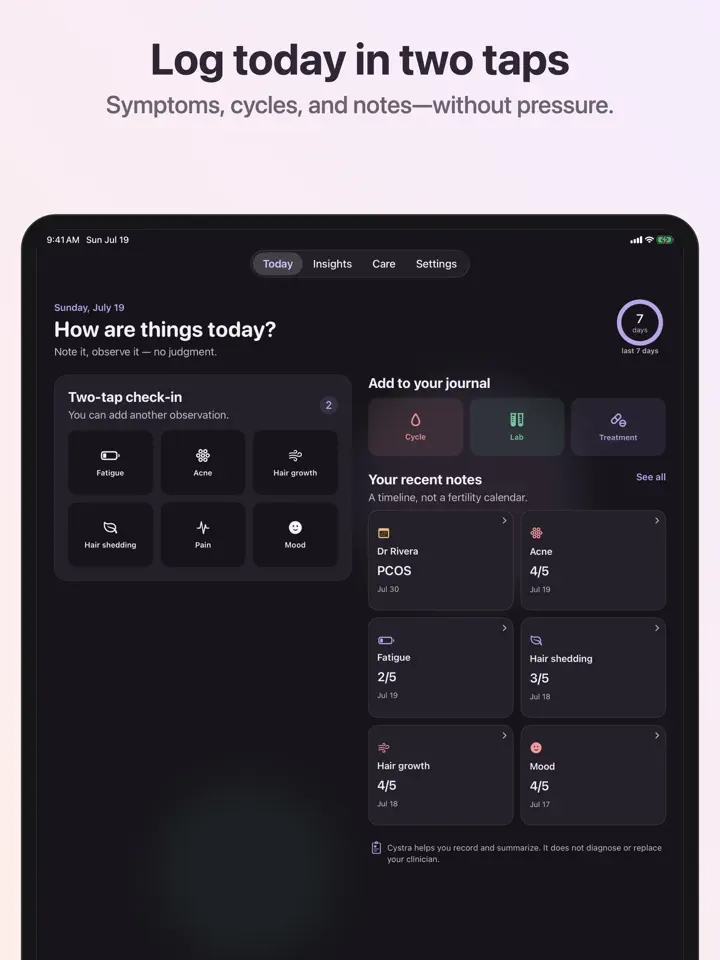
Cystra is a journal built around living with PCOS, not around weight loss or fertility predictions. In two taps you can record fatigue, acne, hair growth, hair shedding, pain, and mood, with no scores to win and no body goals to chase.
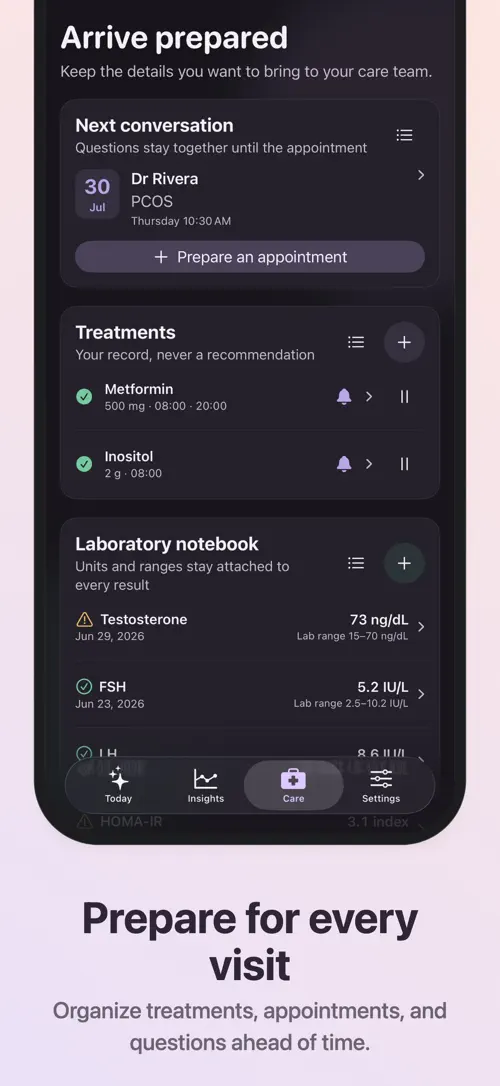
Cycle dates are logged as they actually happen, without forcing a "normal" interval or assuming every cycle is predictable. A lab notebook keeps testosterone, AMH, fasting insulin, HOMA-IR, LH, and FSH results with your own laboratory’s units and reference ranges, alongside prescriptions and supplements recorded exactly as agreed with your clinician. With "Cystra Pro", you can explore lab trends, prepare appointment questions, and create a doctor-ready PDF.
Cystra is a compassionate journal for living with PCOS — built around your condition, not weight loss or fertility predictions.
Record fatigue, acne, hair growth, hair shedding, pain and mood in seconds. There are no scores to win and no body goals to chase.
Log cycle dates without forcing a “normal” interval or pretending every cycle is predictable.
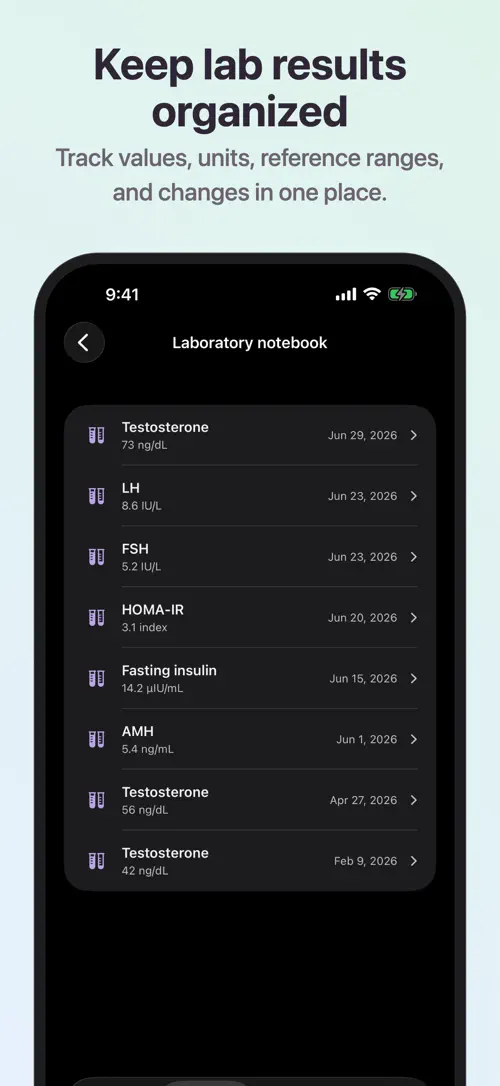
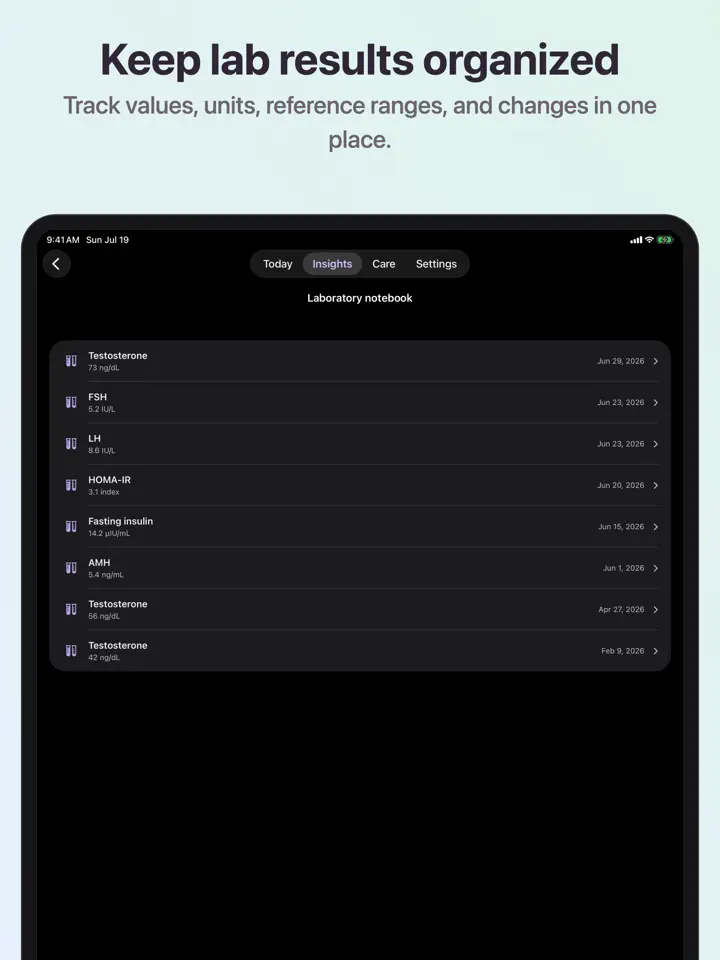
Keep testosterone, AMH, fasting insulin, HOMA-IR, LH and FSH results with international units and the reference range printed by your own laboratory.
Record prescriptions and supplements exactly as agreed with your clinician, with optional reminders.
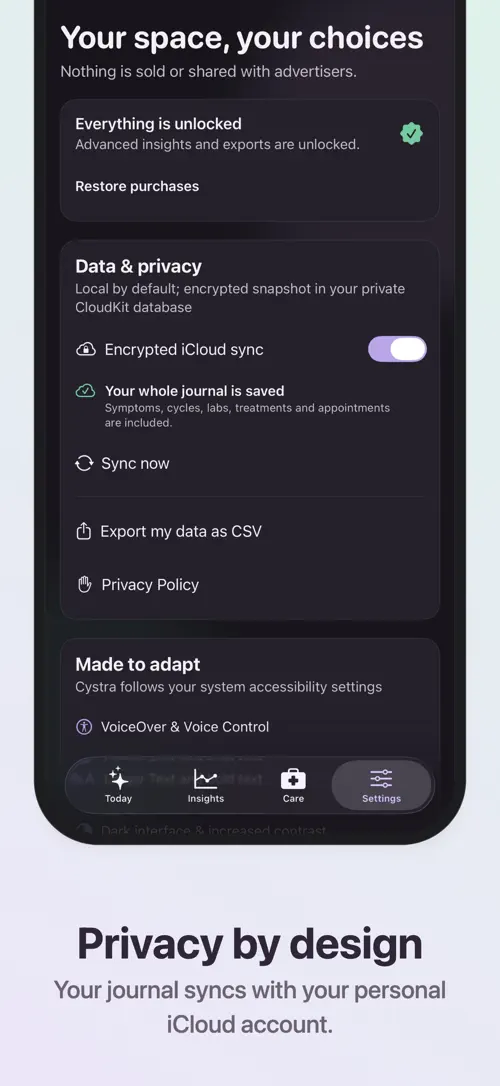
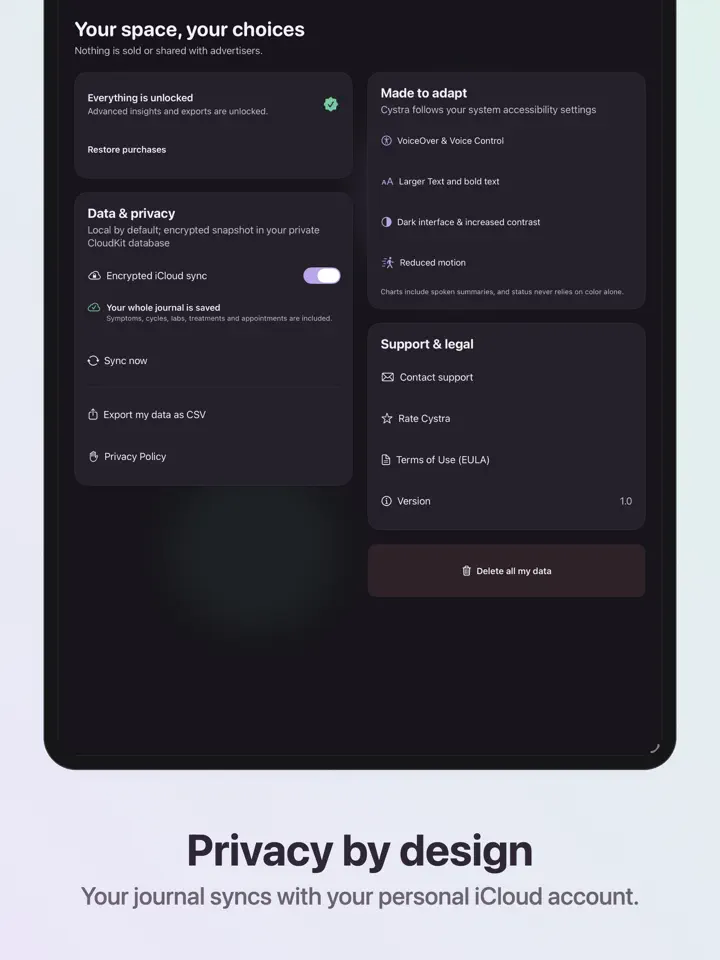
Explore lab trends and careful observations across symptoms, treatments and cycles. Prepare appointment questions, create a concise doctor PDF, export CSV and sync your journal through your private iCloud database.
The journal is local by default. Cystra contains no advertising and does not sell health information. Delete your journal from the device and iCloud in one step.
Cystra records and summarizes self-reported information. It does not diagnose, treat or replace professional medical advice.
Cystra Pro is available as monthly or annual auto-renewable subscriptions, or as a one-time lifetime purchase. Only the annual plan may include a 7-day free trial for eligible new subscribers. Payment is charged to your Apple Account at confirmation. Subscriptions renew automatically unless cancelled at least 24 hours before the end of the current period. Manage or cancel in your App Store account settings. Prices are shown in the app and may vary by country.
Terms of Use: https://www.apple.com/legal/internet-services/itunes/dev/stdeula/
Privacy Policy: https://develak.com/privacy-policy/
Contact support: https://develak.com/#contact
Highlights
Log symptoms, cycles, and lab results, track treatments, and export doctor-ready reports with Cystra Pro.
Record fatigue, acne, hair growth, hair shedding, pain, and mood in just two taps.
Log cycle dates without forcing a "normal" interval or assuming every cycle is predictable.
Keep testosterone, AMH, fasting insulin, HOMA-IR, LH, and FSH results with your own lab’s units and reference ranges.
Record prescriptions and supplements exactly as agreed with your clinician, with optional reminders.
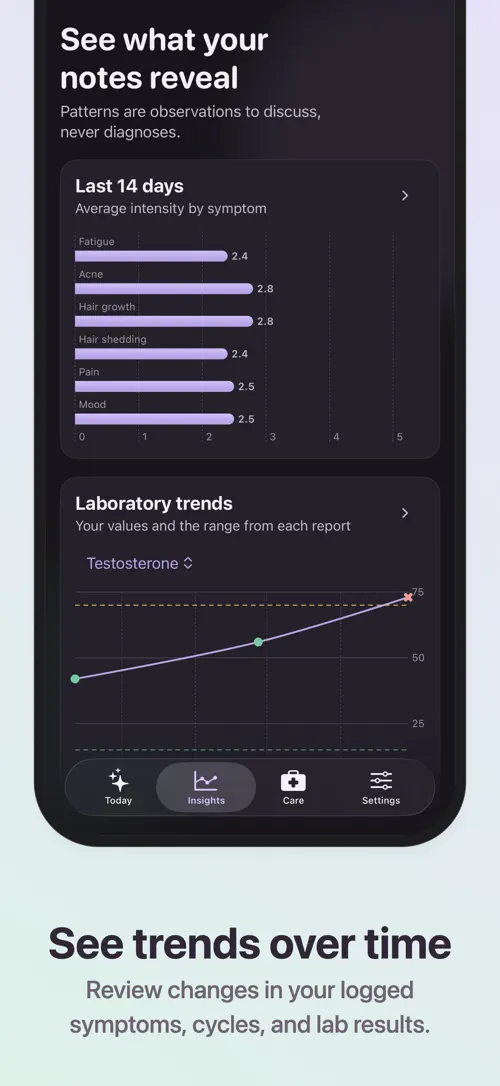
"Cystra Pro" surfaces trends across symptoms, treatments, and cycles, and builds a concise PDF for appointments.
Your journal stays on your device by default, with no advertising and no sale of health information.
Who it’s for
A starting point to log symptoms and cycles without weight-loss framing or fertility predictions.
Cycle dates are logged as they occur, without a forced "normal" interval.
A place to keep testosterone, AMH, insulin, and other lab values with their own reference ranges over time.
Record treatments as agreed with a clinician and set optional reminders.
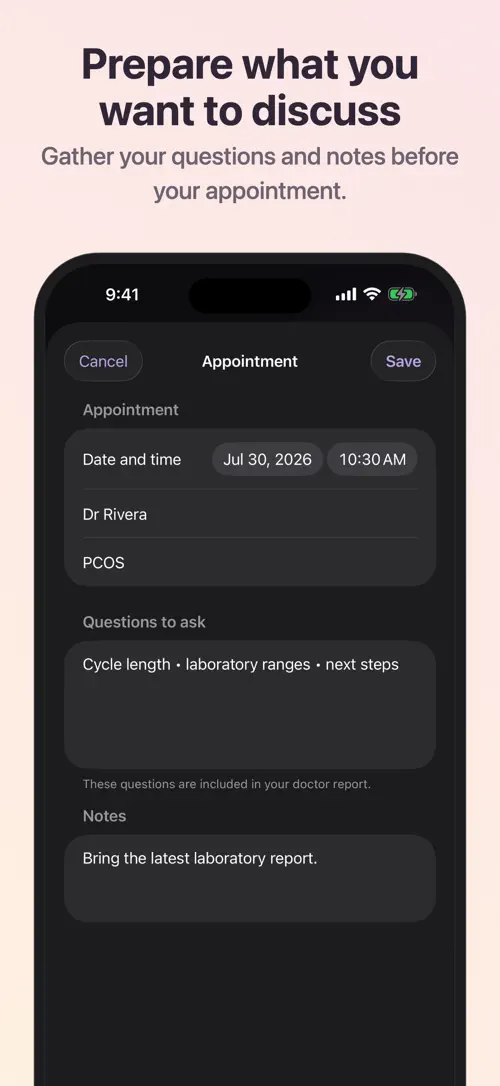
With "Cystra Pro", prepare questions and generate a concise PDF summary to bring to a visit.
How it works
From “Log a symptom” to “Review trends with "Cystra Pro"”, in 5 steps.
Open the journal and record fatigue, acne, hair growth, hair shedding, pain, or mood in two taps.
Log the start of a cycle whenever it happens, without assuming a fixed interval.
Add testosterone, AMH, fasting insulin, HOMA-IR, LH, or FSH values with the units and reference range from your own lab report.
Record prescriptions and supplements as agreed with your clinician, and set optional reminders.
Explore lab trends, prepare appointment questions, and export a doctor PDF or CSV file.
In depth
Cystra lets you log the start of a cycle whenever it occurs, without forcing a "normal" interval or predicting when the next one will begin. This is meant to reflect how PCOS cycles actually behave rather than fit them into a fixed calendar pattern.
Because there are no scores or body goals attached to cycle logging, the journal simply records what happened so you have a clear history to look back on or share with a clinician.
The lab notebook keeps testosterone, AMH, fasting insulin, HOMA-IR, LH, and FSH results. Each entry can include international units and the reference range printed by your own laboratory, so values stay comparable to how your lab reported them.
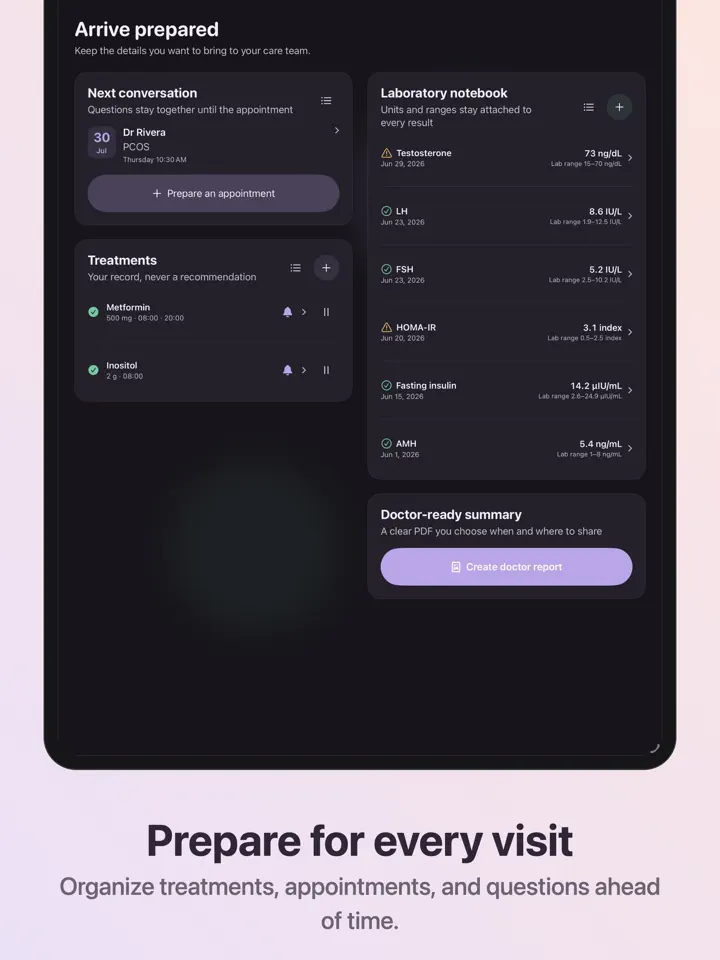
Treatments are recorded alongside lab data: prescriptions and supplements are logged exactly as agreed with your clinician, with optional reminders so nothing gets missed.
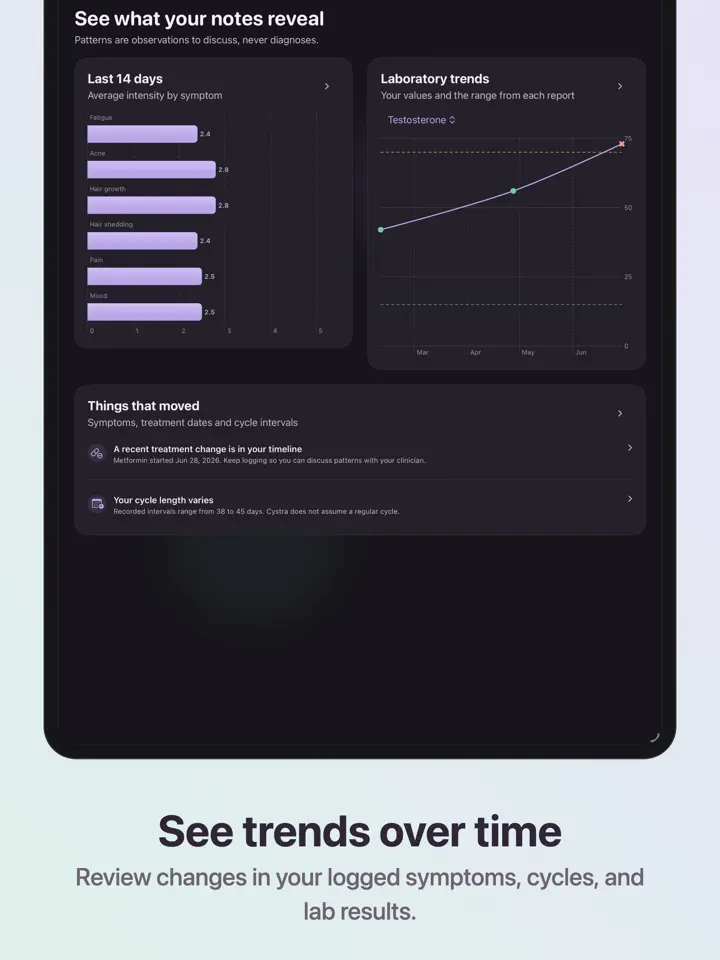
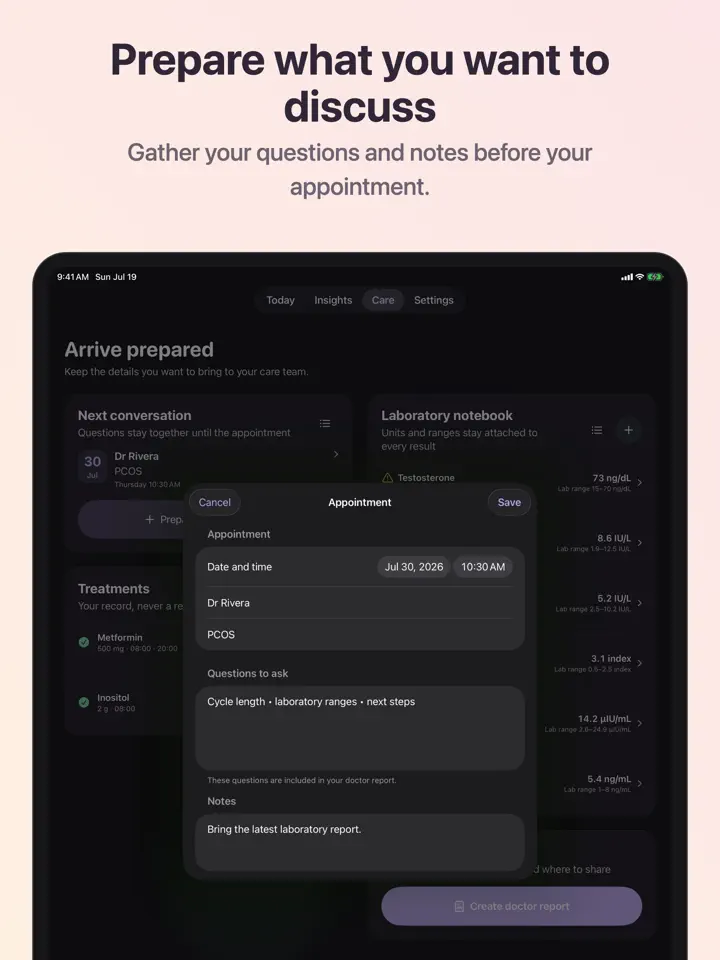
"Cystra Pro" lets you explore trends across symptoms, treatments, and cycles over time, alongside your lab results. It also helps you prepare questions for an upcoming appointment.
From there, you can create a concise doctor PDF, export a CSV file, and sync your journal through your private iCloud database.
Release notes
Version
1.0
The release notes of this version are available on the App Store.
FAQ
Something else? The Cystra support page covers purchases, sync and settings, and lets you write to us directly.
Yes. Cystra is free to download from the App Store. Optional in-app purchases unlock extra features; they are billed by Apple to your Apple Account, and you can manage them at any time in your account settings.
Cystra works on iPhone and iPad with iOS 17.0 or later.
Cystra lets you record fatigue, acne, hair growth, hair shedding, pain, and mood in a few taps, with no scores or body goals attached to any entry.
No. Cystra logs cycle dates as they happen without forcing a "normal" interval, and it is not built around fertility predictions.
You can enter testosterone, AMH, fasting insulin, HOMA-IR, LH, and FSH results, using the international units and reference range printed on your own lab report.
Yes. Prescriptions and supplements can be logged exactly as agreed with your clinician, and you can turn on optional reminders for them.
"Cystra Pro" adds lab trend views, appointment question preparation, a concise doctor PDF, CSV export, and iCloud sync of your journal.
With "Cystra Pro", you can export a doctor-ready PDF summary or a CSV file of your logged symptoms, cycles, and lab results.
Cystra is available in 44 languages: Arabic, Bangla, Catalan, Chinese (Simplified), Chinese (Traditional), Croatian, Czech, Danish, Dutch, English, Finnish, French, German, Greek, Gujarati, Hebrew, Hindi, Hungarian, Indonesian, Italian, Japanese, Kannada, Korean, Malay, Malayalam, Marathi, Norwegian Bokmål, Odia, Polish, Portuguese, Punjabi, Romanian, Russian, Slovak, Slovenian, Spanish, Swedish, Tamil, Telugu, Thai, Turkish, Ukrainian, Urdu and Vietnamese.
Visit the Cystra support page: it answers common questions about purchases, sync and settings, and has a contact form. You can also write to contact@develak.com. We read every message and reply personally.
Cold Plunge, Sauna

DBT Diary Card

INR & Warfarin Log
TRT Injection Log
Made by Develak
We design and build native iPhone, iPad and Mac apps for founders and companies, with the same care we put into our own. Tell us about your idea.