


Contrastly
Cold Plunge, Sauna
Screenshots
Overview
HIIT Timer Pro turns your iPhone or iPad into a dedicated interval timer for high-intensity training. Whether you follow a Tabata sprint, an EMOM circuit or a CrossFit WOD, the app keeps work and rest intervals on track so you can focus on the effort instead of the clock.
Set up a session in seconds with a quick preset or your own custom intervals, then let the giant countdown screen, sound cues and optional haptics carry you through every round. The timer keeps running in the background if you switch apps or start filming, and your sessions save automatically so you can look back at your training history.
HIIT Timer Pro turns your iPhone or iPad into a precision coach for every high-intensity workout—from explosive Tabata sprints to marathon EMOM circuits. No gimmicks, no distractions: just a rock-solid timer engineered for athletes who demand more.
Whether you’re chasing PRs, cutting weight, boxing rounds, CrossFit WODs, AMRAP challenges, plyometric sets or simple home fitness, HIIT Timer Pro keeps the clock so you can keep the intensity. Download now and feel the difference in your very next session!
Terms of Use: https://www.apple.com/legal/internet-services/itunes/dev/stdeula/
Highlights
Time HIIT, Tabata, EMOM and AMRAP workouts with HIIT Timer Pro, an iPhone and iPad app from Develak with custom intervals, haptics and session history.
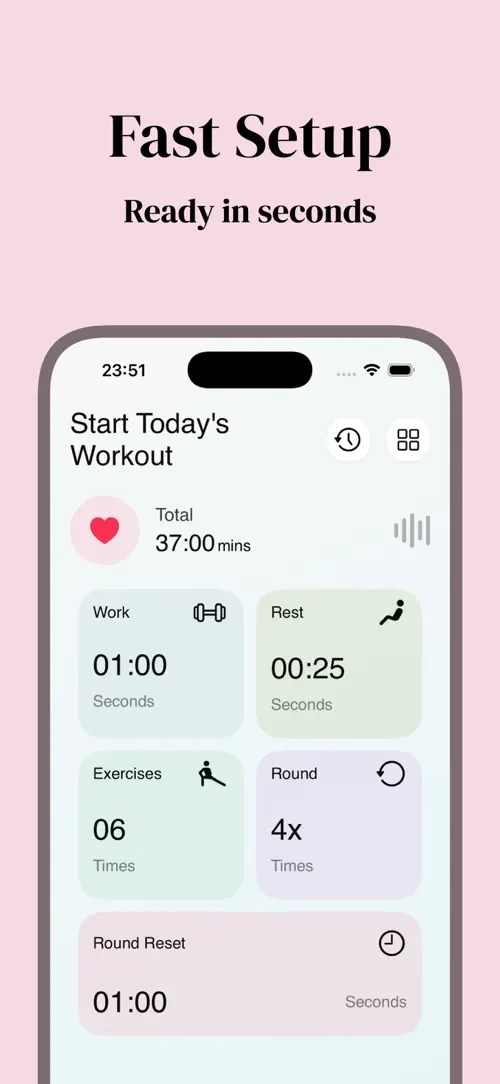
Choose a quick preset or set your own work time from 15 seconds to 3 minutes, rest time from 5 to 90 seconds, 1 to 20 exercises, 1 to 10 rounds and recovery time between rounds.
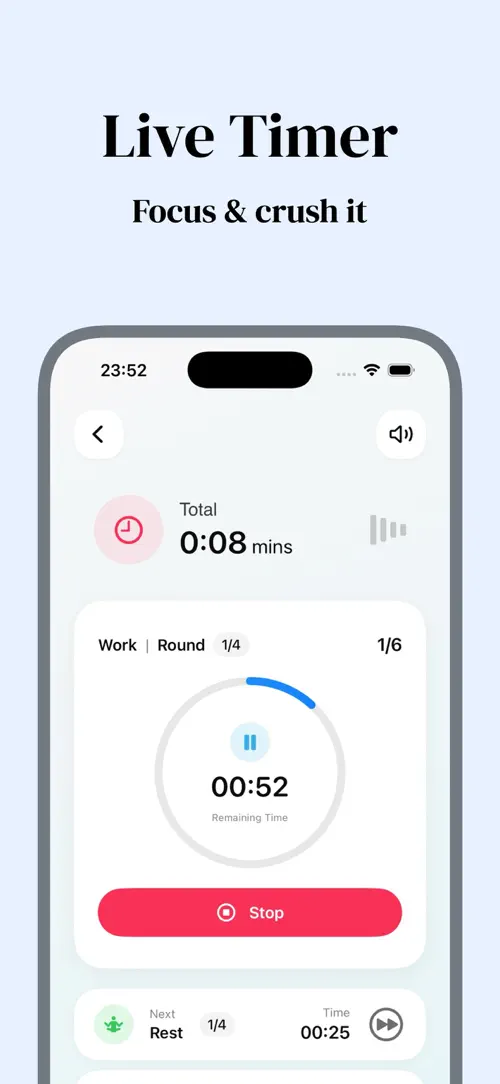
A giant countdown screen, circular progress ring, mini bars and total-time ticker keep you on track through every set.
Pick from three adjustable sound packs with a five-second countdown, ticks during work intervals and a chime at the end of the session.
The timer keeps running when you switch apps, film your form or stream a coaching video.
Optional haptics pair light taps for interval taps with medium taps for transitions, so you feel every changeover.
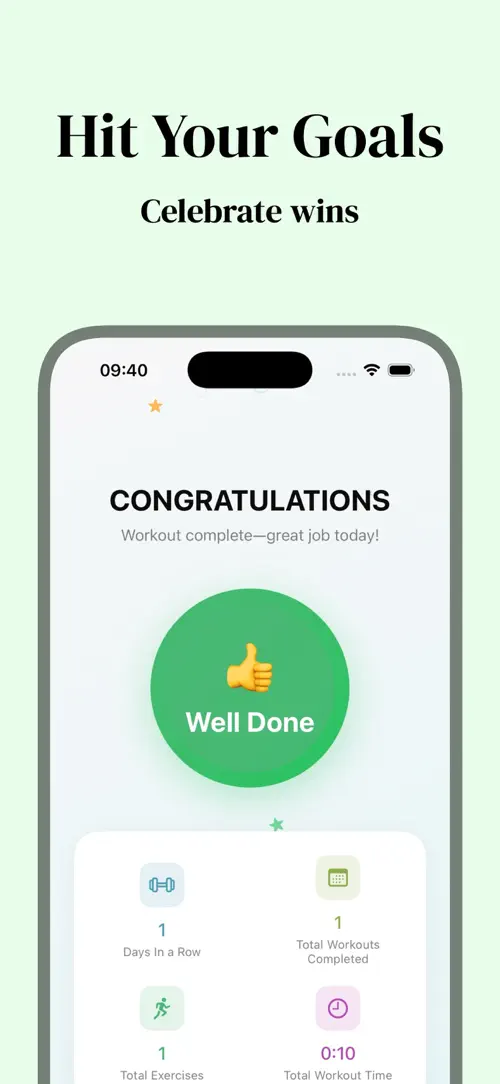
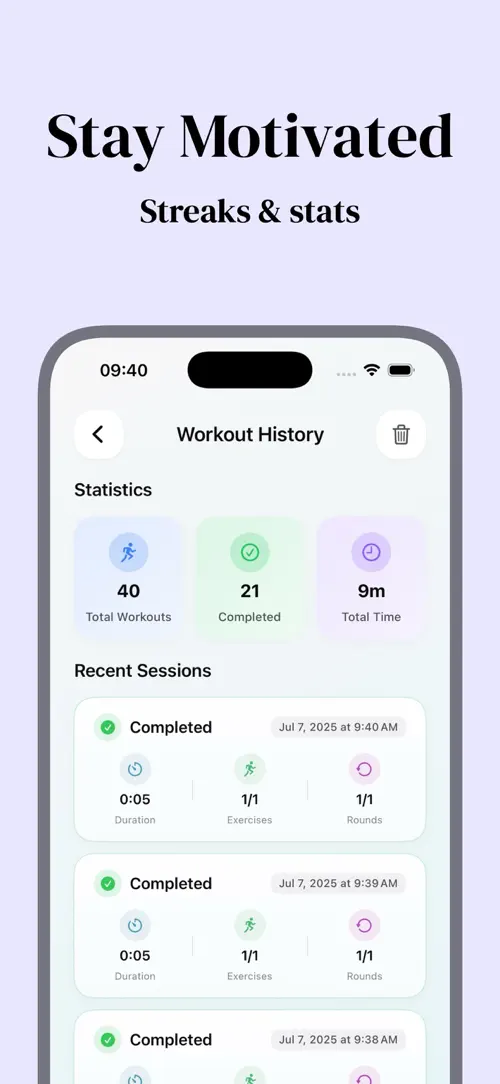
Sessions auto-save with date, configuration, total duration, completion status and performance percentage, all summarized in the “stats dashboard”.
Who it’s for
Athletes who follow structured work-rest intervals and want a timer that keeps pace without extra taps.
People training EMOM circuits, AMRAP challenges or WOD-style workouts who need reliable interval cues.
Anyone building a routine at home who wants a distraction-free countdown instead of a general stopwatch app.
Trainers who want a large, clear display to guide a class or a client through timed rounds.
How it works
From “Pick a preset or build your own” to “Review your history”, in 4 steps.
Start from a quick preset or set your own work, rest, exercises, rounds and recovery time.
The giant countdown screen, progress ring and total-time ticker guide you through every round.
Use the one-tap controls to pause, skip, stop or mute the session whenever you need to.
Check the “stats dashboard” for total sessions, finish rate and lifetime training time.
In depth
In the setup screen you can choose a quick preset or dial in your own configuration: a work interval from 15 seconds to 3 minutes, a rest interval from 5 to 90 seconds, 1 to 20 exercises, 1 to 10 rounds and a recovery period between rounds.
Once the session starts, the giant countdown screen, circular progress ring, mini bars and total-time ticker show exactly where you are in the workout, so you don’t need to glance at a separate stopwatch.
The app includes 20 free sessions before any upgrade is required. After that, a subscription unlocks unlimited workouts, full history, cloud sync and an ad-free experience, available as a monthly plan or a yearly plan that starts with a 7-day free trial.
Until you decide to subscribe, you can still use the free sessions to try different interval configurations and see how the timer fits your training.
Background playback keeps the timer running when you leave the app, so you can switch to your camera to film your form or open a streaming app for a coaching video without losing track of your intervals.
The app is also offline-first, so the timer works without a network connection, whether you train in a basement, on a beach or somewhere with no signal.
Release notes
Version
1.3
Thanks for using HIIT Timer Pro! This update brings performance improvements and bug fixes for a smoother, more reliable workout experience.
FAQ
Something else? The HIIT Timer Pro support page covers purchases, sync and settings, and lets you write to us directly.
Yes. HIIT Timer Pro is free to download from the App Store. Optional in-app purchases unlock extra features; they are billed by Apple to your Apple Account, and you can manage them at any time in your account settings.
HIIT Timer Pro works on iPhone and iPad with iOS 17.0 or later.
You can set intervals for Tabata, EMOM, AMRAP, CrossFit WODs, boxing rounds, plyometric sets or any custom work-rest routine.
In the setup screen, set a work interval from 15 seconds to 3 minutes and a rest interval from 5 to 90 seconds, then choose 1 to 20 exercises and 1 to 10 rounds with recovery time between rounds.
Each of the three sound packs plays a five-second countdown, a dong with ticks during work intervals and a victory chime at the end, and all sounds are adjustable.
Yes, background playback keeps the timer running when you leave the app to film your form or stream a coaching video.
Optional haptic feedback pairs light haptics with taps and medium haptics with transitions between work and rest.
Use the one-tap controls to pause, skip, stop or mute the session at any time.
HIIT Timer Pro is available in 34 languages: Arabic, Catalan, Chinese (Simplified), Chinese (Traditional), Croatian, Czech, Danish, Dutch, English, Finnish, French, German, Greek, Hebrew, Hindi, Hungarian, Indonesian, Italian, Japanese, Korean, Malay, Norwegian Bokmål, Norwegian Nynorsk, Polish, Portuguese, Romanian, Russian, Slovak, Spanish, Swedish, Thai, Turkish, Ukrainian and Vietnamese.
Visit the HIIT Timer Pro support page: it answers common questions about purchases, sync and settings, and has a contact form. You can also write to contact@develak.com. We read every message and reply personally.
Cold Plunge, Sauna

DBT Diary Card

INR & Warfarin Log

TRT Injection Log
Made by Develak
We design and build native iPhone, iPad and Mac apps for founders and companies, with the same care we put into our own. Tell us about your idea.