

Cragly
Climbing Log & Stats
Screenshots


Overview
XC Log is a flight logbook for free-flight pilots, built around your hours, your sites, and your gear rather than another live vario. Paragliding, paramotor (PPG), hang gliding, sailplane, and speedriding flights all live in one logbook, so you log a site, a wing, airtime, conditions, and notes in seconds after you land.
The core logbook is free forever: your flights, notes, and data are never locked behind a paywall. XC Log Pro adds IGC import from your vario or XCTrack, stats and progression, reserve repack reminders, iCloud sync, and PDF and IGC export for pilots who want the full picture of every flight they have logged.
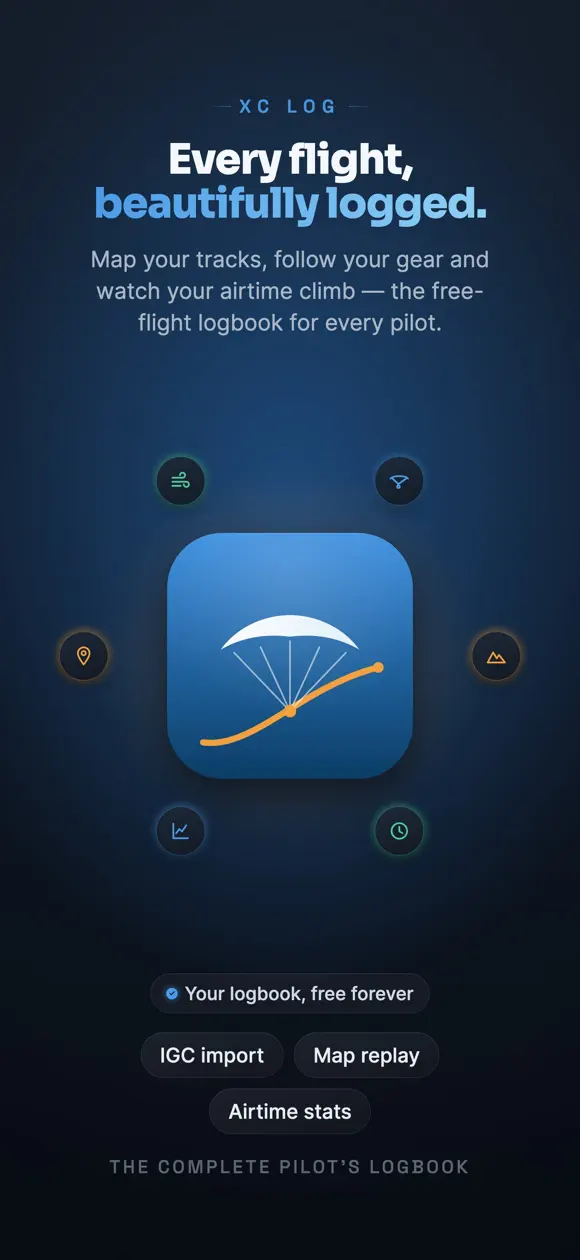
XC Log is the flight logbook free-flight pilots have been missing — built around your hours, your sites and your gear, not another live vario.
Every flight you log stays yours, forever. Paragliding, paramotor (PPG), hang gliding, sailplane and speedriding all live in one logbook.
Simple, honest pricing — no per-feature nickel-and-diming. Your logbook is free forever; one Pro plan unlocks the power tools. The annual plan comes with a 7-day free trial.
Fly. Log. Remember.
Terms of Use (EULA): https://www.apple.com/legal/internet-services/itunes/dev/stdeula/
Privacy Policy: https://develak.com/privacy-policy/
Highlights
XC Log is a free flight logbook for paragliding, paramotor, hang gliding, sailplane, and speedriding pilots, with optional Pro tools for IGC import and stats.
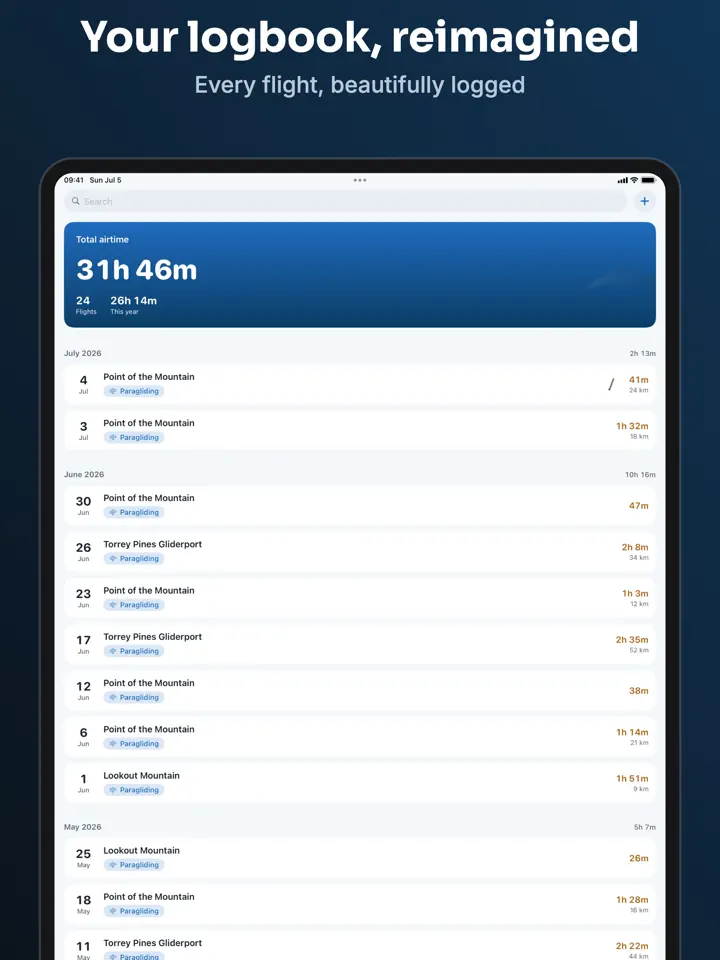
Record the site, wing, airtime, conditions, and notes as soon as you land.
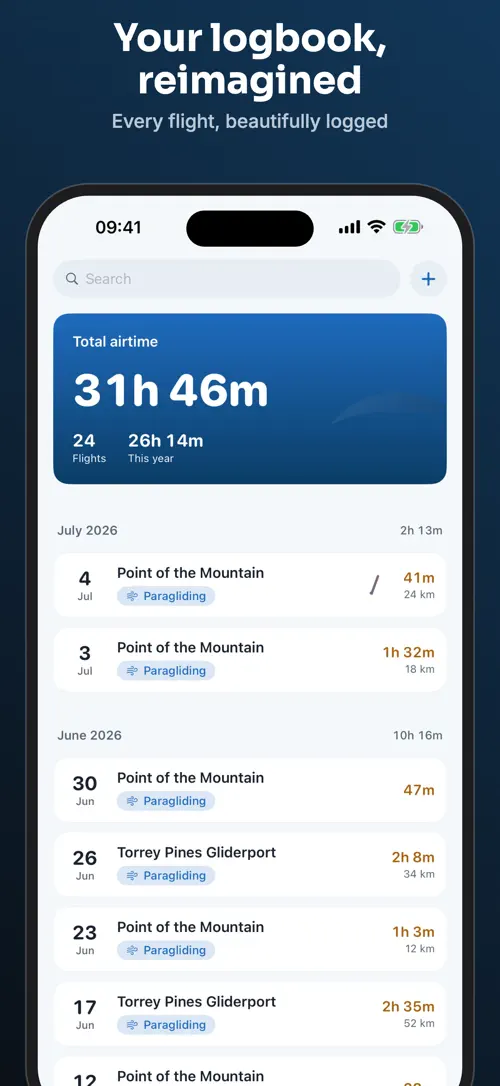
The main screen always shows your cumulative airtime and flight count.
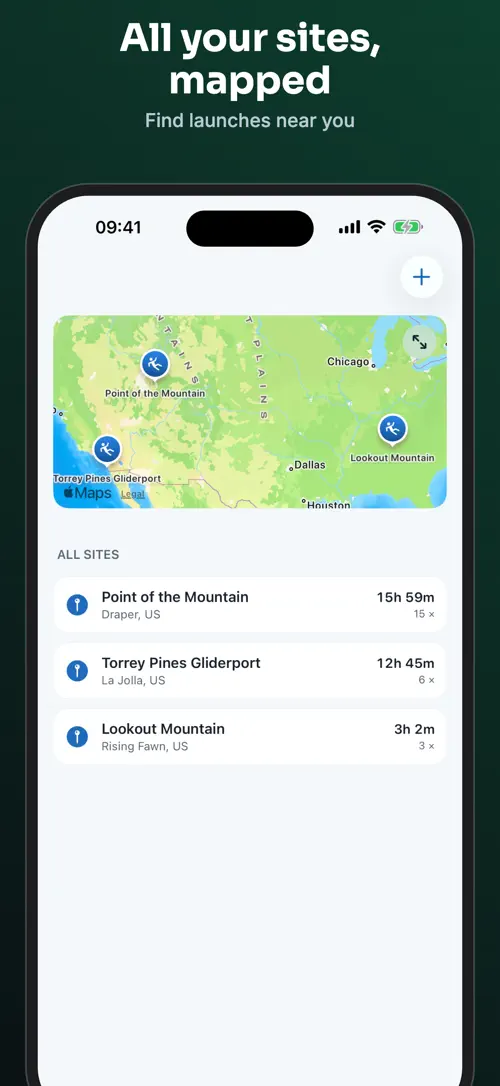
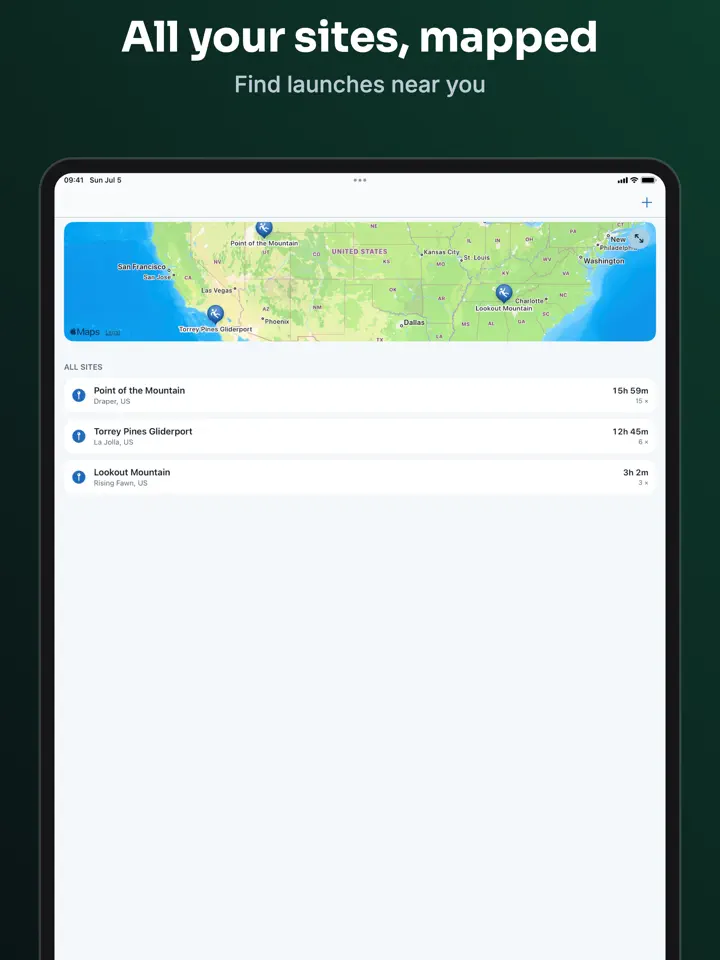
Name each launch site once, then find it again on a map of everywhere you fly.
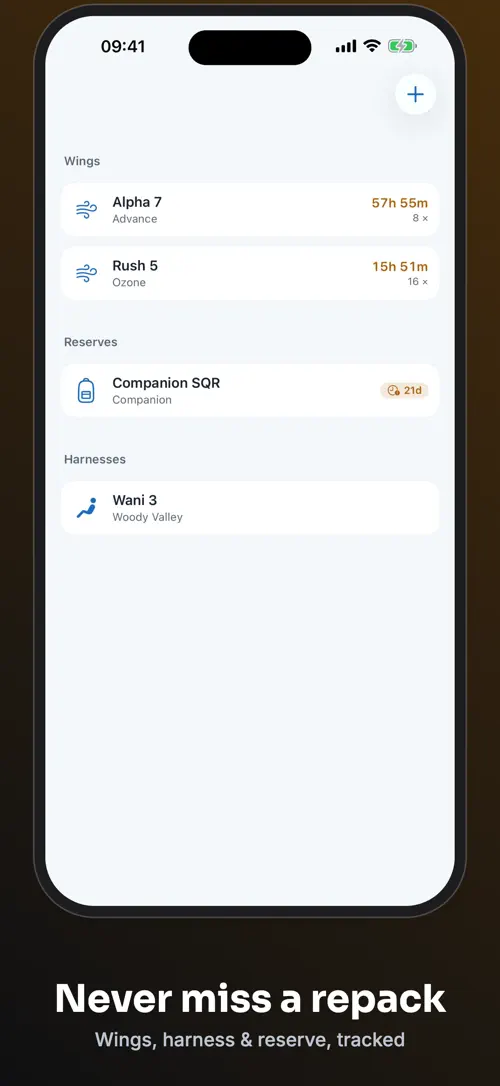
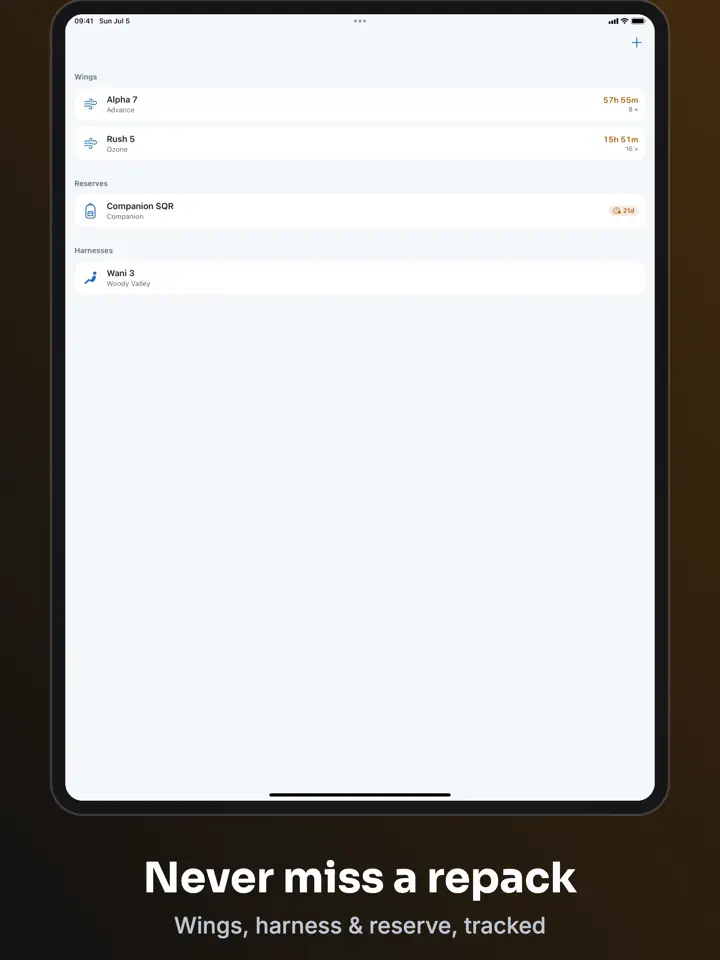
Keep a record of the wing and reserve you flew on every flight.
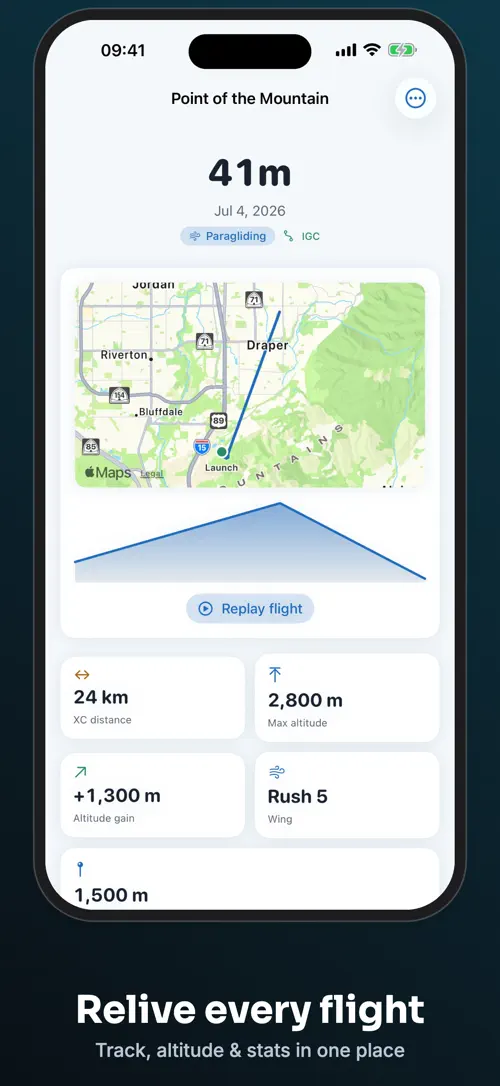
Bring in tracks from your vario or XCTrack and replay your whole archive on the map.
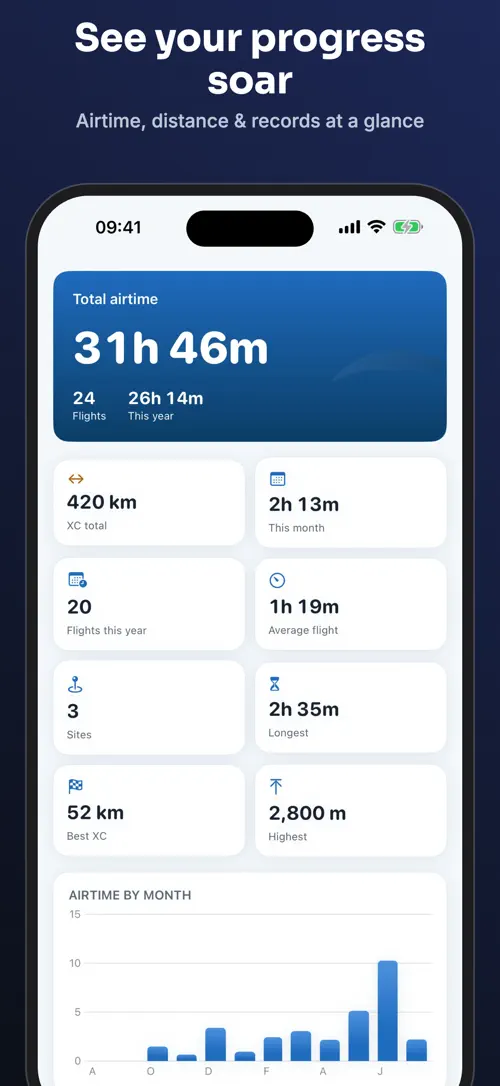
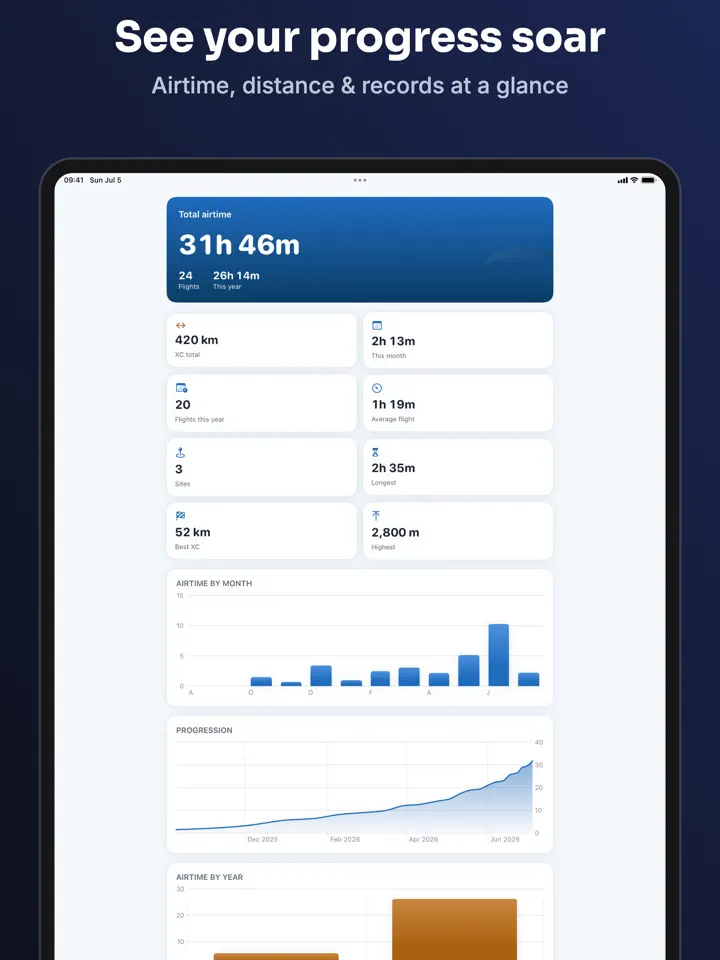
Follow airtime by month, cumulative XC distance, personal bests, and your progression curve.
Who it’s for
Log every flight, site, and wing without juggling a spreadsheet.
Track your airtime and gear alongside every other free-flight discipline you fly.
Keep hours, sites, and gear for every free-flight discipline in a single logbook.
Move your flying history into one logbook that keeps cumulative hours and site lists automatically.
Import your IGC tracks and replay your whole archive on the map with XC Log Pro.
How it works
From “Log your flight” to “Review your stats”, in 5 steps.
Enter the site, wing, airtime, conditions, and notes right after you land.
Name each launch site once, then reuse it every time you fly there again.
Record the wing and reserve you flew, and let XC Log Pro remind you when your reserve repack is due.
With XC Log Pro, bring in IGC tracks from your vario or XCTrack and replay them on the map.
Check airtime by month, cumulative XC distance, personal bests, and your progression curve in XC Log Pro.
In depth
XC Log logs every flight discipline in one place: paragliding, paramotor (PPG), hang gliding, sailplane, and speedriding. Each entry captures the site, wing, airtime, conditions, and notes you enter right after you land.
The main screen always shows your cumulative airtime and flight count, the number a flight log should show first. XC Log Pro adds hours broken down per wing, plus reserve repack reminders based on that usage.
XC Log Pro reads IGC files from your vario or from XCTrack and replays them on the map, covering your whole archive since your first logged flight. Import works with files from XCTrack, Skytraxx, Flytec, Flymaster, and XContest downloads.
If a file cannot be imported, XC Log tells you which file failed and why, instead of a single generic error message.
The core logbook is free forever: logging flights, naming launch sites, tracking one wing and one reserve, and exporting to CSV are never locked behind a paywall.
XC Log Pro adds IGC import and track replay, hours per wing with reserve repack reminders, stats such as airtime by month and cumulative XC distance, unlimited wings, reserves, and sites across every discipline, a site map with altitude replay, iCloud sync and backup, and PDF and IGC export.
Release notes
Version
1.0.1
IGC import is fixed.
Track files from XCTrack, Skytraxx, Flytec, Flymaster and XContest downloads were being rejected with "no valid IGC tracks were found". They now import properly — full trace, airtime, altitude gain and distance.
Import also copes with more of the quirks different varios write, and if a file still won’t load, XC Log now tells you which file and why instead of one vague message.
Thank you to the pilots who took the time to report this.
FAQ
Something else? The XC Log support page covers purchases, sync and settings, and lets you write to us directly.
Yes. XC Log is free to download from the App Store. Optional in-app purchases unlock extra features; they are billed by Apple to your Apple Account, and you can manage them at any time in your account settings.
XC Log works on iPhone and iPad with iOS 17.0 or later.
Yes. Logging flights, naming sites, tracking one wing and reserve, and exporting to CSV are free forever, with no paywall on your data.
You can log paragliding, paramotor (PPG), hang gliding, sailplane, and speedriding flights all in one logbook.
With XC Log Pro, you can import IGC tracks from your vario or from XCTrack and replay them on the map.
XC Log Pro tracks hours per wing and sends reserve repack reminders so you always know when it is due.
The free logbook exports to CSV, and XC Log Pro adds PDF and IGC export.
XC Log Pro includes iCloud sync and backup across your devices.
XC Log is available in 44 languages: Arabic, Bangla, Catalan, Chinese (Simplified), Chinese (Traditional), Croatian, Czech, Danish, Dutch, English, Finnish, French, German, Greek, Gujarati, Hebrew, Hindi, Hungarian, Indonesian, Italian, Japanese, Kannada, Korean, Malay, Malayalam, Marathi, Norwegian Bokmål, Odia, Polish, Portuguese, Punjabi, Romanian, Russian, Slovak, Slovenian, Spanish, Swedish, Tamil, Telugu, Thai, Turkish, Ukrainian, Urdu and Vietnamese.
Visit the XC Log support page: it answers common questions about purchases, sync and settings, and has a contact form. You can also write to contact@develak.com. We read every message and reply personally.
Made by Develak
We design and build native iPhone, iPad and Mac apps for founders and companies, with the same care we put into our own. Tell us about your idea.