

Cragly
Climbing Log & Stats
Screenshots

Overview
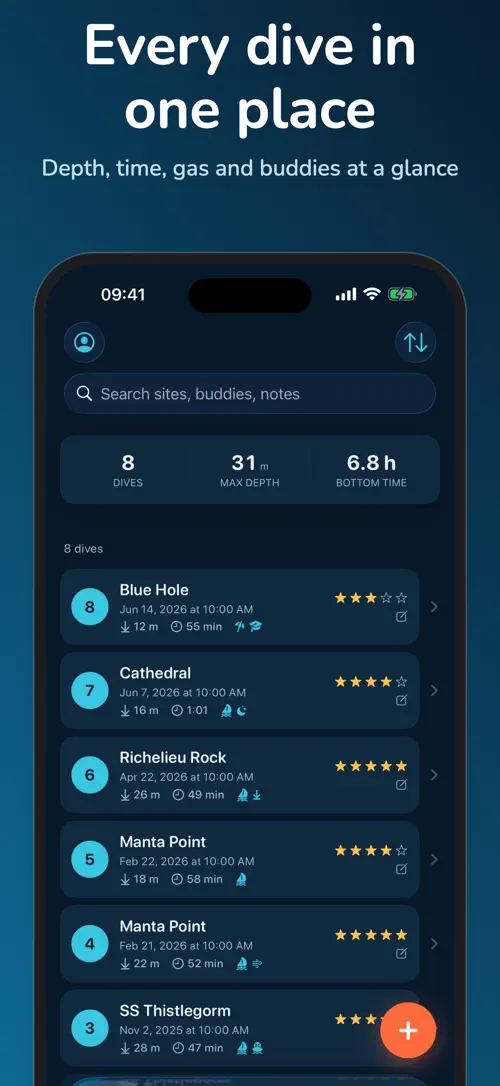
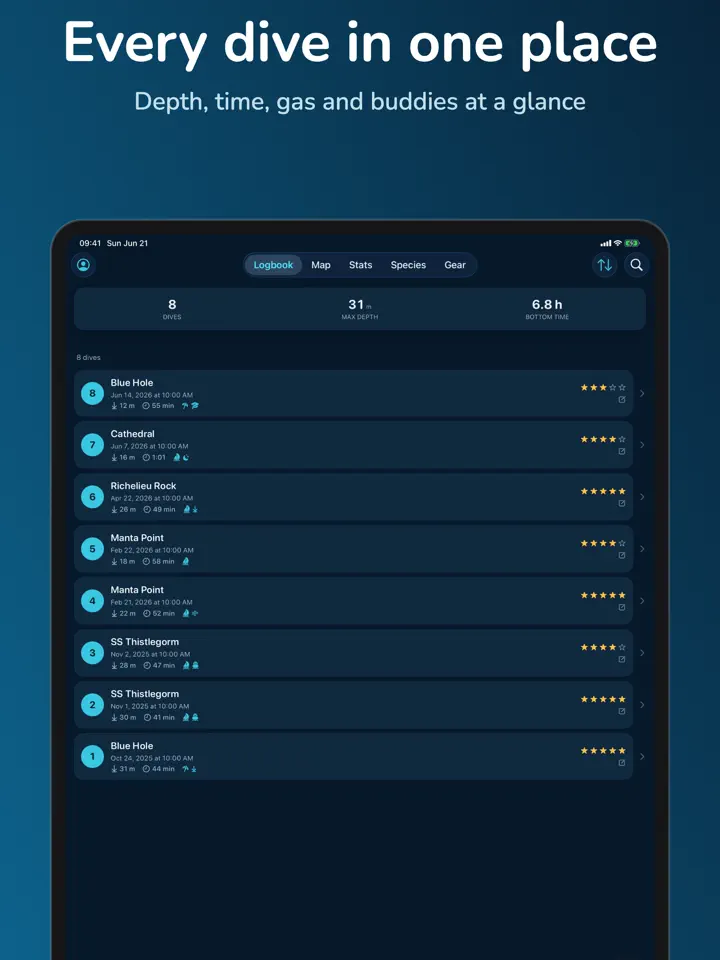
Bottomtime is the dive logbook you can open on a boat, a liveaboard, or in a cenote with no signal at all. Enter a dive in the “Quick Log” screen in about 30 seconds, or switch to the detailed editor when you have more time, and watch your personal “Dive Sites Map” fill up with every place you’ve been underwater.
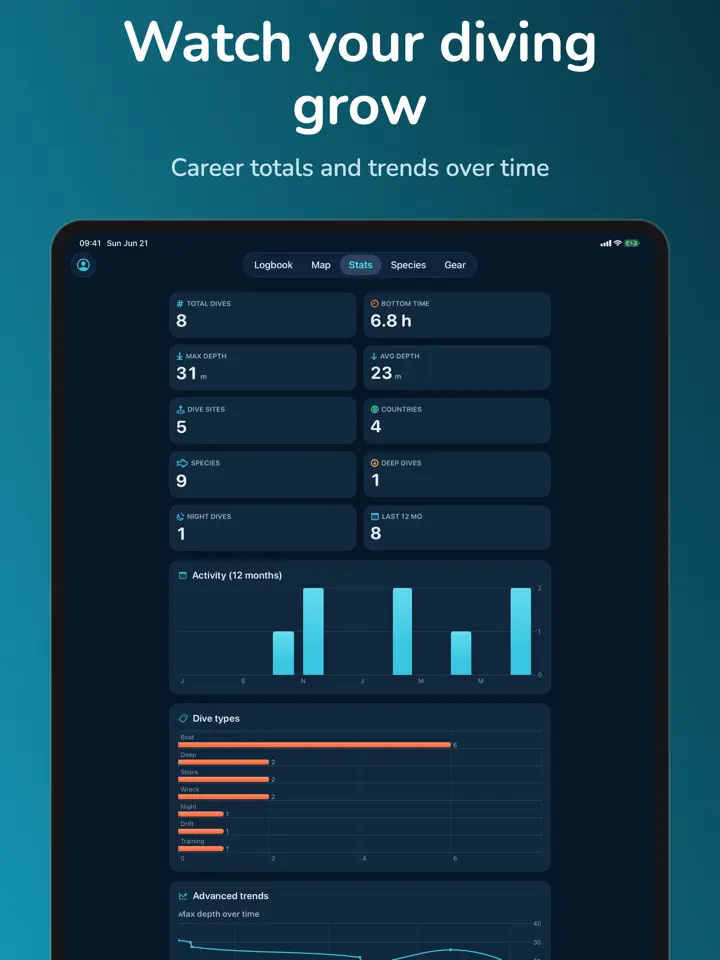
The free version already includes an unlimited dive log with photos, career stats, and a “Species Log” for marine sightings, with names never held back for a paid tier. Bottomtime Pro adds automation on top, from importing data out of Apple “Health” and dive computers to automatic iCloud sync across iPhone and iPad, without changing how your data is stored or exported.
Bottomtime is the dive logbook that belongs to you — beautiful, fast, and offline-first. Log a dive in 30 seconds, watch your sites map fill up, and keep your whole diving life in one place. No account required. Your data is yours.
BOTTOMTIME PRO — automation and comfort, never your data
Recreational, technical, freediver or snorkeler — multi-cylinder, nitrox and trimix, safety stops, and metric or imperial units.
No account needed. Works fully offline. Export to UDDF, CSV and PDF anytime — your dive history is never locked in.
Premium is available as a monthly or yearly subscription (with a 7-day free trial on the annual plan) or a one-time lifetime unlock. Free features stay free, forever.
Terms of Use (EULA): https://www.apple.com/legal/internet-services/itunes/dev/stdeula/
Privacy Policy: https://develak.com/privacy-policy/
Highlights
Log dives in 30 seconds, map your sites, and track marine species with Bottomtime, the offline-first dive logbook by Develak for iPhone and iPad.
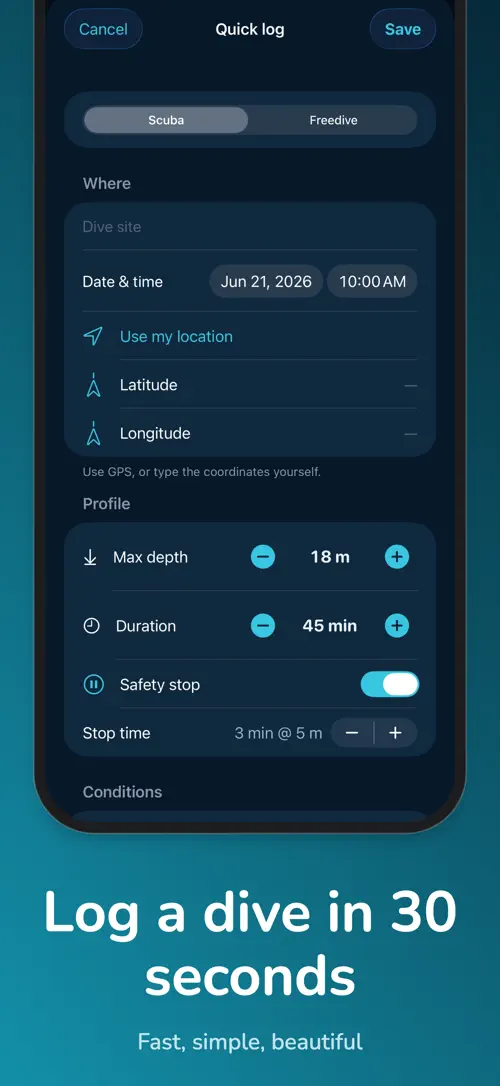
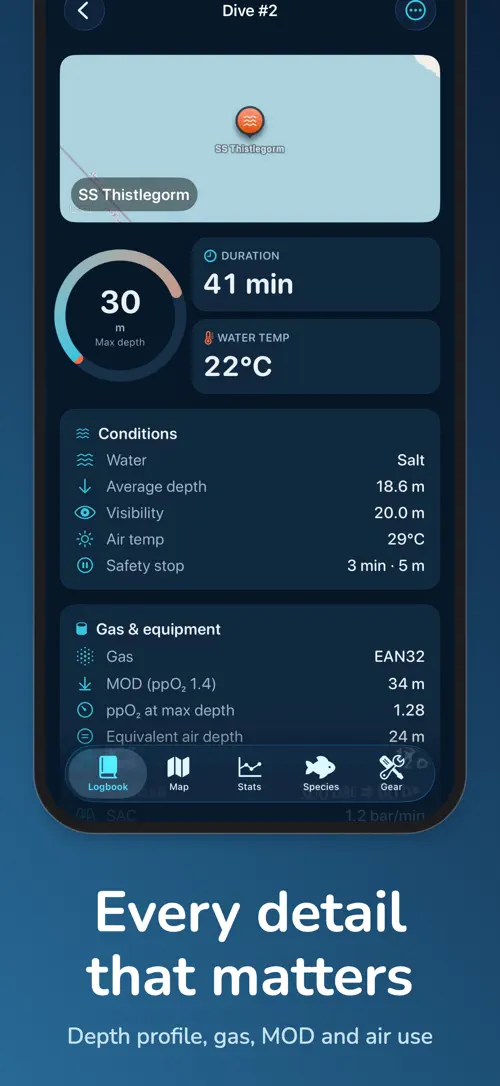
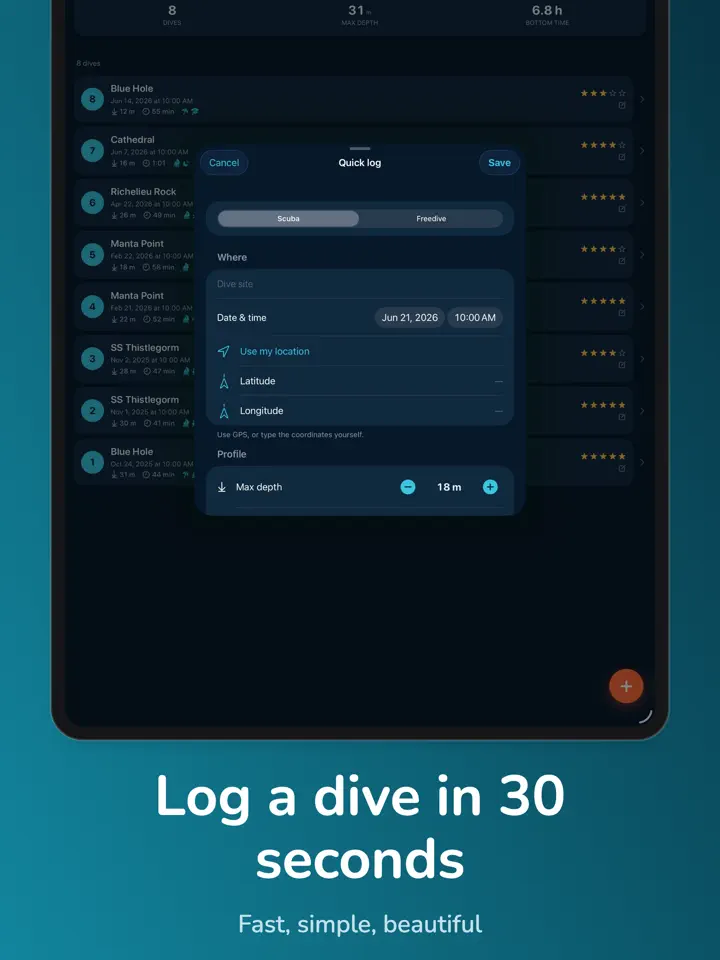
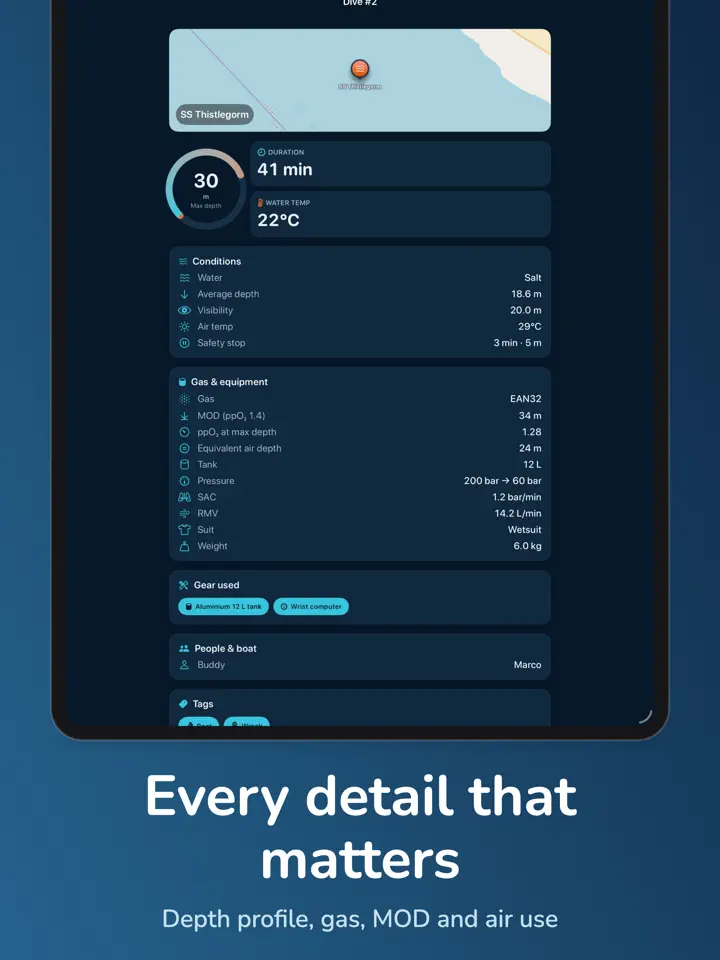
Enter site, depth, time, gas, buddy, and conditions in the “Quick Log” screen right after you surface.
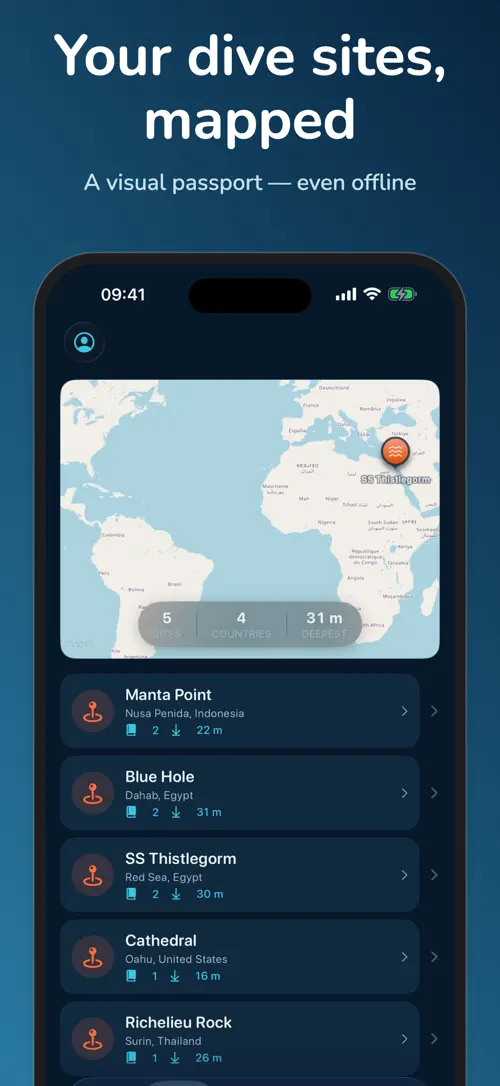
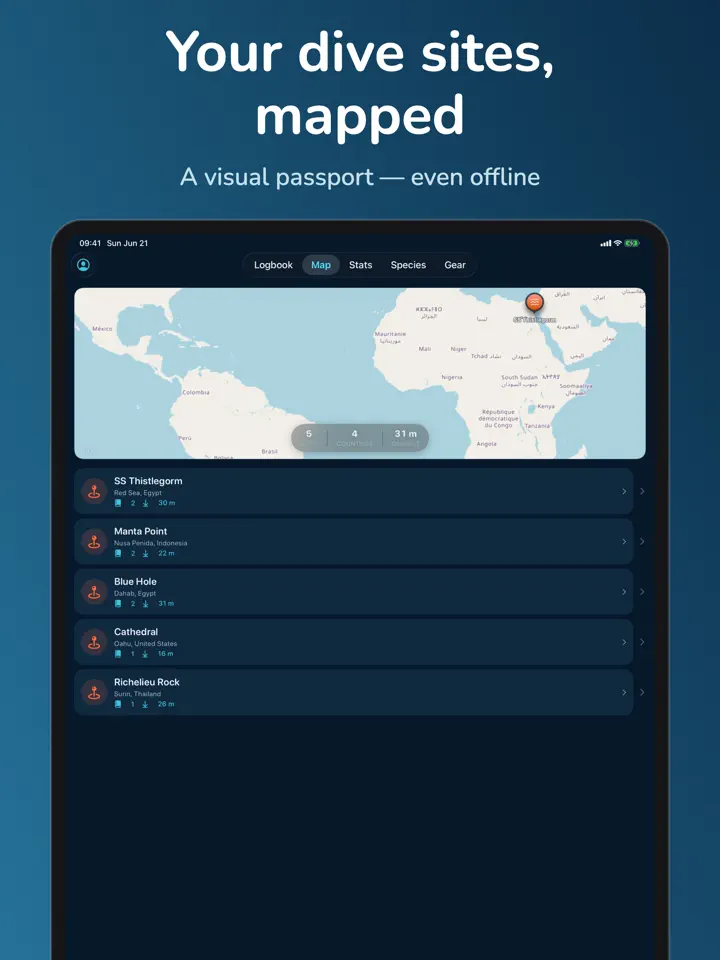
Every logged dive is plotted on your “Dive Sites Map”, building a personal underwater passport.
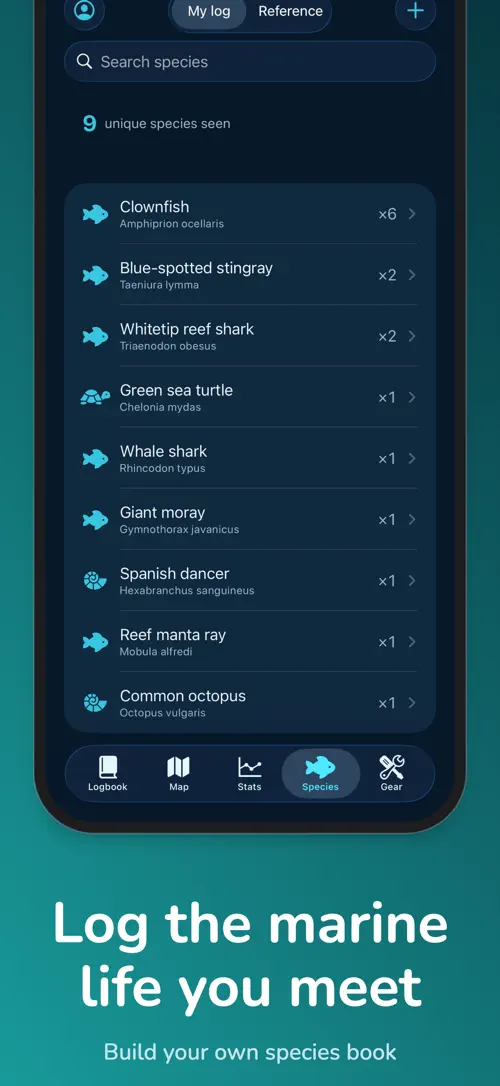
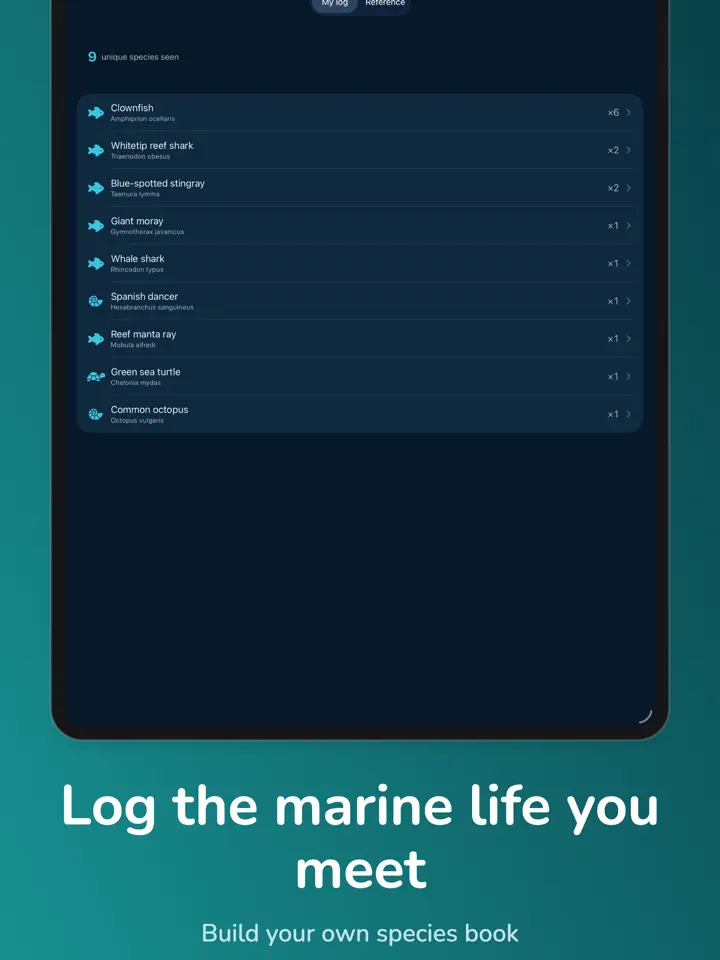
Record marine species sightings with common names in the “Species Log”, part of the free experience.
Log dives with no signal on a boat, a liveaboard, or in a cenote, then let everything sync once you’re back online.
With Bottomtime Pro, bring in depth and duration from Apple “Health” and compatible dive computers instead of entering it twice.
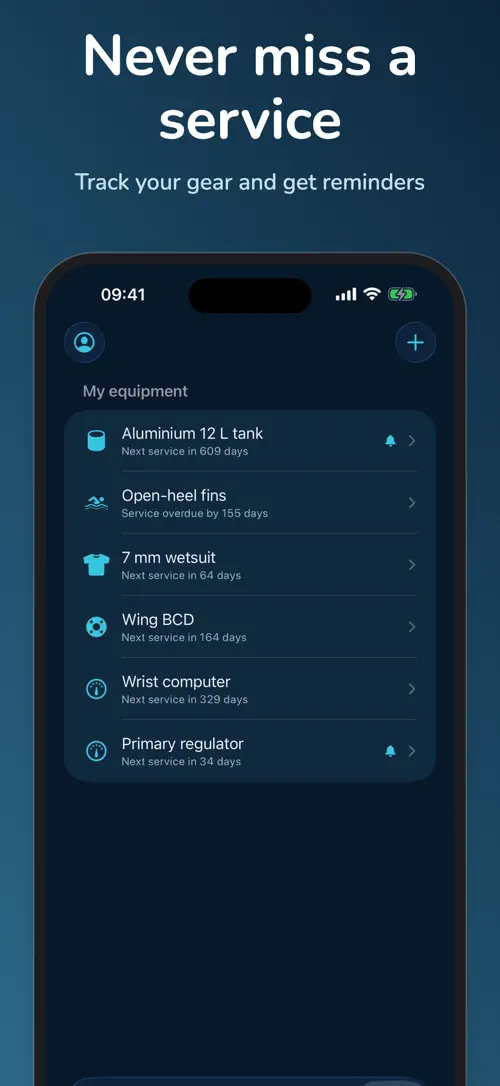
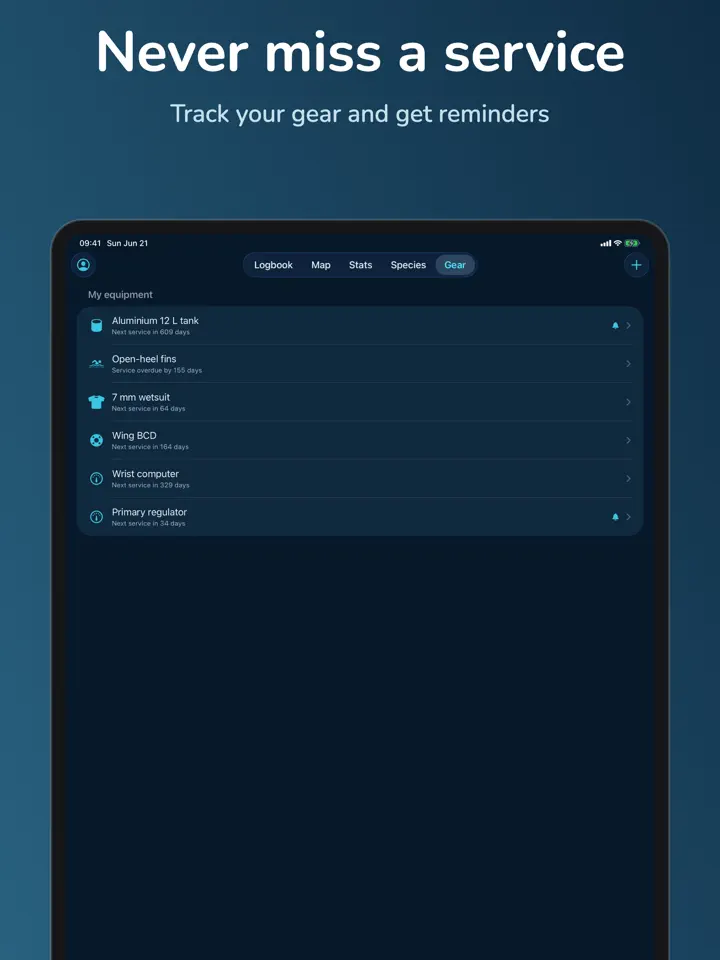
Keep an equipment log and get reminders when service is due, part of Bottomtime Pro.
Who it’s for
Log dives after every trip in the “Quick Log” screen and watch your “Dive Sites Map” grow with each destination.
Track multi-cylinder configurations, nitrox and trimix mixes, and safety stops in the same logbook as your recreational dives.
Keep a personal record of dives and species sightings in the “Species Log” without any scuba-only assumptions.
Skip the account, work fully offline, and export your logbook to UDDF, CSV, or PDF whenever you like.
How it works
From “Log a dive” to “Unlock Bottomtime Pro”, in 4 steps.
Open Bottomtime after surfacing and fill in site, depth, time, gas, buddy, and conditions in the “Quick Log” screen.
Each logged dive appears on your “Dive Sites Map”.
Record marine species you spotted, with common names, in the free “Species Log”.
Import depth and duration from Apple “Health” or a dive computer, sync across iPhone and iPad with iCloud, and export a PDF logbook with instructor signature.
In depth
The “Quick Log” screen asks only for the essentials — site, depth, time, gas, buddy, and conditions — so you can log a dive in about 30 seconds right after surfacing.
When you have more time, the same dive can be opened in the detailed editor to add extra notes, without slowing down the quick entry option for your next dive.
The “Species Log” lets you record marine species sightings by common name for every dive, and it stays part of the free version of Bottomtime.
With Bottomtime Pro, you can also add photos to each species entry and build up a history of your sightings over time.
Bottomtime is offline-first, so you can log dives on a boat, a liveaboard, or in a cenote with no connectivity at all.
With Bottomtime Pro, automatic iCloud sync brings everything you logged offline across to your other device once you’re back online.
Release notes
Version
1.0
This is the first version of Bottomtime, released on June 22, 2026.
FAQ
Something else? The Bottomtime support page covers purchases, sync and settings, and lets you write to us directly.
Yes. Bottomtime is free to download from the App Store. Optional in-app purchases unlock extra features; they are billed by Apple to your Apple Account, and you can manage them at any time in your account settings.
Bottomtime works on iPhone and iPad with iOS 17.0 or later.
Use the “Quick Log” screen to enter site, depth, time, gas, buddy, and conditions in about 30 seconds, then add more detail later in the full editor if you want.
No. Bottomtime works without any account, so you keep full control of your dive data from the start.
Yes. Bottomtime is offline-first, so you can log dives with no signal and everything is saved for whenever you next have a connection.
Yes. You can log multi-cylinder setups, nitrox and trimix, and safety stops alongside recreational dives, in metric or imperial units.
Yes. You can export your logbook to UDDF, CSV, or PDF at any time, so your dive history is never locked into the app.
It’s an informational planner that helps you think through surface intervals and no-fly timing; it is not a certified dive computer or safety instrument.
Bottomtime is available in 44 languages: Arabic, Bangla, Catalan, Chinese (Simplified), Chinese (Traditional), Croatian, Czech, Danish, Dutch, English, Finnish, French, German, Greek, Gujarati, Hebrew, Hindi, Hungarian, Indonesian, Italian, Japanese, Kannada, Korean, Malay, Malayalam, Marathi, Norwegian Bokmål, Odia, Polish, Portuguese, Punjabi, Romanian, Russian, Slovak, Slovenian, Spanish, Swedish, Tamil, Telugu, Thai, Turkish, Ukrainian, Urdu and Vietnamese.
Visit the Bottomtime support page: it answers common questions about purchases, sync and settings, and has a contact form. You can also write to contact@develak.com. We read every message and reply personally.
Made by Develak
We design and build native iPhone, iPad and Mac apps for founders and companies, with the same care we put into our own. Tell us about your idea.