---
title: "Case Study: ApexLap, an iPhone Lap Timer and Telemetry App"
description: "ApexLap case study: an iPhone lap timer built for gloves, visors and full sun, with automatic timing, telemetry and 44 languages, told through public facts."
url: https://develak.com/blog/case-study-apexlap/
language: en
updated: 2026-10-03
source: Develak
translations:
fr: https://develak.com/fr/blog/etude-de-cas-apexlap.md
---
Canonical page:
[Guides](https://develak.com/blog/) 9 min read
# Case study: ApexLap, a lap timer and telemetry app designed for iPhone track days
How ApexLap turns an iPhone into a lap timer for cars, motorcycles and karts: automatic start/finish detection, laps saved instantly, a free core and an optional Apex Pro, external GPS receivers, 44 languages at launch. Only public facts from the App Store listing.
Develak studio
Published October 3, 2026
[Lire en français](https://develak.com/fr/blog/etude-de-cas-apexlap/)
ApexLap is Develak’s lap timer and telemetry app for track days: it turns an iPhone into a data logger that detects the start/finish line automatically, times every lap with millisecond interpolation and saves each lap the instant it ends. Lap timing, more than 500 built-in circuits and the full history are free; an optional “Apex Pro” adds telemetry, video overlays, lap comparison, external 10 Hz GPS receivers and OBD-II data. Version 1.0 was released on July 8, 2026 for iPhone and iPad, in 44 languages. This case study relies only on the App Store listing and the app’s public pages.
## Key takeaways
- ApexLap is built around the moment of use: a driver or rider on track, in full sun, behind a visor, wearing gloves, who cannot press buttons.
- The core promise is reliability: automatic start/finish detection, millisecond interpolation and laps saved the instant they complete.
- The business model draws a clear line: timing and history are free forever, analysis tools are in Apex Pro (monthly, yearly with a 7-day trial, or lifetime).
- It works with the iPhone’s own location, external 10 Hz GPS receivers and OBD-II engine data, and location data stays on the device.
- It shipped at version 1.0 with 44 languages, seven declared accessibility features and a “Data Not Collected” privacy label.
## How we wrote this case study
Develak publishes more than 30 of its own apps, and ApexLap is the youngest of the three we document as case studies. The rule is the same for all of them: only facts you can check yourself on the App Store listing, the [ApexLap page](https://develak.com/apps/apexlap/) and its privacy page. No download counts, no revenue, no reconstructed project timeline. When we explain how something usually works on iOS, we say so, and we never present it as a description of ApexLap’s code.
## The problem: timing laps when your hands are busy
On a track day, every lap is data: where you braked, how much speed you carried, whether that new line was faster. Dedicated data loggers exist, but most amateur drivers, motorcyclists and karters already carry a capable sensor package in their pocket. The listing frames ApexLap as exactly that: “Your phone becomes a professional data-logger.”
The audience is explicit on the app’s page: track day drivers who want timing without setting up a manual trigger at every circuit, motorcyclists who need something readable in full sun and usable with gloves, karters who want kart tracks covered as well as car circuits, and data-focused racers who want to compare laps and follow their progression session after session.
That audience sets hard constraints. The app must work without a tap, because nobody touches a phone at speed. It must never lose a lap, because a session is expensive and cannot be replayed. And it must be legible in the worst light, through a visor, in a few tenths of a second.
## Product decisions you can see in the app
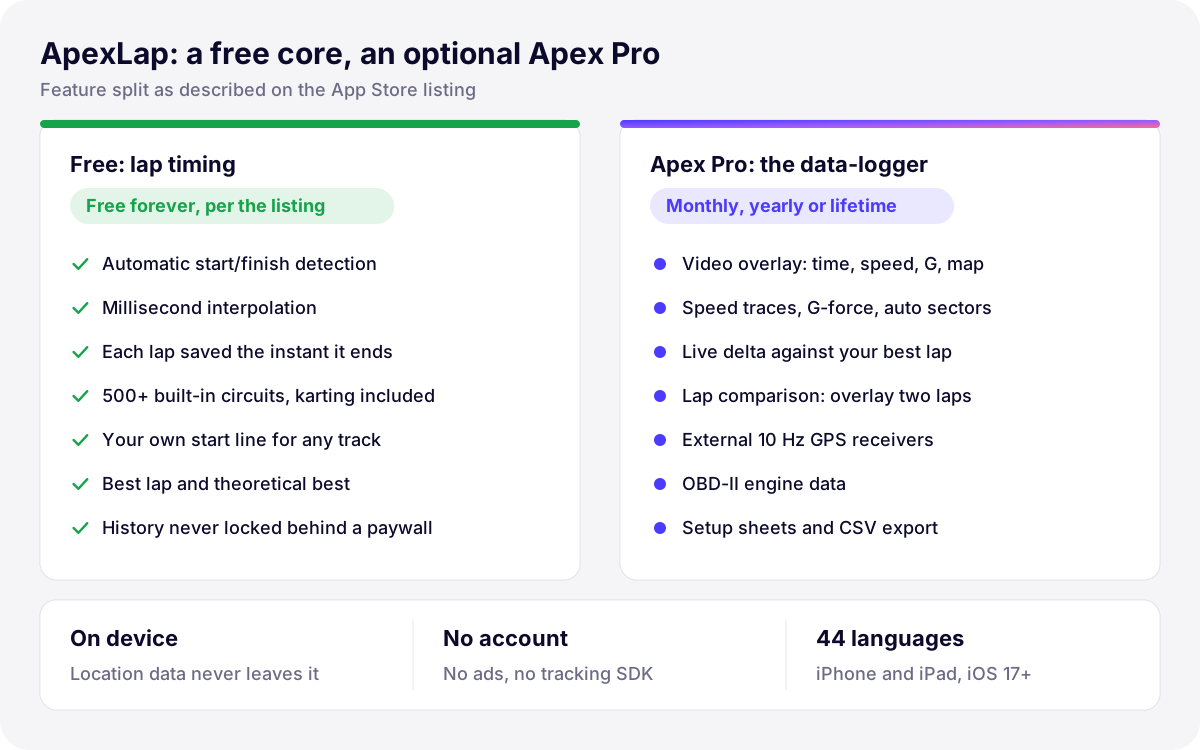
*Illustration: how the App Store listing splits ApexLap’s features between the free core and Apex Pro.*
### Automatic timing, no button
ApexLap detects the start/finish line from the iPhone’s location and times each lap “automatically the moment you cross the start line”, with millisecond interpolation. In general terms, interpolation matters because position fixes arrive at discrete intervals: the exact moment you crossed the line usually falls between two fixes, and estimating it is what separates a usable lap time from a rounded one. You pick a circuit from more than 500 built in worldwide, karting included, or create your own start line for any track in seconds.
### Never lose a lap
“Every lap is saved the instant it completes — a crash or dead battery never loses your data.” This is a product decision before it is an engineering one: it defines when data is written, and it rules out designs that only save at the end of a session. Laps are then organized per circuit and sorted by best time, with the best lap and the theoretical best for each session.
### Designed for gloves, visors and full sun
The listing promises “no manual needed, readable in full sun through a visor, usable with gloves.” It does not describe the interface in detail, so we will not either. But those three constraints are a design brief in themselves: very large numerals, strong contrast, few elements on screen at once, generous touch targets and an app that can be understood without reading instructions. They also line up with the seven accessibility features declared on the product page: VoiceOver, Voice Control, Larger Text, Dark Interface, Differentiate Without Color Alone, Sufficient Contrast and Reduced Motion.
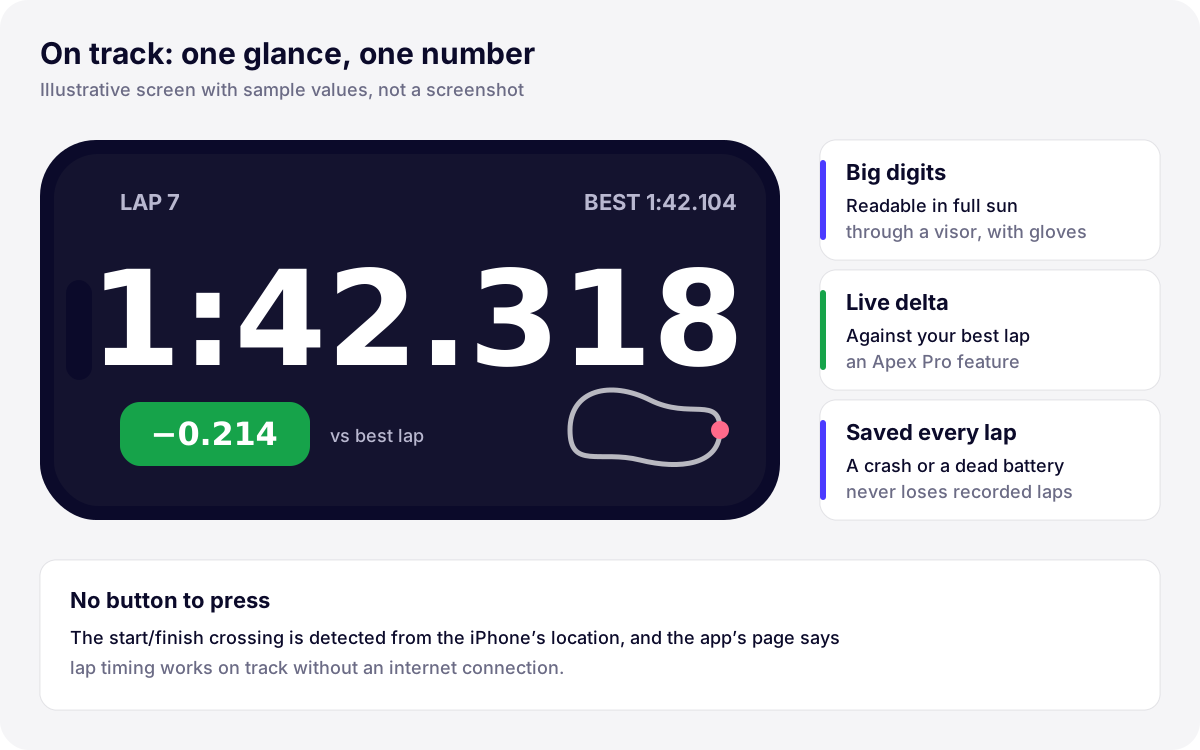
*Illustration: a stylized on-track screen with sample values, showing the constraints the listing describes. Not a screenshot of the app.*
### A free core, an optional Apex Pro
The listing calls lap timing “free forever” and adds a promise worth quoting: “Your recorded laps, sessions and history are never locked behind a paywall.” What Apex Pro sells is analysis, not access to your own data:
- **Video overlay export**: lap time, speed, G-force and track map burned into your footage.
- **Full telemetry**: speed traces, G-forces, automatic sectors and a live delta against your best lap.
- **Lap comparison**: overlay two laps and see where the time is.
- **External hardware**: 10 Hz GPS receivers (the listing names RaceBox, Garmin GLO and Dual) and OBD-II engine data.
- **Progression and setup**: analysis per circuit over time, setup sheets with tires, pressures and settings, CSV export and unlimited custom circuits.
Apex Pro is offered as a yearly plan with a 7-day free trial, a monthly plan, or a one-time lifetime purchase. Drawing the line this way is a trust decision: users can adopt the app without fearing their history will be held hostage later.
### Location that stays on the device
A lap timer is, by definition, an app that tracks your position. The listing answers the obvious worry directly: “Your location data stays on your device. No account, no tracking.” The privacy page adds that recorded data stays in the app’s private storage on the device, that there is no Develak server collecting it, and that the app contains no advertising or third-party analytics SDK. The App Privacy label reads “Data Not Collected”. The app’s page also confirms that timing works on track without an internet connection, which matters at circuits with poor coverage.
## Technologies the listing names
| Capability | What the public sources say | What it implies in a project |
| --- | --- | --- |
| iPhone location | Start/finish detection from the iPhone’s location; location data stays on the device | On iOS this goes through Core Location and a location permission prompt with a clear purpose string |
| External GPS receivers | 10 Hz receivers such as RaceBox, Garmin GLO or Dual (Apex Pro) | Each accessory needs real hardware to test with, and a fallback when it disconnects |
| OBD-II engine data | Engine data alongside lap data (Apex Pro) | Another external data source to synchronize with the timeline |
| Video overlay export | Lap time, speed, G-force and track map burned into footage (Apex Pro) | Video rendering on the device, typically with AVFoundation, tested on older iPhones too |
| In-app purchases | Yearly plan with a 7-day trial, monthly plan, one-time lifetime option | Subscriptions plus a one-time purchase, with restore purchases and clear terms on the paywall |
| iPhone and iPad | Universal app, iOS 17.0 or later | Layouts that adapt to both devices and orientations |
*Capabilities mentioned in ApexLap’s App Store listing and public pages*
The right-hand column is our general experience of what such features require on iOS, not a description of ApexLap’s internals. Combining a subscription with a lifetime option is common, and the App Review rules for it are the ones we cover in our guide to [subscriptions and App Review](https://develak.com/blog/app-store-subscription-review/).
## 44 languages from version 1.0
ApexLap launched in 44 languages. The list includes three right-to-left languages (Arabic, Hebrew and Urdu) and ten Indic languages: Bangla, Gujarati, Hindi, Kannada, Malayalam, Marathi, Odia, Punjabi, Tamil and Telugu. Each one means translated strings, layouts that survive longer words and mirrored interfaces, and a localized App Store listing: the French storefront, for instance, shows the app as “ApexLap: Chrono & Télémétrie”. Our guide to [localizing an iOS app with String Catalogs](https://develak.com/blog/localize-ios-app-xcstrings/) covers the method, and the [Xlocalize case study](https://develak.com/blog/case-study-xlocalize/) shows the Mac tool we built for this kind of work.
## Results, in public facts only
ApexLap is young, and its public record is short. Here is all of it:
- **Release**: version 1.0 on July 8, 2026, still the current version on October 3, 2026.
- **Languages**: 44, including right-to-left and Indic scripts.
- **Platforms**: iPhone and iPad, iOS 17.0 or later; 4.3 MB; Sports category; rated 4+.
- **Privacy and accessibility**: “Data Not Collected” label and seven declared accessibility features, both present from launch.
- **Ratings**: too early to mean anything. On October 3, 2026 the US storefront shows a single rating and the French storefront none, so we draw no conclusion from them.
What ApexLap proves today is not traction: it is what a well-scoped version 1.0 looks like when it reaches the store complete, with its privacy answers, accessibility declarations and translations in place on day one.
## What this means for your project
- **Design for the moment of use, not the desk.** Gloves, glare and a few tenths of a second of attention shaped ApexLap. Your app has its own version of that moment: a nurse between patients, a technician on a ladder, a parent with one free hand.
- **Write down your data promises.** “Saved the instant it completes” and “never locked behind a paywall” are commitments that drive architecture and pricing. Decide them early.
- **Treat hardware as a first-class feature.** External sensors and accessories need real devices, field testing and graceful failure.
- **Ship complete, not just working.** Localization, accessibility and privacy labels at version 1.0 widen your market from the first day and avoid a second launch later.
Interfaces that work under real-world constraints are the core of our [iOS app design service](https://develak.com/services/ios-app-design/), and turning them into reliable native code, sensors, purchases and App Store submission included, is the job of our [iOS app development service](https://develak.com/services/ios-app-development/). If your app has to work in the field, on the move or in harsh conditions, we would like to hear about it.
## More case studies
- [Pillio](https://develak.com/blog/case-study-pillio/): a medication reminder app with Apple Health, iCloud sync and ten public releases.
- [Xlocalize](https://develak.com/blog/case-study-xlocalize/): a Mac app that translates Xcode String Catalogs with AI.
## FAQ
### What is ApexLap?
ApexLap is an iPhone and iPad app published by Develak that times every lap automatically on track for cars, motorcycles and karts, and adds telemetry, video overlays, lap comparison and external GPS or OBD-II data with the optional Apex Pro.
### Does ApexLap need an internet connection?
No. According to the app’s page, ApexLap detects the start/finish line and times laps using the iPhone’s location, so it works on track without a connection. Location data stays on the device.
### What is free and what requires Apex Pro?
Automatic lap timing, more than 500 built-in circuits, custom start lines and the full history of laps and sessions are free. Apex Pro adds video overlay export, full telemetry, lap comparison, external 10 Hz GPS receivers, OBD-II data, setup sheets, progression analysis and CSV export.
### Why does this case study not show downloads or revenue?
Because they are not public and you could not verify them. We limit our case studies to facts anyone can check on the App Store and on our app pages, and we say when a fact, such as a rating, is too early to be meaningful.
### Can Develak design an app that works in the field like ApexLap?
Yes. We design and build native iPhone and iPad apps for demanding contexts of use, from sensors and external accessories to offline data and in-app purchases. Start with our [design](https://develak.com/services/ios-app-design/) or [development](https://develak.com/services/ios-app-development/) service pages and tell us about your project.
Written by
## The Develak studio
Develak is an independent iOS app studio. We have published 34 apps on the App Store since 2025, in up to 44 languages, and we write these guides from that hands-on experience.
[See our 34 apps](https://develak.com/apps/) [About the studio](https://develak.com/about/)
## More iOS guides
[All guides](https://develak.com/blog/)
Guides 11 min read
### [TestFlight guide (2026): internal and external testers, Beta App Review and public links](https://develak.com/blog/testflight-guide/)
How TestFlight works in 2026: internal vs external testers, groups, public links and tester criteria, Beta App Review, uploading and processing builds, export compliance, feedback and crashes, and fixes for Missing Compliance, stuck processing and expired builds.
October 3, 2026
Guides 13 min read
### [iOS privacy manifest (PrivacyInfo.xcprivacy) in 2026: required reason APIs, SDKs and ITMS-91053](https://develak.com/blog/ios-privacy-manifest/)
A practical 2026 guide to the iOS privacy manifest: the four PrivacyInfo.xcprivacy keys, every required reason API code, third-party SDK manifests and signatures, the Xcode privacy report, and how to fix ITMS-91053 and the other upload emails.
October 3, 2026
Guides 9 min read
### [Case study: Xlocalize, a Mac app that translates Xcode String Catalogs with AI](https://develak.com/blog/case-study-xlocalize/)
How Xlocalize, Develak’s Mac app for .xcstrings files, approaches AI localization: Xcode’s native format preserved losslessly, per-key context, your own OpenAI, Claude or Gemini key in the Keychain, validation hints and honest error reporting. Only public facts from the Mac App Store.
October 3, 2026
## Turn this guide into a shipped app
Develak designs, builds and publishes native iOS apps for founders and teams worldwide, in English or French.
[Start a project](https://develak.com/contact/) [contact@develak.com](mailto:contact@develak.com)
---
*Markdown version of for AI assistants, published by Develak. Links lead to the web pages; add .md to a page URL for its Markdown version. Site index: .*